Monitoring
Set up Respan
- Sign up — Create an account at platform.respan.ai
- Create an API key — Generate one on the API keys page
- Add credits or a provider key — Add credits on the Credits page or connect your own provider key on the Integrations page
Use AI
Add the Docs MCP to your AI coding tool to get help building with Respan. No API key needed.
What is an automation?
An automation is a tool that helps you to monitor your LLM applications. You can set up metrics and alerts to monitor system performance.
How to create an automation?
1. Create a condition
Start by defining a condition, which specifies when an alert should be triggered.
Go to Conditions.
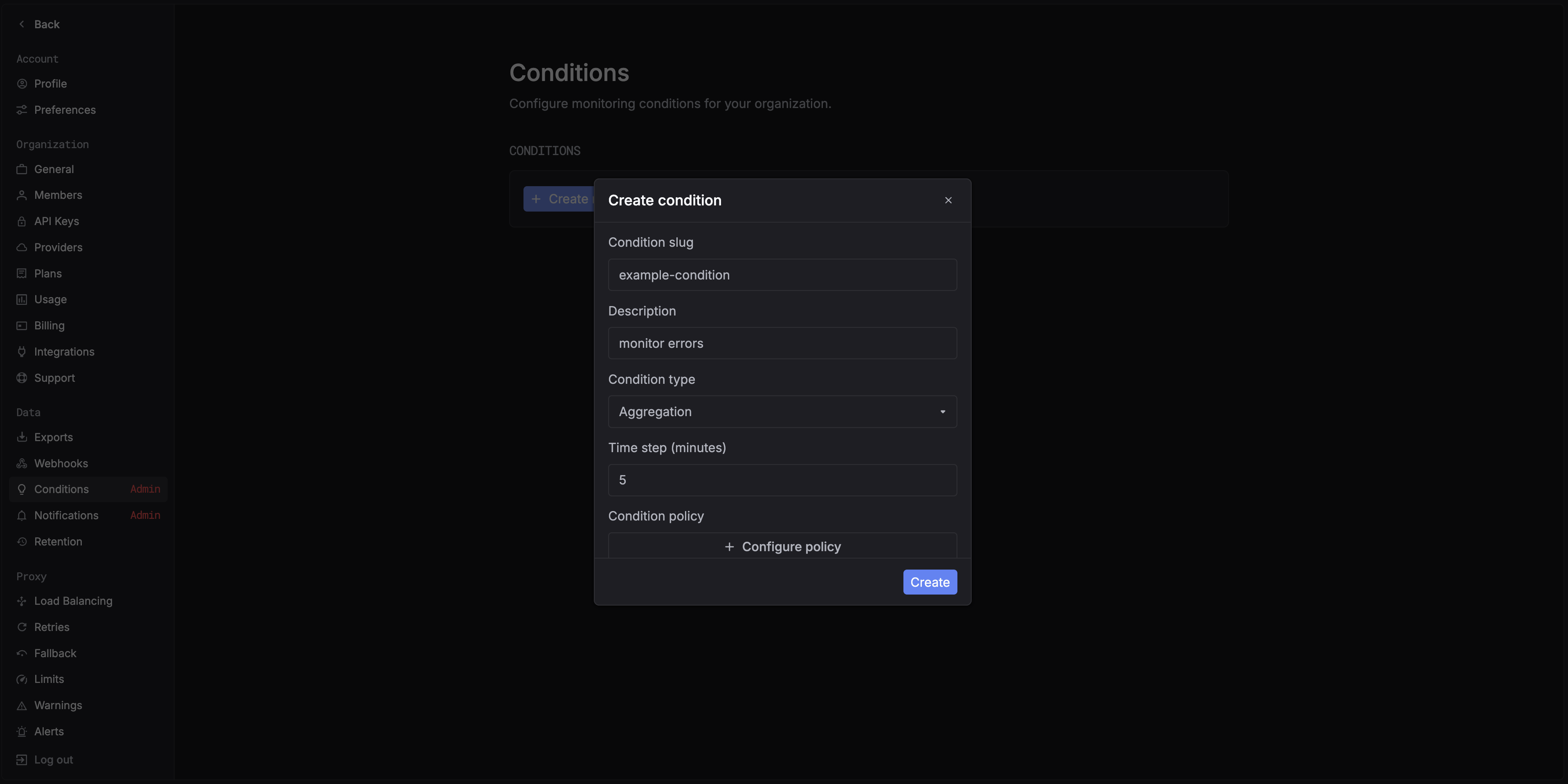
You can choose one of the following condition types:
- Single log – triggers when a specific log matches the rule.
- Aggregation – triggers based on aggregated metrics over time.
When selecting Aggregation, you’ll see the Time step option.
This defines the time interval used for metric aggregation (e.g., every 5 minutes).
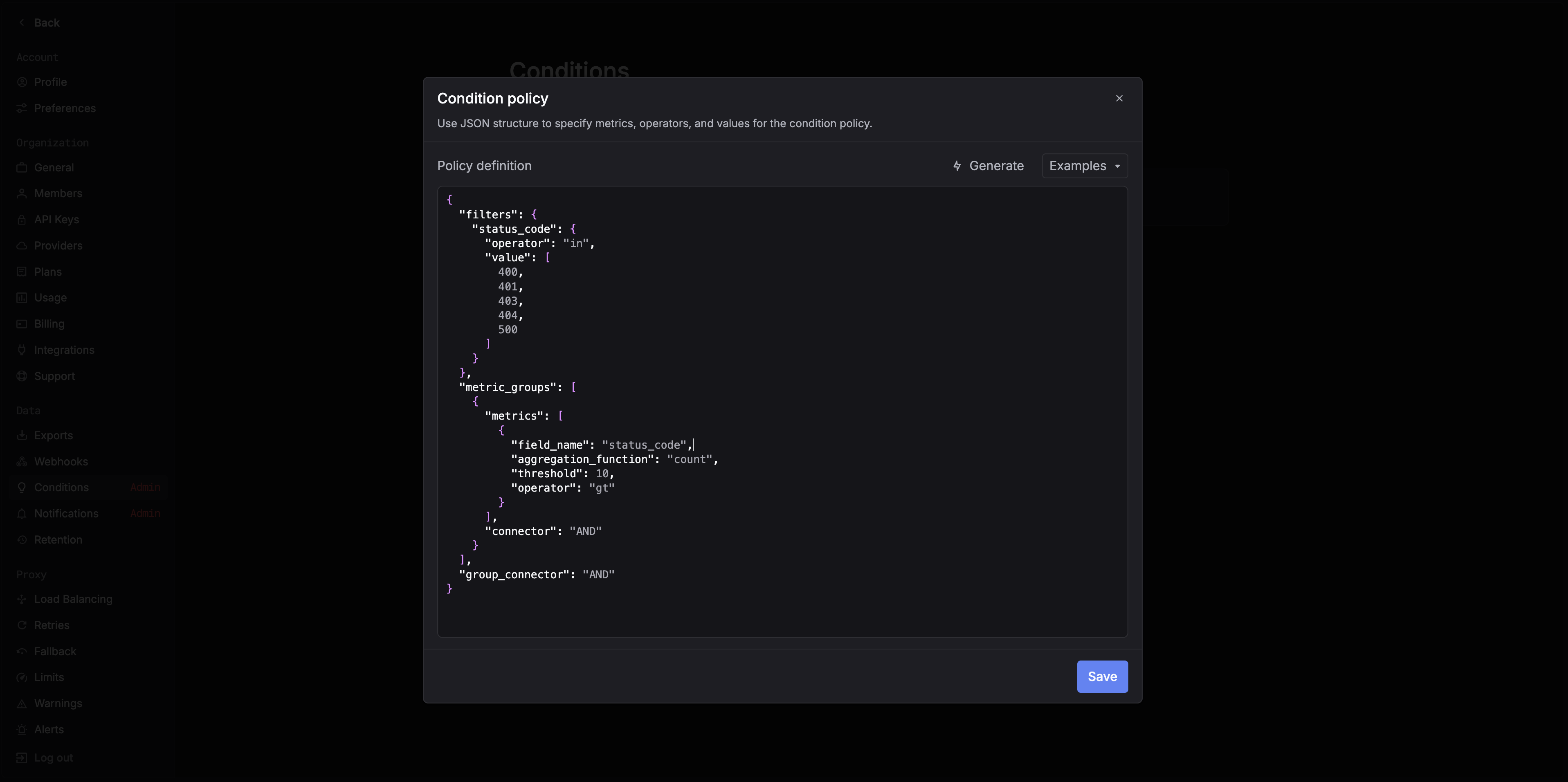
For example, the policy shown above triggers an alert when there are more than 10 HTTP errors (400, 401, 403, 404, 500) within a 5-minute window.
2. Create a notification
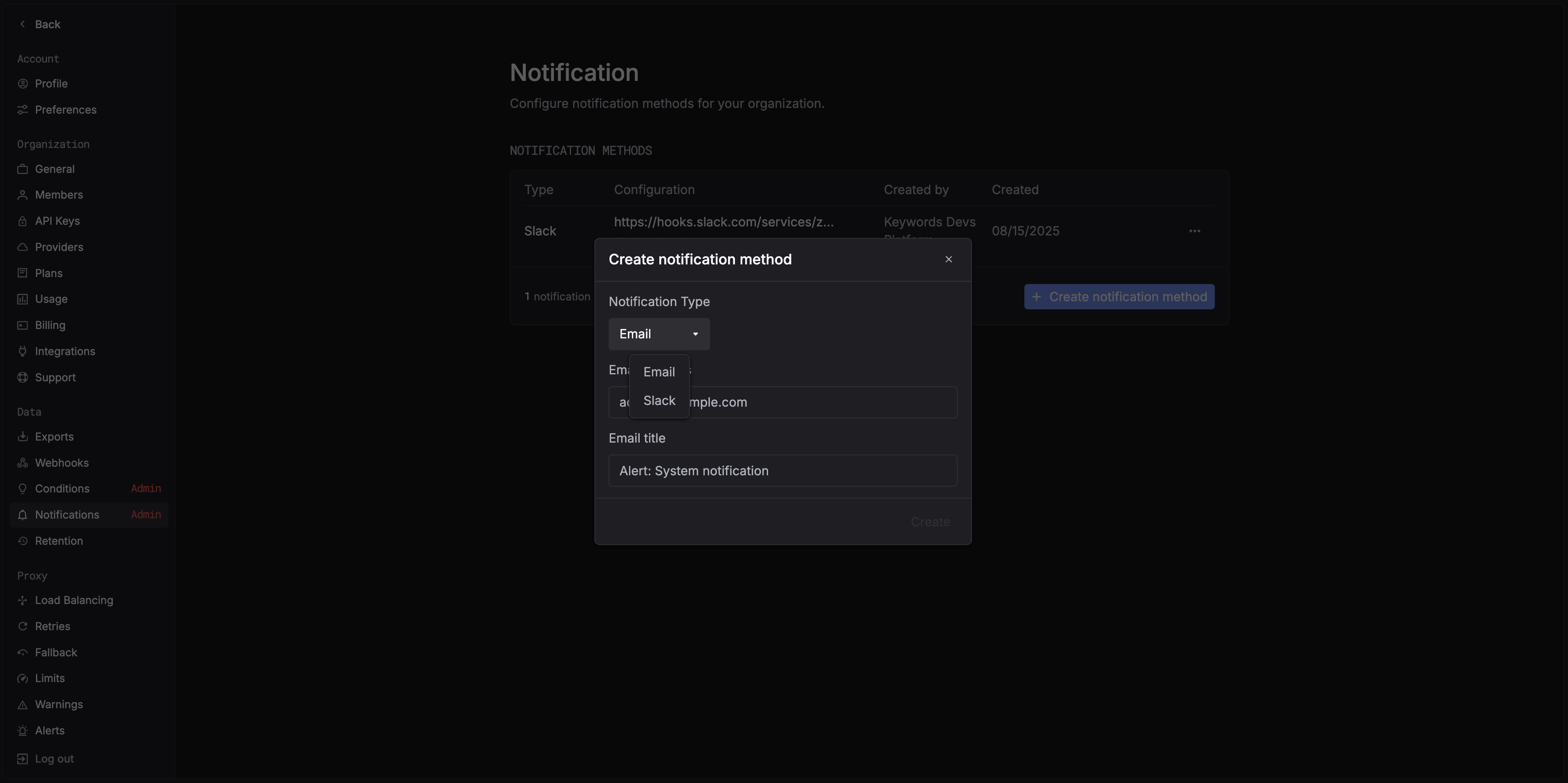
After defining your condition, set up a notification channel to receive alerts.
Go to Notifications.
Currently supported channels:
- Slack
3. Create a automation
Once your condition and notification are ready, navigate to Automations and create a new automation.
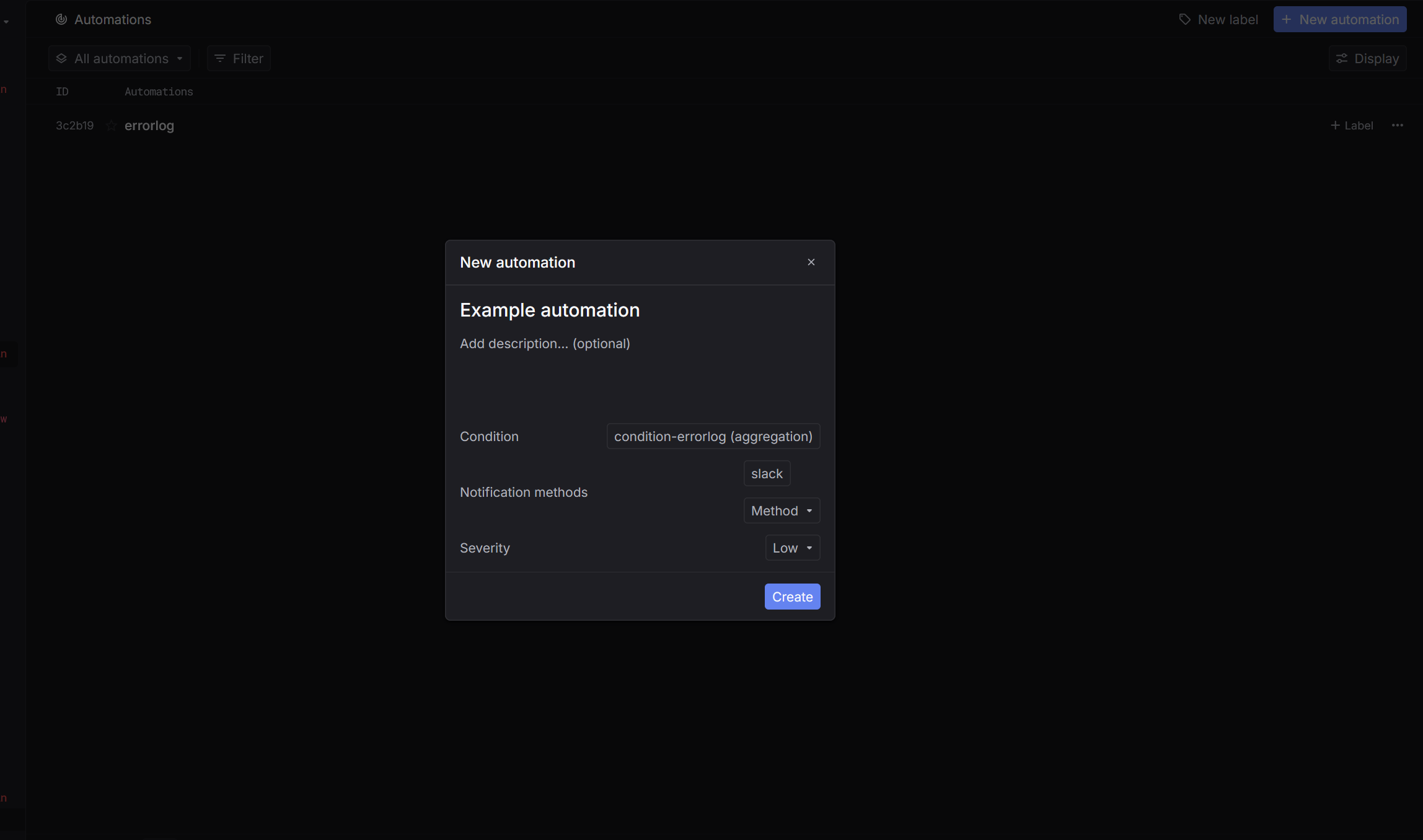
In the creation form:
- Select the condition you want to track.
- Choose the notification method.
- Set the severity level for the alert (e.g., Urgent or Low).
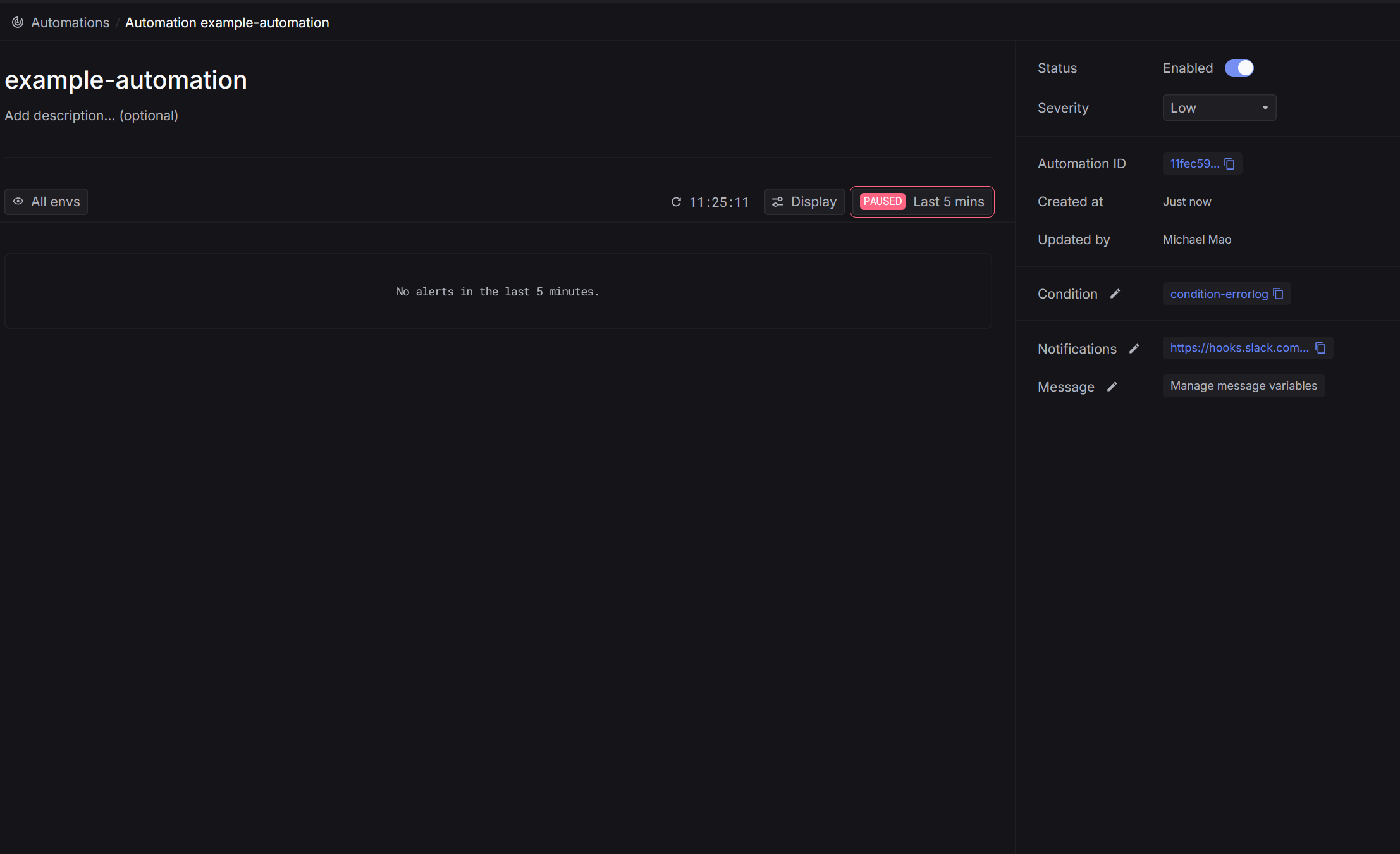
After saving, your automation will appear in the Automations list.
When the defined condition is met, alerts will automatically be sent through the selected notification method.
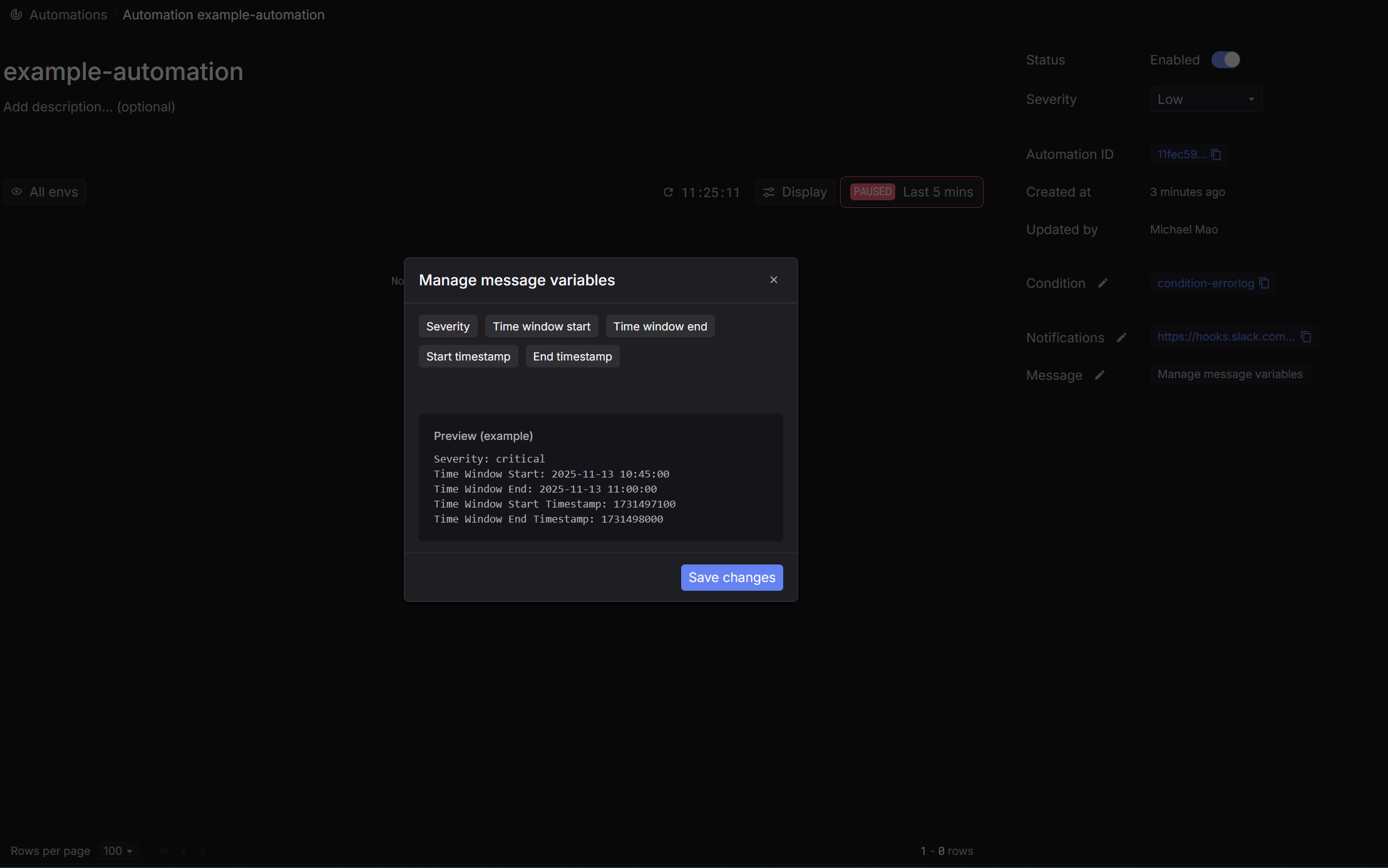
4. Customize automation notification message
You can customize the message that gets sent each time an automation is triggered. Choose from several predefined choices:
- severity
- triggered time range
- …
A real-time preview shows exactly what will be delivered via email or webhook before you save your changes.