

Set up Respan
Set up Respan
- Sign up — Create an account at platform.respan.ai
- Create an API key — Generate one on the API keys page
- Add credits or a provider key — Add credits on the Credits page or connect your own provider key on the Integrations page
Prompt schema
Theprompt object supports a schema_version field that controls how prompt configuration and request-body parameters are merged.
Prompt schema v2 (recommended)
Setschema_version=2 for the recommended merge behavior:
- Prompt configuration always wins for conflicting fields (no
overrideflag needed). - Uses prepend/instructions-style merging depending on the endpoint mode.
- Supports a
patchfield for applying additional parameter overrides. Thepatchobject must not containmessagesorinput.
Important: OpenAI SDKs strip fields like
schema_version, patch, and prompt_slug during validation. Prompt schema v2 requires raw HTTP requests (e.g., requests in Python or fetch in TypeScript).Prompt schema v1 (default, legacy)
Whenschema_version is absent or 1, merging is controlled by the override flag:
override=true: prompt configuration wins for all conflicting fields.override=false(default): request body wins for conflicting fields.
Override other parameters
Override other parameters
Override prompt messages
Override prompt messages
Append new messages to the end of existing prompt messages:Replace all existing prompt messages:
Variables
Use{{variable_name}} syntax to add dynamic content to your prompts. Variables let you reuse the same template across different inputs — pass values at runtime from code, or fill them from testset columns in experiments. See the quickstart for setup and basic usage.
Jinja templates
Respan supports Jinja templates for conditionals, filters, and JSON input access.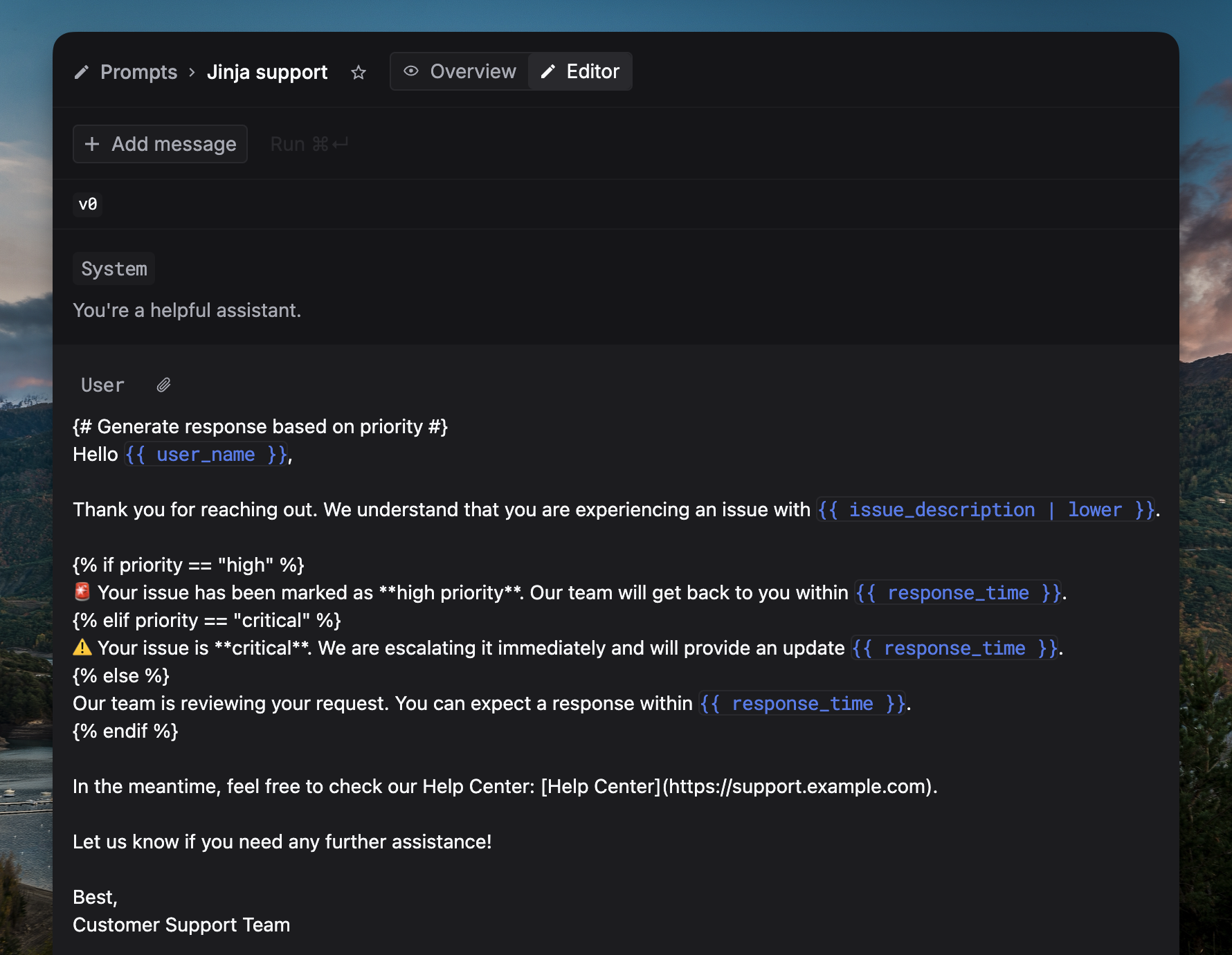
| Feature | Syntax | Example |
|---|---|---|
| Conditionals | {% if %}...{% endif %} | {% if condition %}{{ variable_name }}{% endif %} |
| JSON inputs | {{ input.key }} | {{ input.name }} |
| Filters | {{ var | filter }} | {{ variable_name | filter_name }} |
| Comments | {# ... #} | {# This is a comment #} |
Prompt composition
Prompt composition lets a variable in one prompt reference another prompt. At request time, the child is rendered first, converted to plain text, and inserted into the parent variable. To use prompt composition, create two prompts: a child prompt and a parent prompt that has a{{variable}} where the child’s output will be injected.
- Use in UI
- Use in code
Configure the variable
In the parent prompt editor: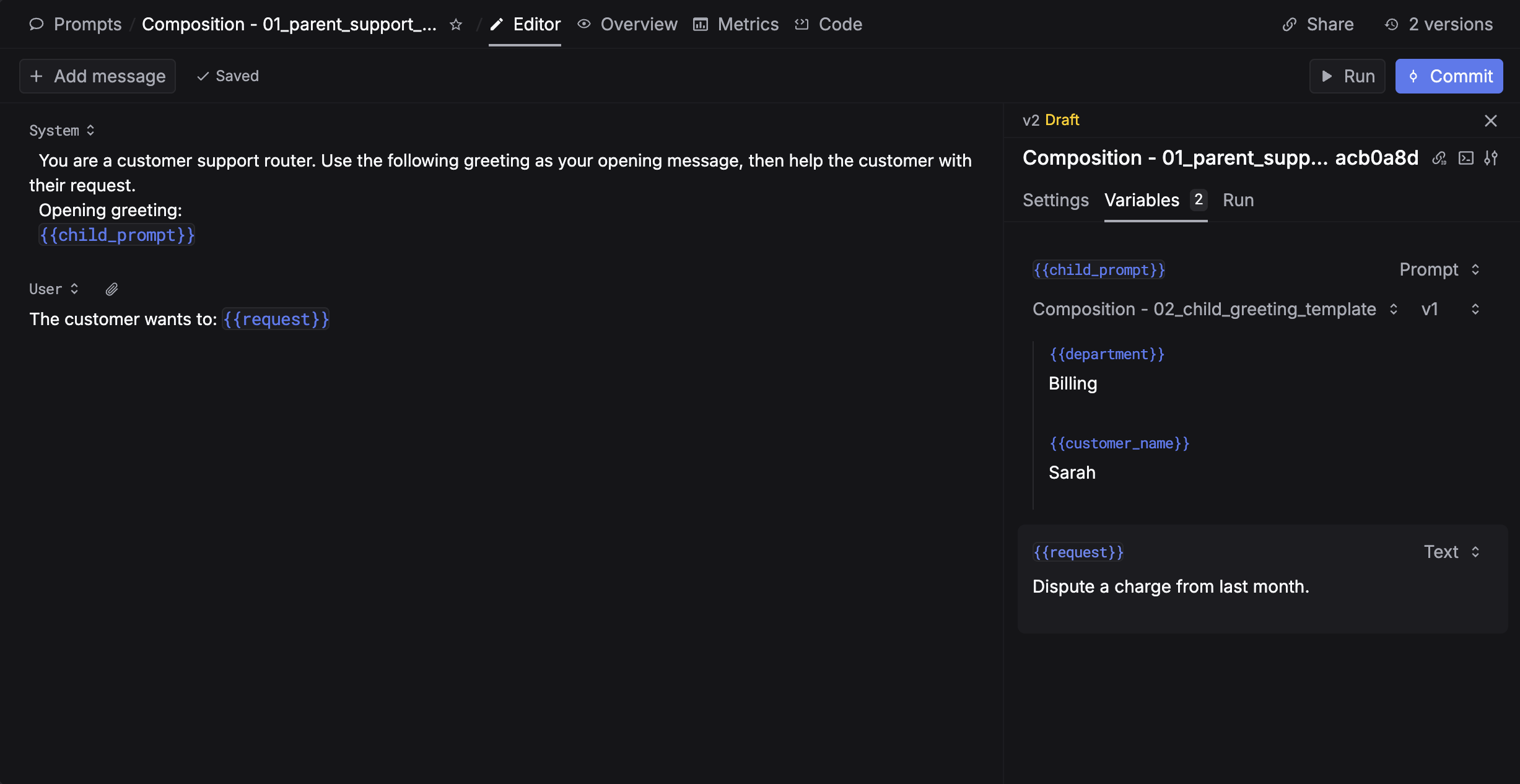
- Open the Variables panel on the right side
- Find the variable you want to embed a prompt into
- Change its type from Text to Prompt
- Select the child prompt
- Fill in all the child’s variables
- Circular references are rejected (HTTP 400).
- Maximum prompt-chain depth is 2 (parent → child is safest). Exceeding this returns HTTP 400.
Structured output
Define structured output using JSON schema to ensure AI responses follow a specific format, following the OpenAI Structured Outputs specification.- Setup
- Use in code
Configure JSON schema in the prompt editor or the playground: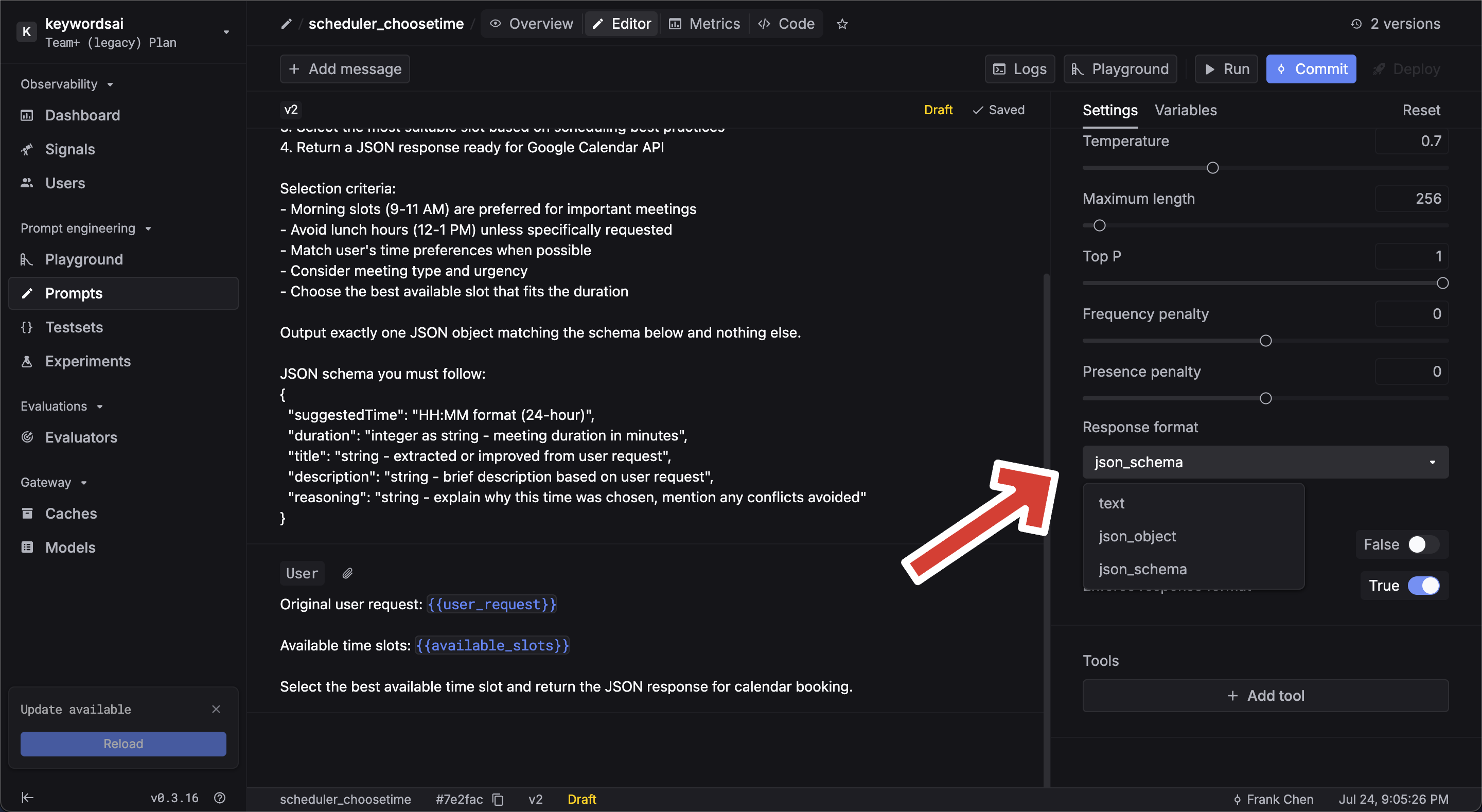
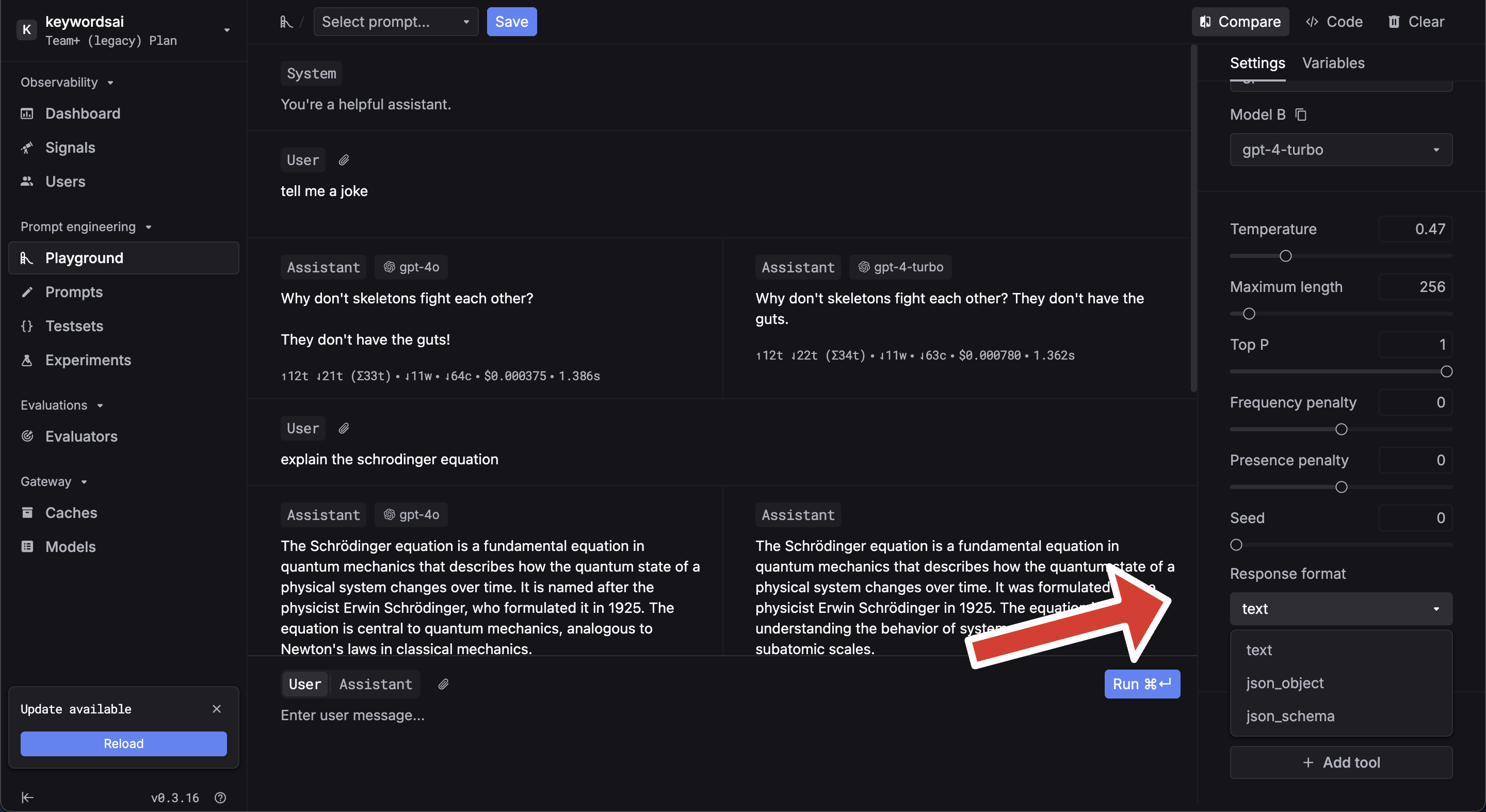 You can generate schemas using the AI generator or browse examples in the editor.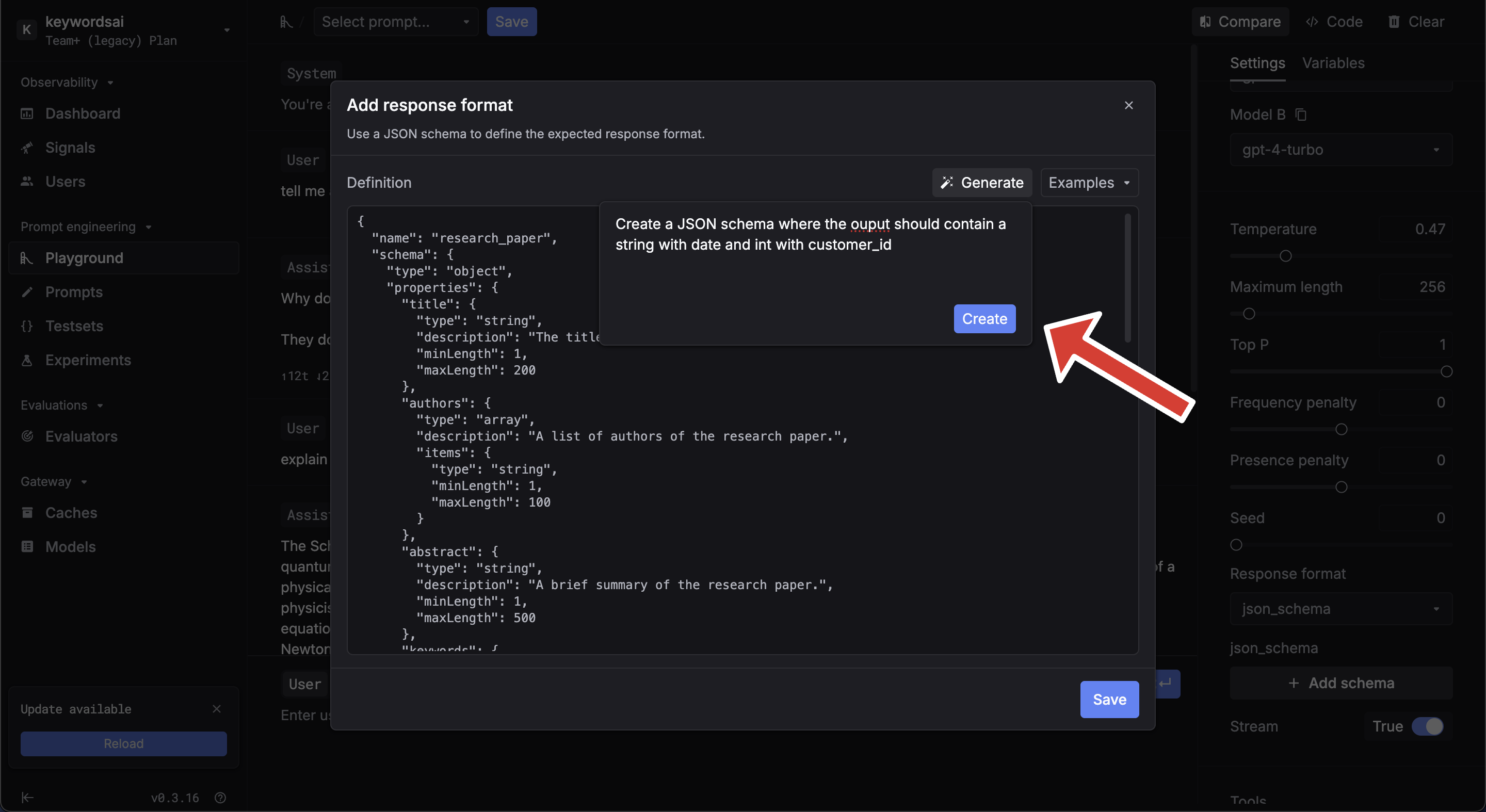
Streaming
Enable streaming in the prompt settings sidebar. After enabling, commit and deploy the prompt.
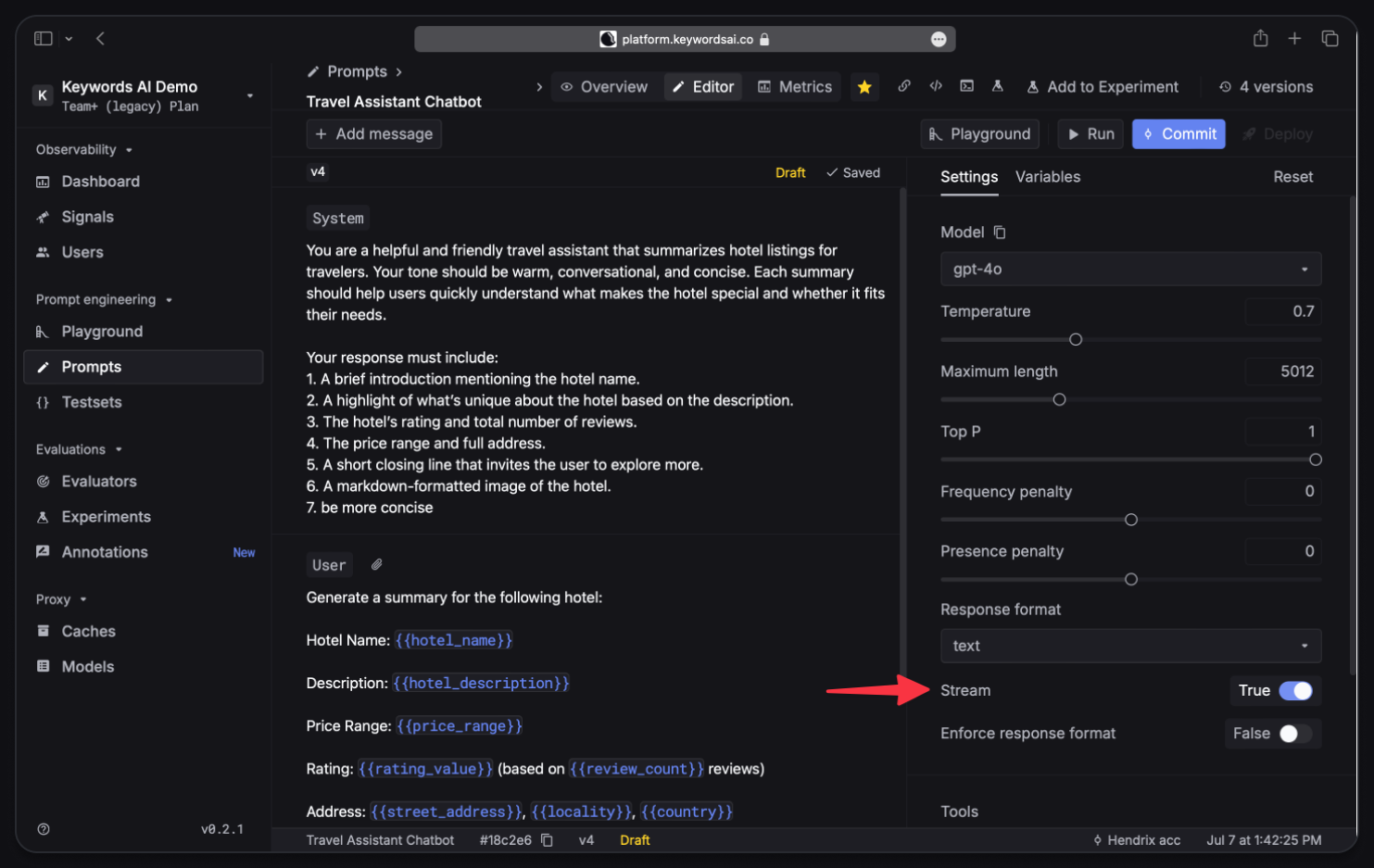
stream=True in your SDK call:
Deployment & versioning
- Via UI
- Via code
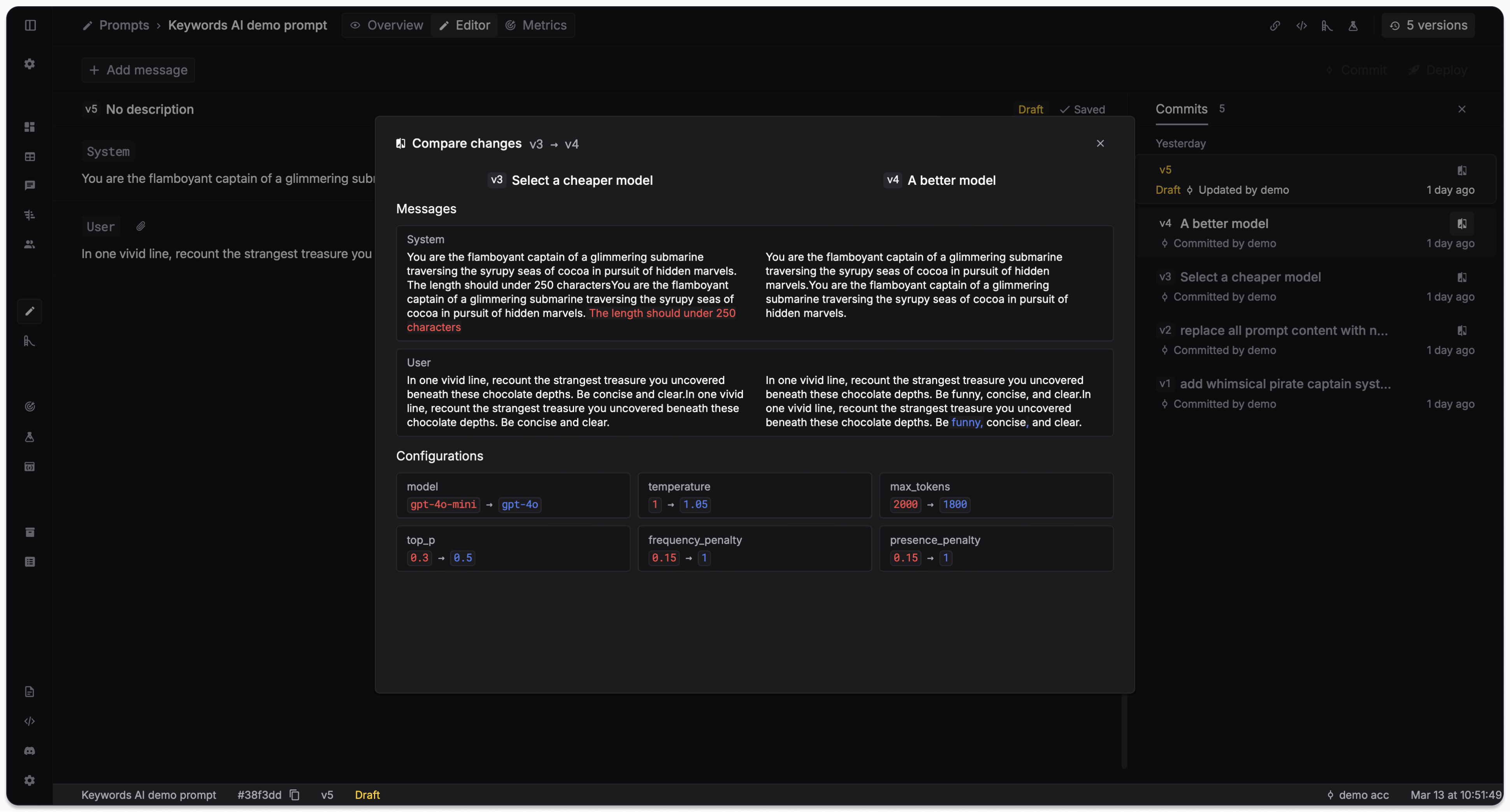
Commit saves a new version of your prompt. Deploy makes a version live for production traffic.View version history in the Overview panel, or click Version in the Editor for detailed diffs.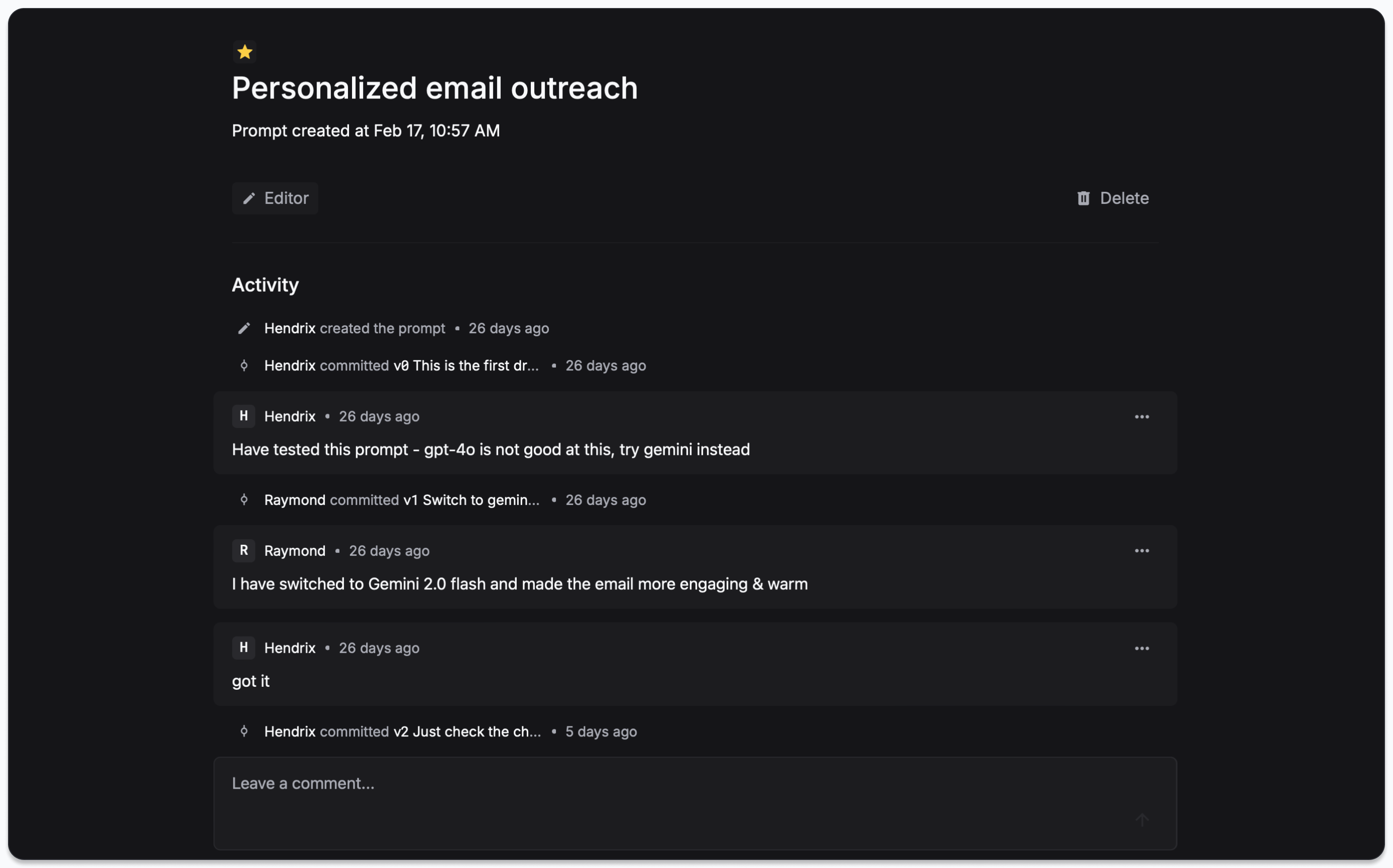 Click on each version to see the diff of changes.
 To deploy, go to the Deployments tab and click Deploy.
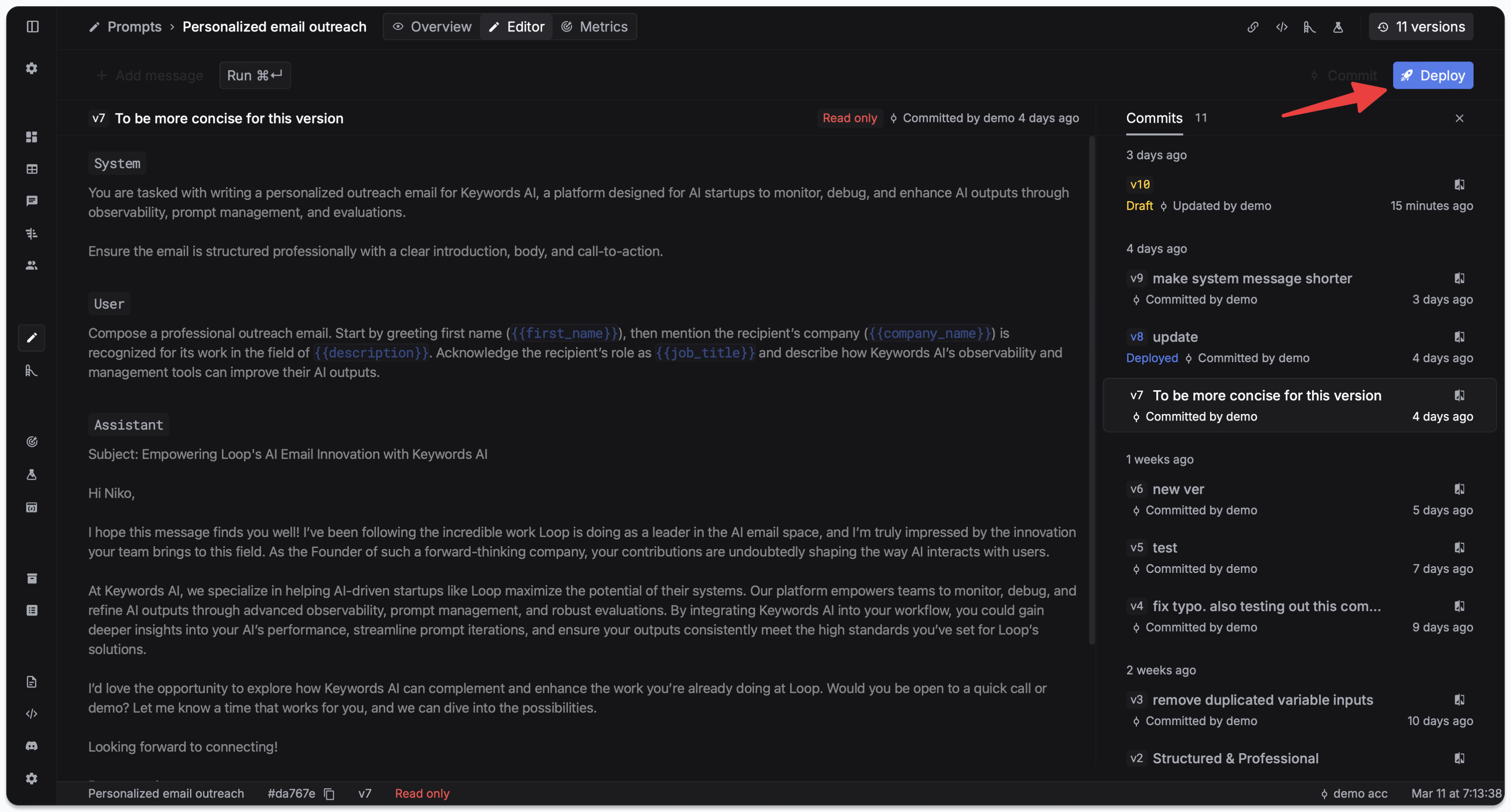 To rollback, deploy an earlier version from the Deployments tab.
Playground
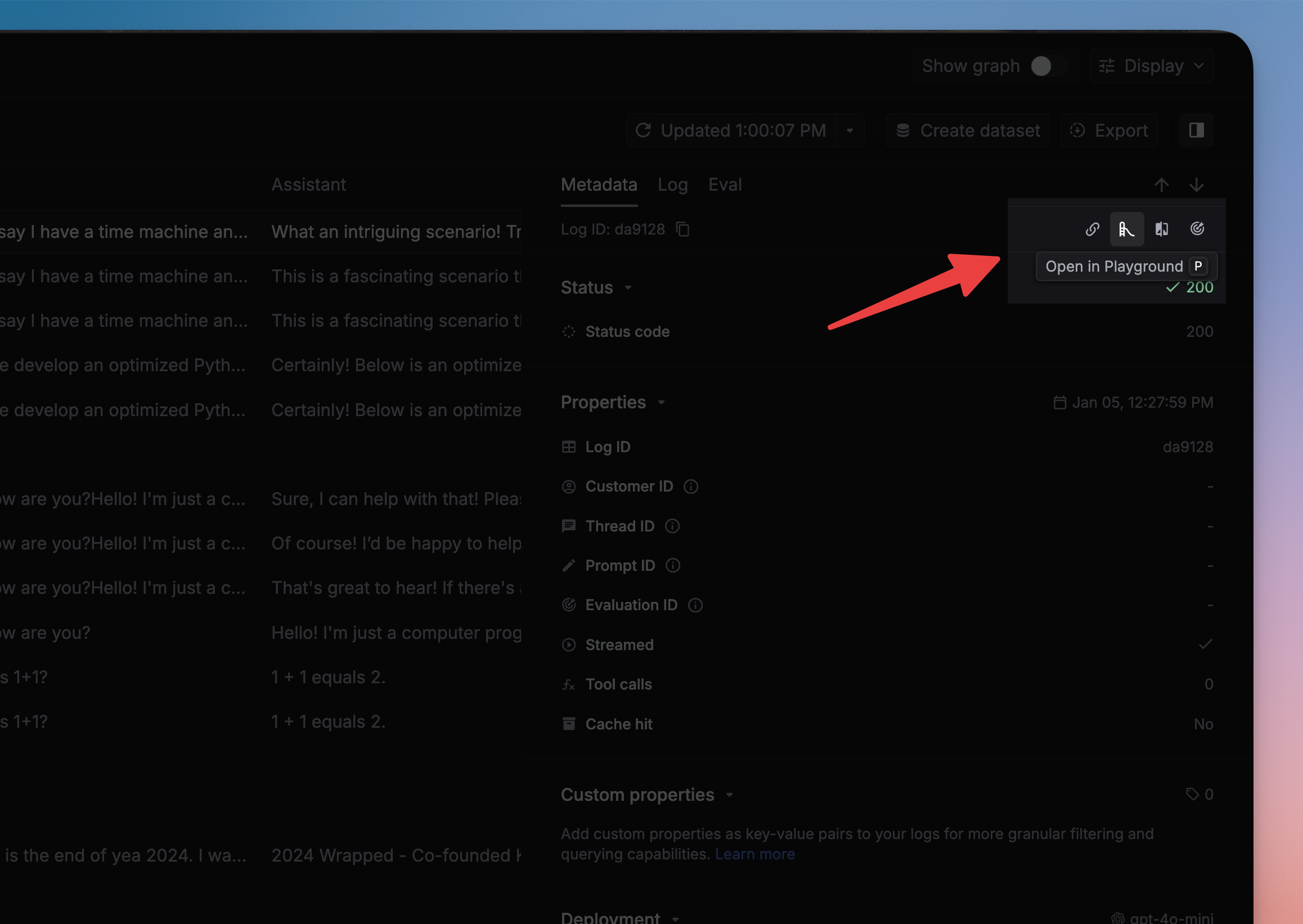
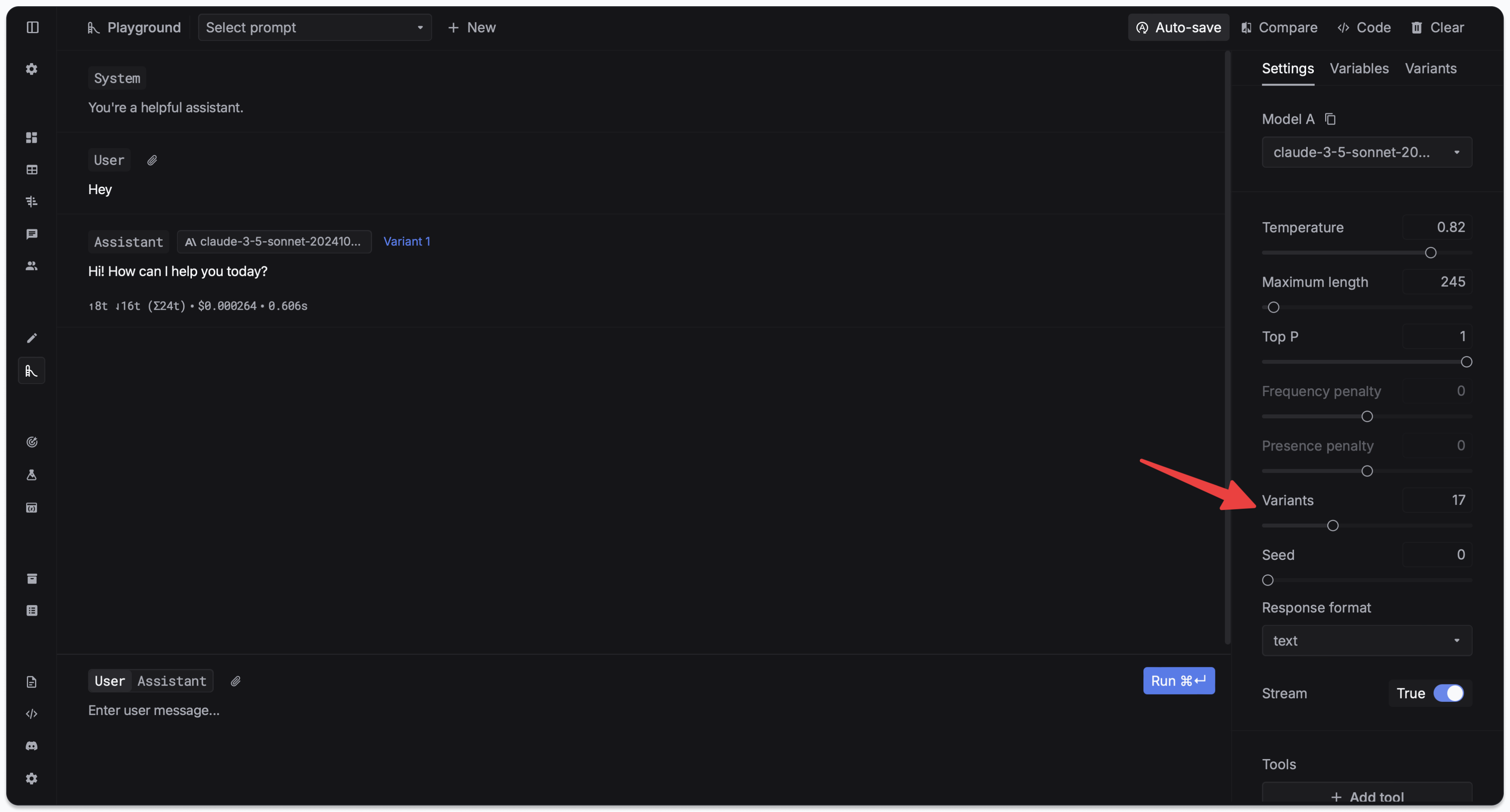
Test and iterate on prompts in the Prompt Playground.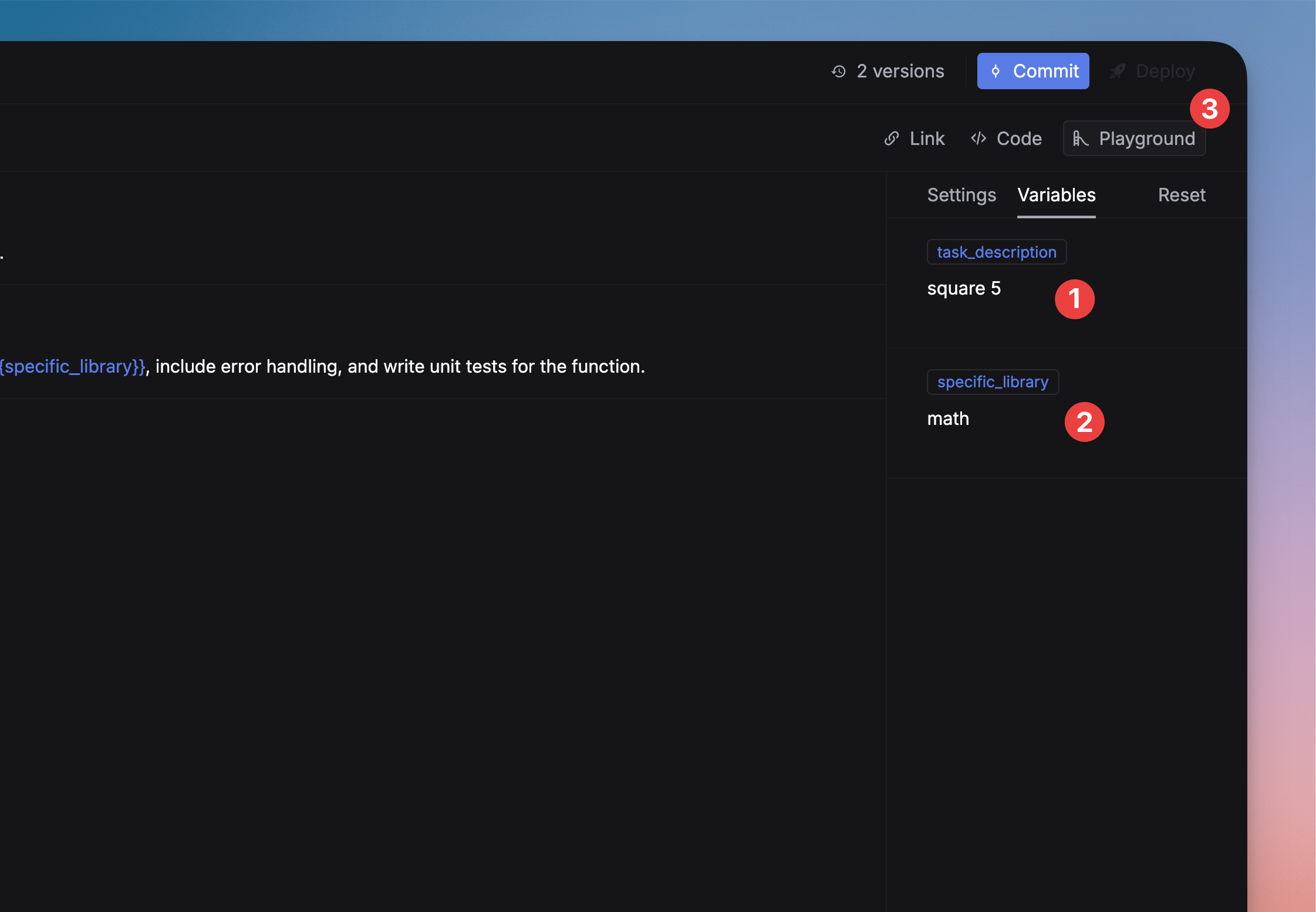
Prompt logging
- Respan prompts
- External prompts
Log prompt usage to track performance metrics, compare versions, and analyze request distribution.Filter logs by prompt name on the Logs page.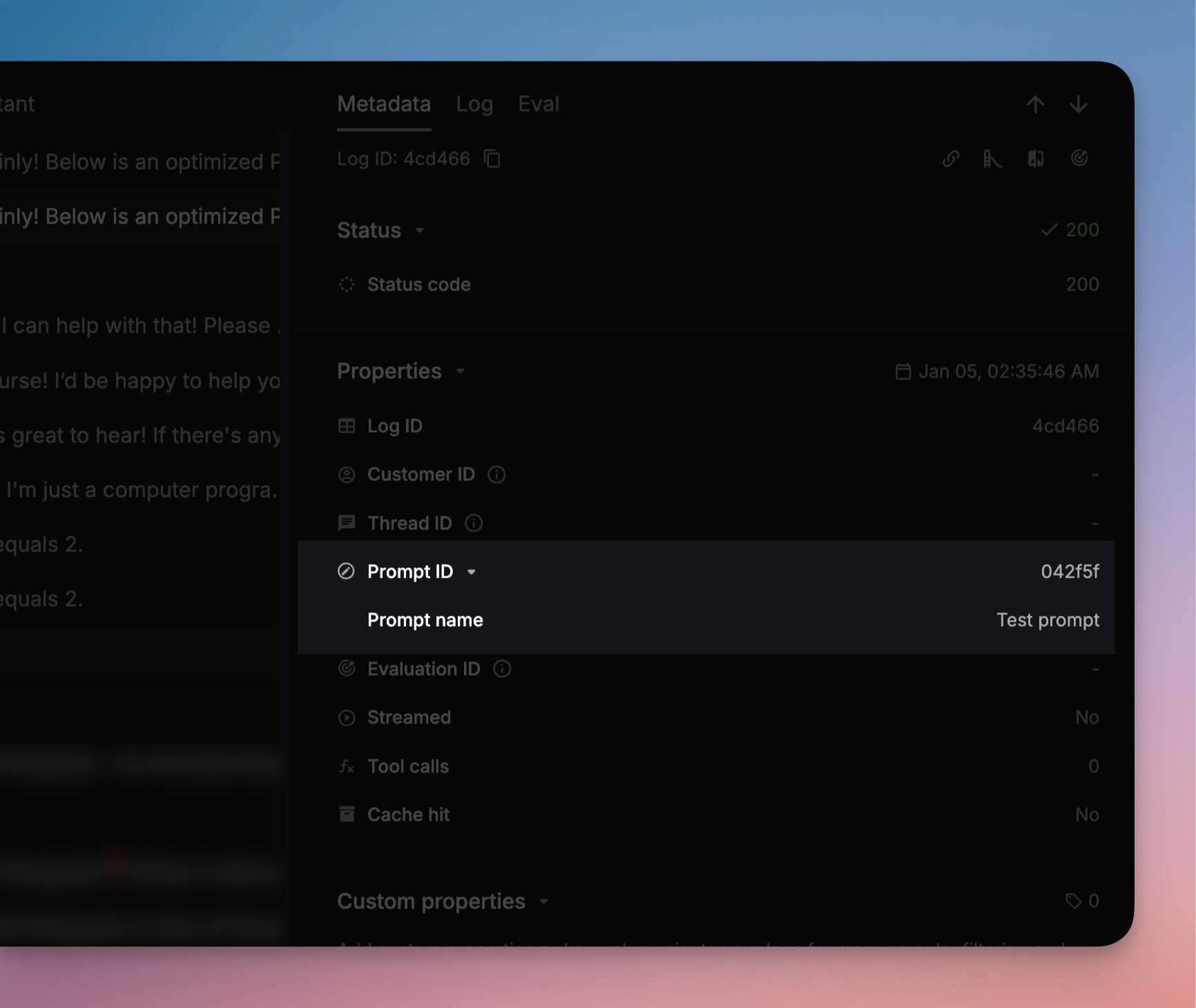
Team collaboration
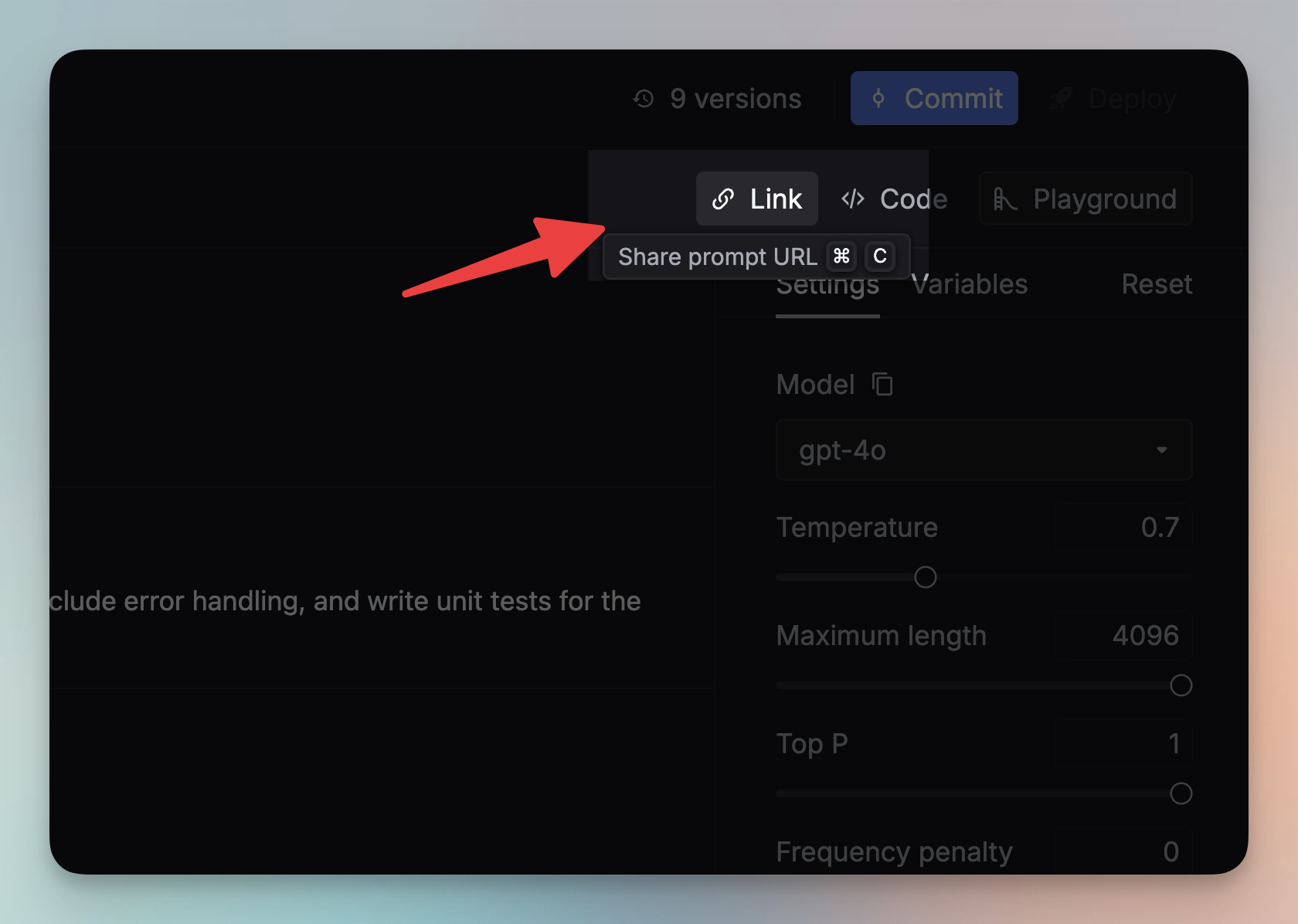
- Share — click the Link button in the Editor to share a prompt
- Comments — add comments to discuss changes
- Labels — categorize and organize prompts
Parameters reference
The unique identifier of your saved prompt template.
Variables to inject into your prompt template. Values can be strings or typed prompt objects for composition.
When
true, the saved prompt configuration overrides SDK parameters like model and messages.Parameters that override your saved prompt configuration (temperature, max_tokens, messages, model, etc.).
Controls how override parameters are applied.
messages_override_mode:"append"(add to existing) or"override"(replace all)
Controls the prompt merge strategy.
1 (default, legacy) uses override flag logic. 2 (recommended) uses prepend/instructions-style merging where the prompt config always wins. See Prompt schema.Additional parameter overrides applied in v2 mode (
schema_version=2). Must not contain messages or input. Useful for overriding fields like temperature or max_tokens while letting the prompt config control messages and model.When enabled, the response includes the final prompt messages used.
Pin a specific prompt version. Omit for deployed version, use
"latest" for newest draft.