

Set up Respan
Set up Respan
- Sign up — Create an account at platform.respan.ai
- Create an API key — Generate one on the API keys page
- Add credits or a provider key — Add credits on the Credits page or connect your own provider key on the Integrations page
Use AI
Use AI
Add the Docs MCP to your AI coding tool to get help building with Respan. No API key needed.
What is Respan Tracing?
The Respan tracing SDK is a Python library built on OpenTelemetry that captures telemetry for LLM applications. Add@workflow, @task, @agent, and @tool decorators to your code to get full trace visibility with auto-instrumented LLM calls.
Example projects
Example projects
Setup
View your trace
Open the Traces page in the Respan dashboard.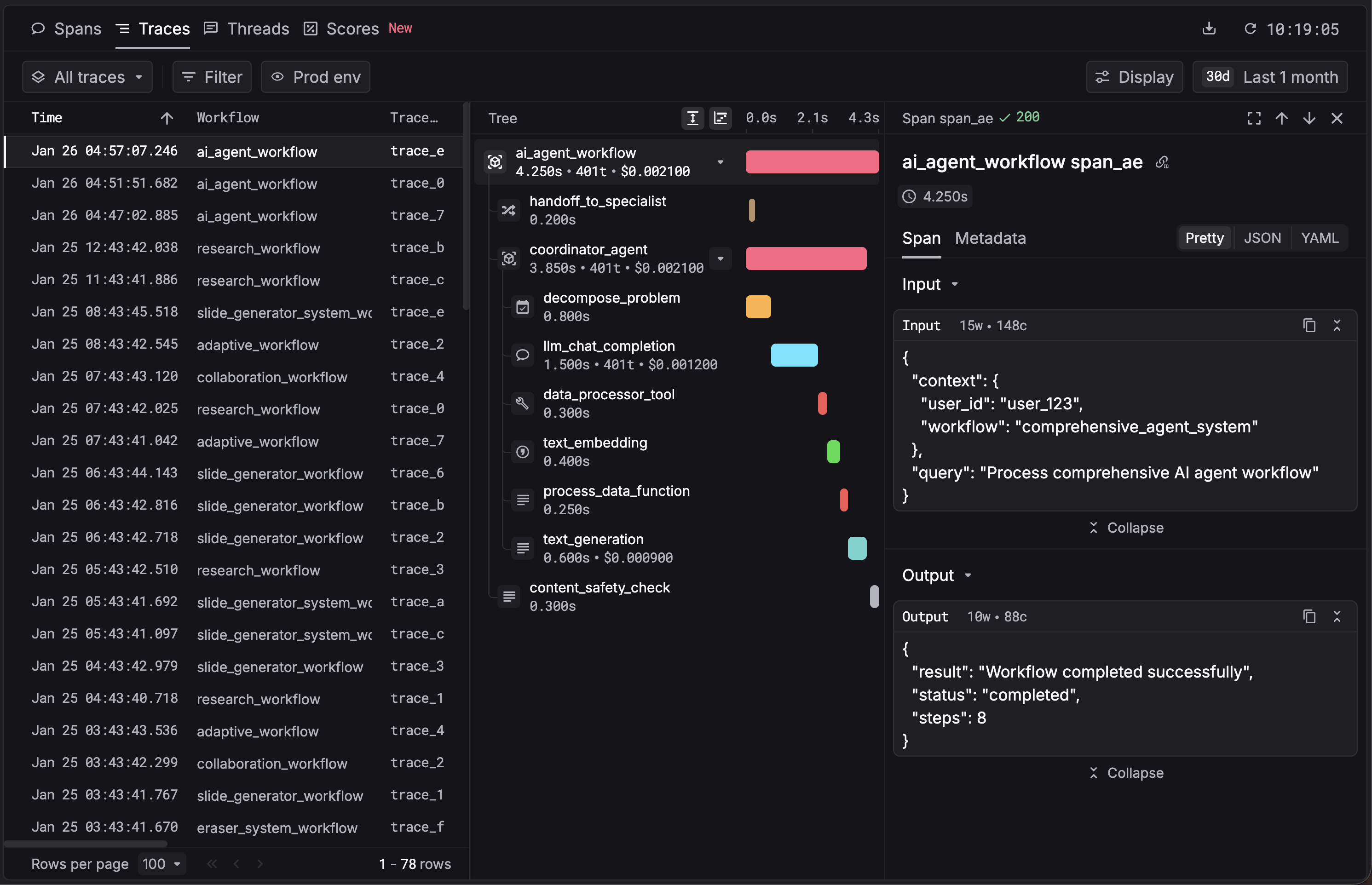
Configuration
Python SDK
| Parameter | Type | Default | Description |
|---|---|---|---|
app_name | str | "respan" | Application name attached to all spans. |
api_key | str | None | None | API key. Falls back to RESPAN_API_KEY env var. |
base_url | str | None | None | API URL. Falls back to RESPAN_BASE_URL, then https://api.respan.ai/api. |
log_level | str | "INFO" | SDK log level: DEBUG, INFO, WARNING, ERROR, CRITICAL. |
is_batching_enabled | bool | None | True | Enable batch span processing. |
instruments | Set[Instruments] | None | None (all) | Specific instruments to enable. Pass set() to disable all. |
block_instruments | Set[Instruments] | None | None | Instruments to explicitly disable. |
is_enabled | bool | True | Set False for no-op mode. |
JavaScript SDK
| Parameter | Type | Default | Description |
|---|---|---|---|
apiKey | string | — | API key. |
appName | string | "respan" | Application name. |
baseURL | string | "https://api.respan.ai" | API base URL. |
disableBatch | boolean | false | Disable batch processing (useful for testing). |
logLevel | string | "warn" | SDK log level: "debug", "info", "warn", "error". |
instrumentModules | object | — | Modules to auto-instrument (e.g., { openAI: OpenAI }). |
Attributes
Attach Respan-specific attributes to spans for filtering and grouping in the dashboard.| Attribute | Type | Description |
|---|---|---|
customer_identifier | str | User or customer identifier. |
customer_email | str | Customer email address. |
customer_name | str | Customer display name. |
trace_group_identifier | str | Group related traces (e.g., by experiment or session). |
metadata | Dict | Custom key-value pairs for analytics. |