Users
See requests, tokens, and cost for each of your end users, and cap their spend.
Tag each request with a customer_identifier, and Respan keeps a record for that user: requests, tokens, cost, and activity. On gateway requests, you can also give each user a budget or a rate limit.
To tag requests with your own record IDs, conversation threads, or custom properties, see Custom IDs & attributes.
Send a customer identifier
Add customer_params to the request. Only customer_identifier is required. name and email fill the Name and Email columns the first time Respan sees the user. Later requests don’t change them.
client is the OpenAI client pointed at Respan, as in the Gateway quickstart.
response = client.chat.completions.create(
    model="gpt-5.5",
    messages=[{"role": "user", "content": "Hello!"}],
    extra_body={
        "customer_params": {
            "customer_identifier": "user_8f21",
            "name": "Maya Patel",
            "email": "maya@example.com",
        }
    },
)If you only have an ID, send "customer_identifier": "user_8f21" at the top level of the body instead.
Logging spans with the API? customer_params is a span field too. See Create span.
A user appears the first time Respan sees its identifier. Production and test API keys keep separate records for the same identifier.
Find a user
Open the users list
Go to Observability › Users & identifiers. The grouping reads Users.
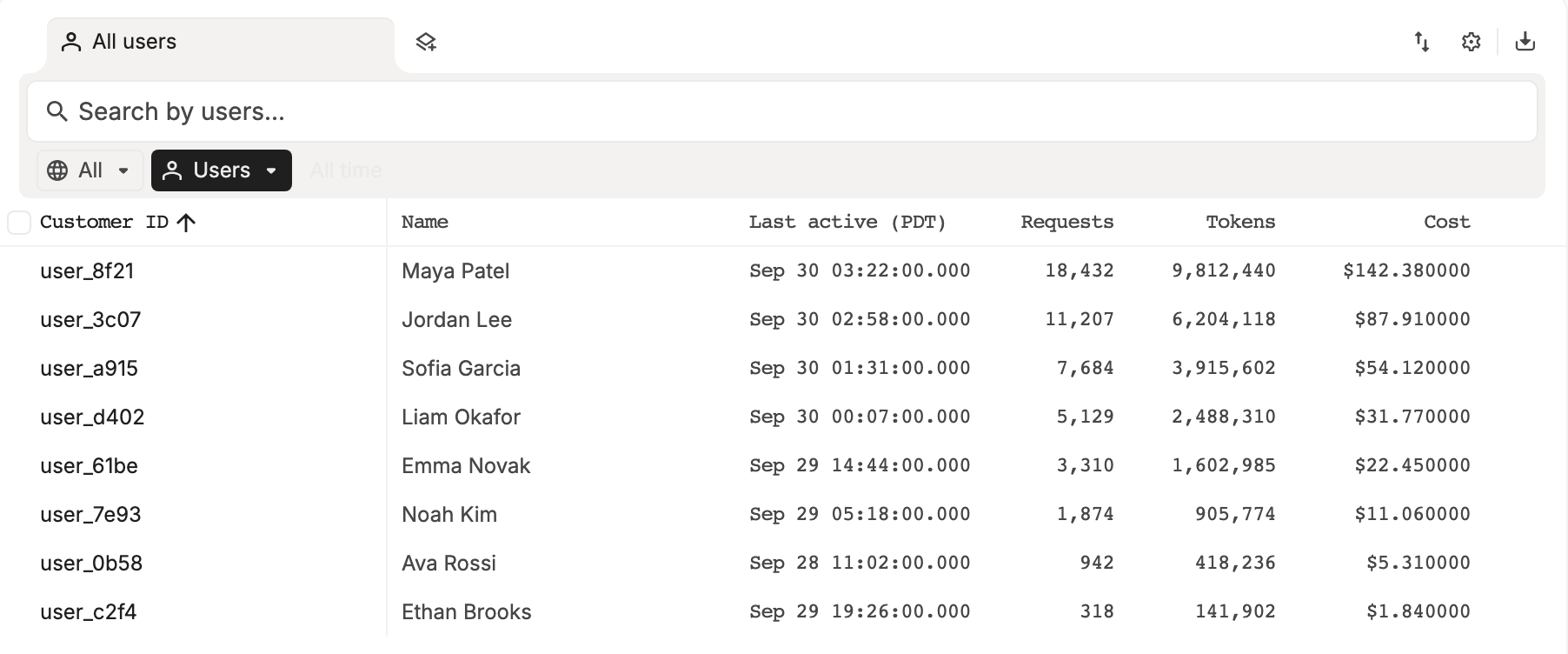
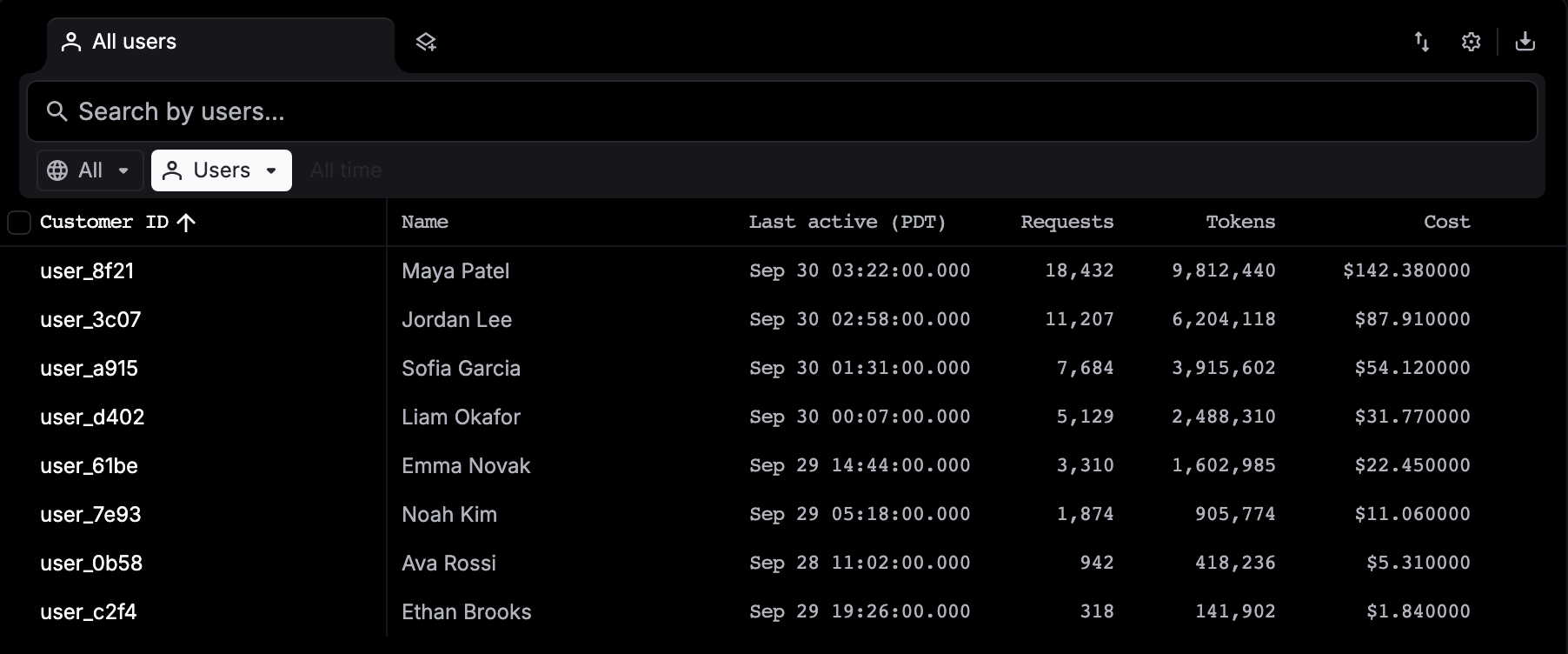
Each row is one customer_identifier with its name, email, first and last activity, requests, tokens, and cost, counted across all time. Type part of a customer ID, name, or email in Search by users… and press Enter. The environment switch shows All environments, Production or Test.
Open the user
Click a row. The panel shows Properties, Insights (first seen, last active, and the current budget period), Metrics (tokens, cost, period usage, average TTFT and generation time) and Budgets.
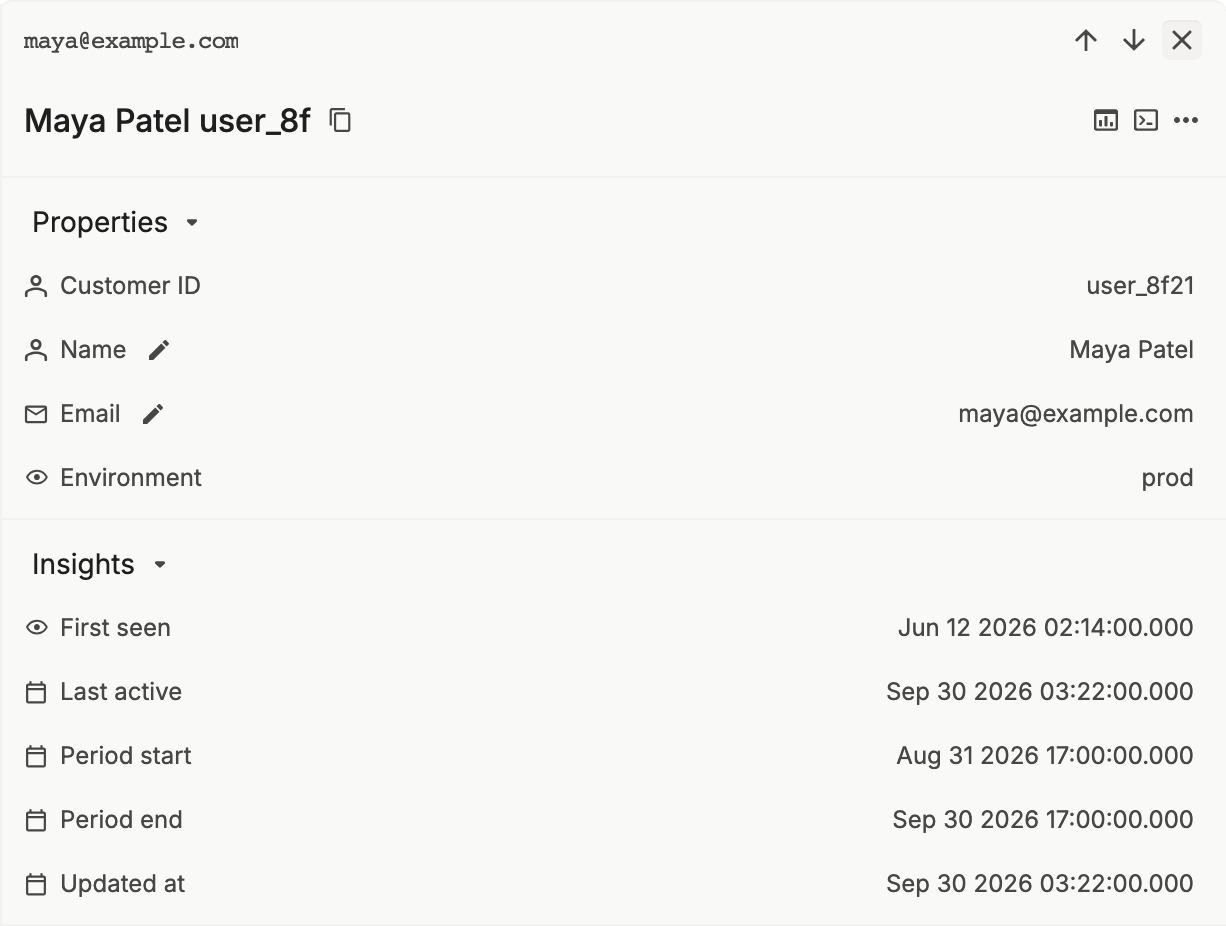
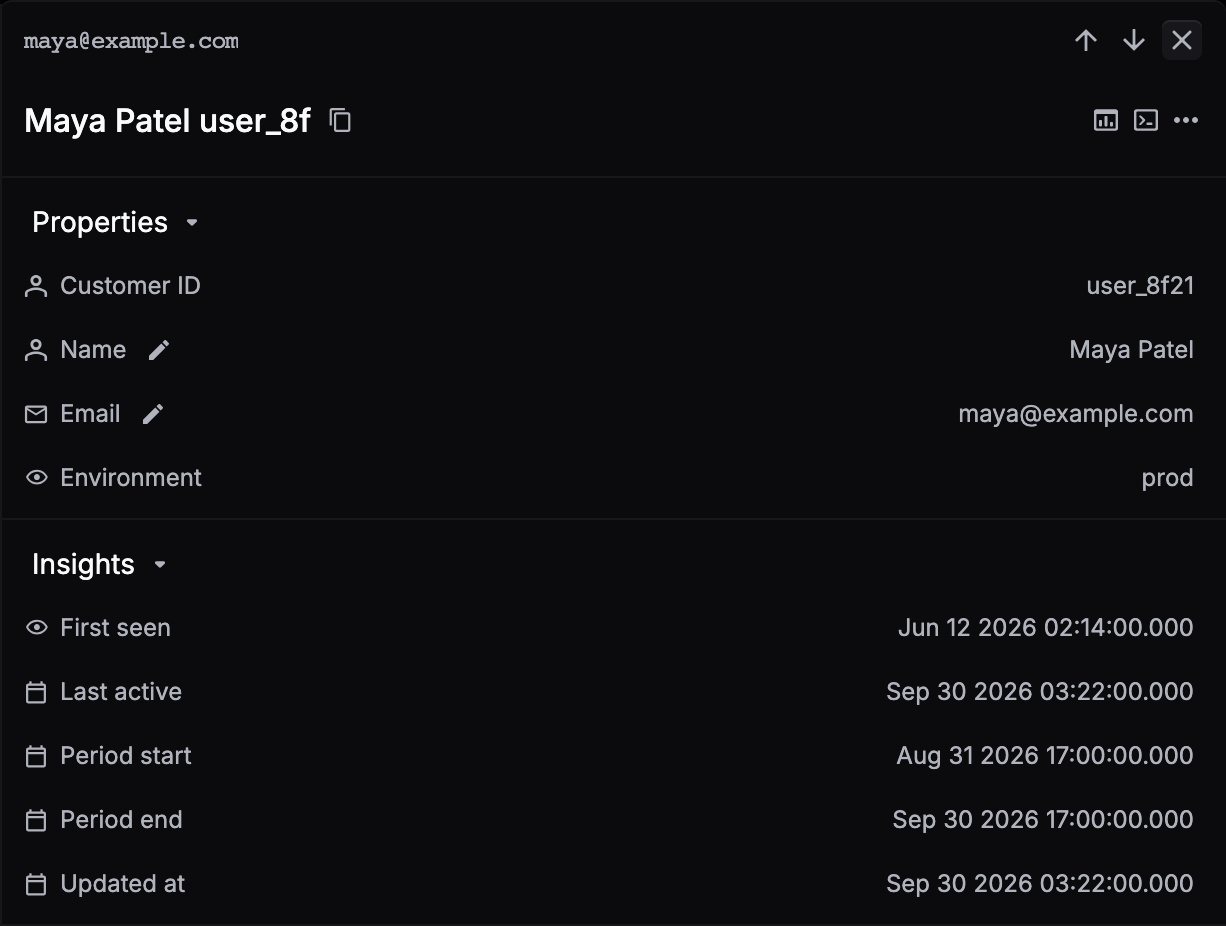
The icons in the panel header:
- Open in Dashboard (Shift+D) opens Metrics filtered to this user.
- Open in Logs (L) opens Logs filtered to this user’s spans.
- More actions › Delete user removes the record.
To fix a name or email, click the pencil next to Name or Email, type, and press Enter.
Set a budget
Budgets apply to gateway requests only. Once a user’s spend in the current period passes their Period budget, the gateway rejects their requests with a 402 error until the next period starts.
In Observability › Users & identifiers, click the user. Under Budgets, click the pencil next to Period budget, type an amount in USD, and press Enter. To remove the budget, clear the field and press Enter.


The budget period is monthly by default. To switch it to daily or weekly, or to set the budget from code, call Update a user with budget_duration or period_budget. Budget fields sent in a request’s customer_params aren’t applied.
For a rate limit that covers every user, see Limits.
Limit requests per user
Rate limits apply to chat completions requests (/api/chat/completions). Add rate_limit, in requests per minute, to customer_params. Requests over the limit get a 429 error. Without it, the Customer rate limit (requests/min) set in Limits applies.
extra_body={
    "customer_params": {
        "customer_identifier": "user_8f21",
        "rate_limit": 60,
    }
}