Respan params & metadata
Tag gateway requests with a customer, a thread, and your own properties.
Respan params are fields you send with a gateway request, next to the standard OpenAI-compatible body. Use them to tag each request with the customer, conversation, and properties you want to find it by in Logs. The full list is in Create chat completion.
Send Respan params
Send them in any of three ways, and combine them if you need to.
Put the fields at the top level of the body. With the OpenAI SDK, pass them in extra_body. client is the OpenAI client from the Gateway quickstart.
response = client.chat.completions.create(
    model="gpt-5.5",
    messages=[{"role": "user", "content": "Hello!"}],
    extra_body={
        "customer_identifier": "user_8842",
        "thread_identifier": "thread_7f3a",
        "metadata": {"feature": "support-chat", "environment": "production"},
    },
)If the same field arrives more than one way, respan_params wins over the header, and both win over a top-level field. The exception is variables: top-level variables are merged key by key over the variables from respan_params or the header. The legacy names keywordsai_params and X-Data-Keywordsai-Params still work.
Passthrough endpoints
The passthrough endpoints (Anthropic, OpenRouter, Gemini, and /{provider}/v1/chat/completions) forward your body to the provider in its own format. On these endpoints you can also put respan_params inside the request’s metadata. Respan removes it before the provider sees the body, and its fields override the same fields in a top-level respan_params.
import os
import anthropic

client = anthropic.Anthropic(
    base_url="https://api.respan.ai/api/anthropic/",
    api_key=os.environ["RESPAN_API_KEY"],
)

message = client.messages.create(
    model="claude-sonnet-4-5-20250929",
    max_tokens=1024,
    messages=[{"role": "user", "content": "Hello!"}],
    metadata={"respan_params": {"customer_identifier": "user_8842"}},
)
On /api/chat/completions, metadata holds your custom properties, so Respan doesn’t read a respan_params key inside it. Use respan_params or extra_body there.
respan_params must be a JSON object
respan_params must be a JSON object everywhere you send it: at the top level, inside a passthrough’s metadata, as the legacy keywordsai_params, and in the X-Data-Respan-Params header. Respan silently ignores any other value, such as a list, a number, or a boolean. A string is ignored too, with one exception: a top-level respan_params string that decodes to an object is parsed (see the note below). In metadata.respan_params and keywordsai_params, a string is always ignored, even one that encodes an object.
The request is still served with no error, but none of the params in the ignored value apply:
- If it holds
customer_identifier, the request isn’t attributed to that customer, so customer budgets and rate limits don’t apply to it. - If it holds
metadata,thread_identifier, orcustom_identifier, the log doesn’t have them. - If it holds
disable_log, the request is logged in full. - Prompt, routing, fallback, and credential params in it are ignored.
- A top-level
respan_paramsthat is a non-empty list, a non-zero number, ortruealso drops the params in theX-Data-Respan-Paramsheader.
Fields you send at the top level of a /api/chat/completions body, such as a top-level customer_identifier, still apply.
The easy way to hit this: the OpenAI SDK types metadata as Dict[str, str], so on an OpenAI-compatible passthrough such as OpenRouter it’s tempting to json.dumps the params. That sends a string, which is ignored. Send an object through extra_body instead:
import json
import os
from openai import OpenAI

client = OpenAI(
    base_url="https://api.respan.ai/api/openrouter/v1",
    api_key=os.environ["RESPAN_API_KEY"],
)

# Wrong: metadata.respan_params is a string, so none of it applies
client.chat.completions.create(
    model="openai/gpt-5.5",
    messages=[{"role": "user", "content": "Hello!"}],
    metadata={"respan_params": json.dumps({"customer_identifier": "user_8842"})},
)

# Right: an object, at the top level of the body
client.chat.completions.create(
    model="openai/gpt-5.5",
    messages=[{"role": "user", "content": "Hello!"}],
    extra_body={"respan_params": {"customer_identifier": "user_8842"}},
)
One exception: a top-level respan_params sent as a JSON-encoded string is parsed. It exists for multipart/form-data uploads, such as audio transcription, where a form field can’t hold an object. The string must still decode to an object. In a JSON body, always send an object.
Common params
| Param | Type | What it does | Shown in Logs as |
|---|---|---|---|
customer_identifier | string | The end user the request belongs to. Drives Users and per-customer budgets and rate limits. | Customer ID |
customer_params | object | Customer details: customer_identifier (required), name, email, and rate_limit. See below. | Customer name, Customer email |
thread_identifier | string | Groups the requests of one conversation. | Thread ID |
custom_identifier | string | An indexed tag for a record in your app, like a ticket or an order. | Custom ID |
metadata | object | Your own key-value pairs. Values are stored as strings. | Custom properties |
disable_log | boolean | true keeps the input and output out of the log. Tokens, cost, and latency are still recorded. | |
request_breakdown | boolean | true adds a summary of tokens, cost, and latency to the response body. When streaming, it comes in the final chunk. |
In customer_params:
customer_identifierwins over a top-levelcustomer_identifier.nameandemailare saved only the first time Respan sees the customer.rate_limitcaps that customer’s requests per minute. Over it,/api/chat/completionsreturns429. Other endpoints don’t apply it.- Budget fields are ignored. Set a customer’s budget in Users or with Update a user.
Params for routing, fallbacks, caching, and prompts are covered on their own pages, starting with Routing.
Find them in Logs
Open Gateway › Logs, click a span, and open the Metadata tab. Properties shows the customer, thread, and custom ID, and Custom properties lists your metadata keys.
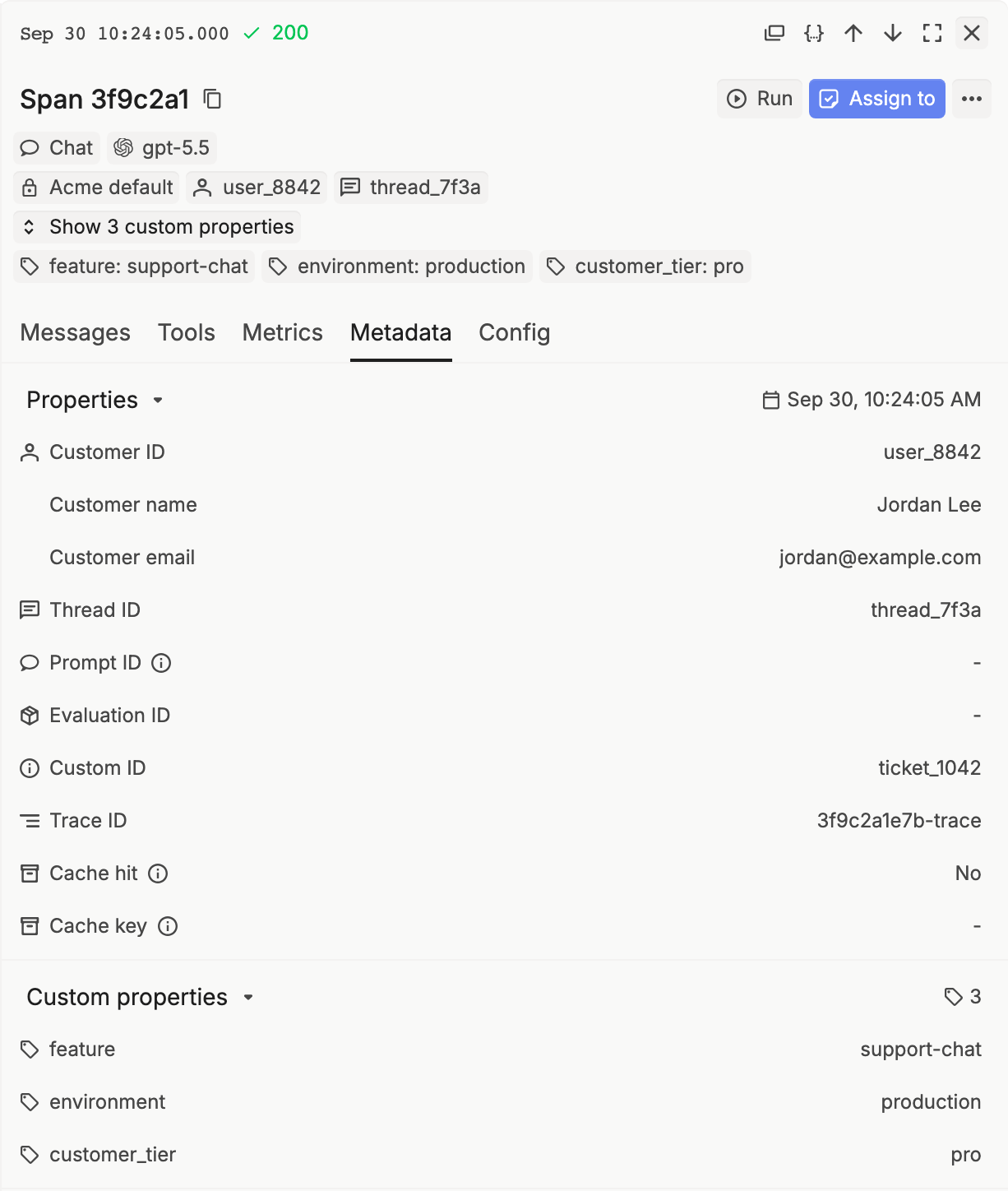
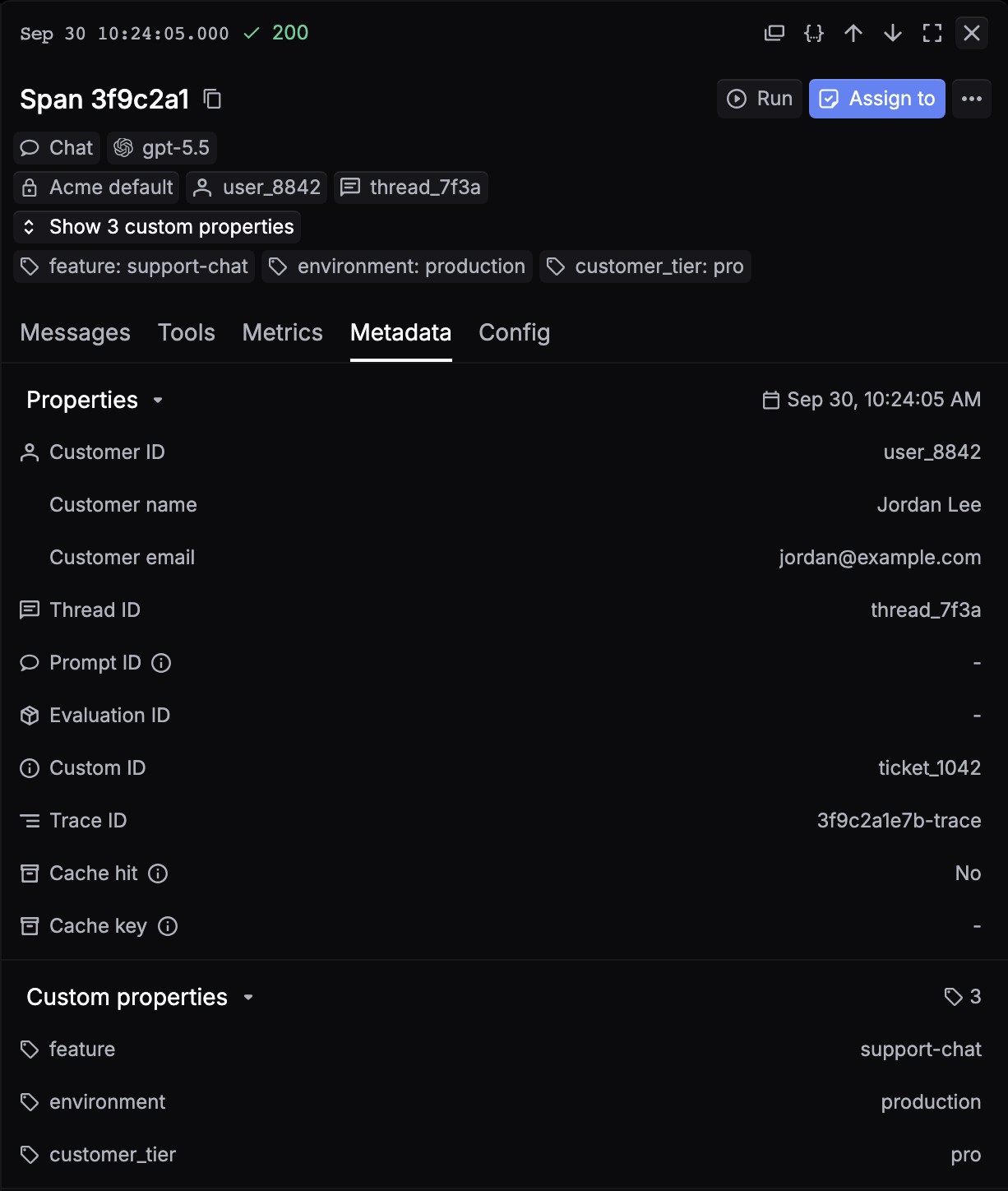
Hover Customer ID, Thread ID, or Custom ID and click the filter icon to show only the spans with that value. To group and filter by these fields, see Custom IDs & attributes.
Beta features
Opt in to experimental features with the X-Respan-Beta header. Separate several flags with commas.
curl https://api.respan.ai/api/chat/completions \
  -H "Authorization: Bearer $RESPAN_API_KEY" \
  -H "Content-Type: application/json" \
  -H "X-Respan-Beta: token-breakdown-2026-03-26" \
-d '{"model": "gpt-5.5", "messages": [{"role": "user", "content": "Hello!"}]}'| Flag | What it does |
|---|---|
token-breakdown-2026-03-26 | Adds best-effort token estimates per part (system_tokens, tools_tokens, user_message_tokens) to the log’s properties. |