Three reasons every production LLM app needs prompt caching, in plain English:
- It cuts the bill. Up to 95% off input tokens on the cached portion. For a team paying $5K/month on input tokens with a long stable system prompt, that's $4,500/month back.
- It speeds up responses. Cached tokens skip re-computation. OpenAI reports up to 80% latency reduction. On a gateway-level cache hit (where the response is stored, not just the prompt), the request returns in under 50 ms with no model call at all.
- It returns the same answer to the same question. Deterministic behavior on repeat inputs is what your customers expect for classification, extraction, and FAQ-style queries. Caching gives you that without any clever prompt engineering.
Most teams know caching exists. What most teams don't know is that three separate caches are available to them, each running at a different layer, each with its own mechanics, and the three STACK. Done well, you pay roughly 5-15% of list-price input-token cost on repeat workloads. Done poorly, you only catch the easy cases and leave 80% of the savings on the table.
This piece is the working engineer's view of all three layers as they exist in May 2026. OpenAI's automatic prompt caching. Anthropic's explicit cache_control model. Gateway-level exact-match caching like the one Respan ships. What each one does, where each one breaks, how to combine them, and a live demo where you can click the same prompt twice and watch the cache hit register in the trace.
TL;DR
- OpenAI prompt caching is automatic on supported models. Any prompt over 1,024 tokens has its longest matching prefix cached for ~5-10 minutes. Cached input tokens cost 10% of the base price on GPT-5 family models. No code changes required, no markers to place.
- Anthropic prompt caching is explicit. You mark up to 4 cache breakpoints with
cache_control. Cached reads cost 10% of base input price. TTL is 5 minutes by default or 1 hour with the extended option. Cache write multipliers: 1.25x for 5-min, 2x for 1-hour. - Gateway-level caching (like Respan's) sits in front of both providers. It does exact-match caching on the full request: same system + messages + tools + model = free response, zero provider tokens used at all. Default TTL 30 days, fully configurable.
- The three stack. A request that misses the gateway cache then hits the provider cache, then (on miss again) pays full price. In practice you're paying anywhere from 0% (gateway cache hit) to 10% (provider cache hit on cached tokens) to 100% (cold miss) of input-token cost.
- The math at scale for a typical 50K-token RAG context, 500-token answer, 10K calls/month: stacking gateway + provider caching can cut the bill from ~$1,500/mo to under $200/mo. Single-layer caching catches maybe half of that.
The three layers, side by side
| Layer | Where it runs | Cache key | TTL | Discount on hit | Engineering effort |
|---|---|---|---|---|---|
| OpenAI prompt cache | Provider-side | Prefix of prompt (auto-detected) | ~5-10 min | 90% off input tokens on GPT-5 family | Zero |
| Anthropic prompt cache | Provider-side | Up to 4 cache_control breakpoints | 5 min or 1 hour | 90% off input on cache read | Mark breakpoints in your code |
| Gateway exact-match cache | Your gateway (e.g. Respan) | Hash of full request (model + system + messages + tools) | 30 days default, configurable | 100% off (no provider call) | One flag in the request |
These layers are independent. They run in sequence. Hitting one means you skip the rest.
Layer 1: OpenAI prompt caching
How it works: automatic. Any prompt over 1,024 tokens sent to a supported model gets its longest matching prefix cached. The basic cache lives 5-10 minutes of inactivity (up to 1 hour max). An extended cache option keeps the prefix alive for up to 24 hours, useful for shared system prompts hit infrequently across a session. Subsequent calls pay 10% of input price for the cached portion on GPT-5 family models, plus OpenAI reports up to 80% latency reduction on cached calls. Mechanics are documented in the OpenAI prompt caching guide and the Prompt Caching 101 cookbook.
Supported models (May 2026): all GPT-5 family models (gpt-5.4, gpt-5.4-mini, gpt-5.4-nano, gpt-5.5, gpt-5.5-pro, plus older 4o-family and o1 models for backwards compatibility). Extended caching is supported on GPT-5.5, GPT-5.5-pro, GPT-5.4 family, and back to GPT-5.
What gets cached: the prefix up to where variable content begins. In a typical chat call, that means:
- System prompt
- Tool definitions (provided they're identical and in the same order)
- Message history
- Image inputs (URLs or base64)
The cache stops at the first byte that differs from a prior call. Variable content (the current user message) is always paid at full price.
Verifying cache hits:
from openai import OpenAI

client = OpenAI()
resp = client.chat.completions.create(
    model="gpt-5.4",
    messages=[
        {"role": "system", "content": LONG_SYSTEM_PROMPT},
        {"role": "user", "content": "What does the spec say about retries?"},
    ],
)

cached = resp.usage.prompt_tokens_details.cached_tokens
print(f"Cached: {cached} of {resp.usage.prompt_tokens} input tokens")
The first call returns cached_tokens: 0. The second call within the cache window returns cached_tokens: <prefix length>. If you see a number like 1024 or 1152 (the 128-token increment boundary), you have a working cache.
The pricing math: GPT-5.4 lists at $2.50 per million input tokens. Cached input on GPT-5.4 is $0.25 per million. A 50K-token system prompt that's reused 100 times in a single session:
- Without cache: 100 calls × 50K × $2.50/MTok = $12.50
- With cache (1 write + 99 hits): 50K × $2.50/MTok + 99 × 50K × $0.25/MTok = $0.125 + $1.24 = $1.36
That's a 90% reduction on the cached portion. The current user message is still paid at full price, but the system + history dominates input tokens in most production workloads.
Gotchas specific to OpenAI:
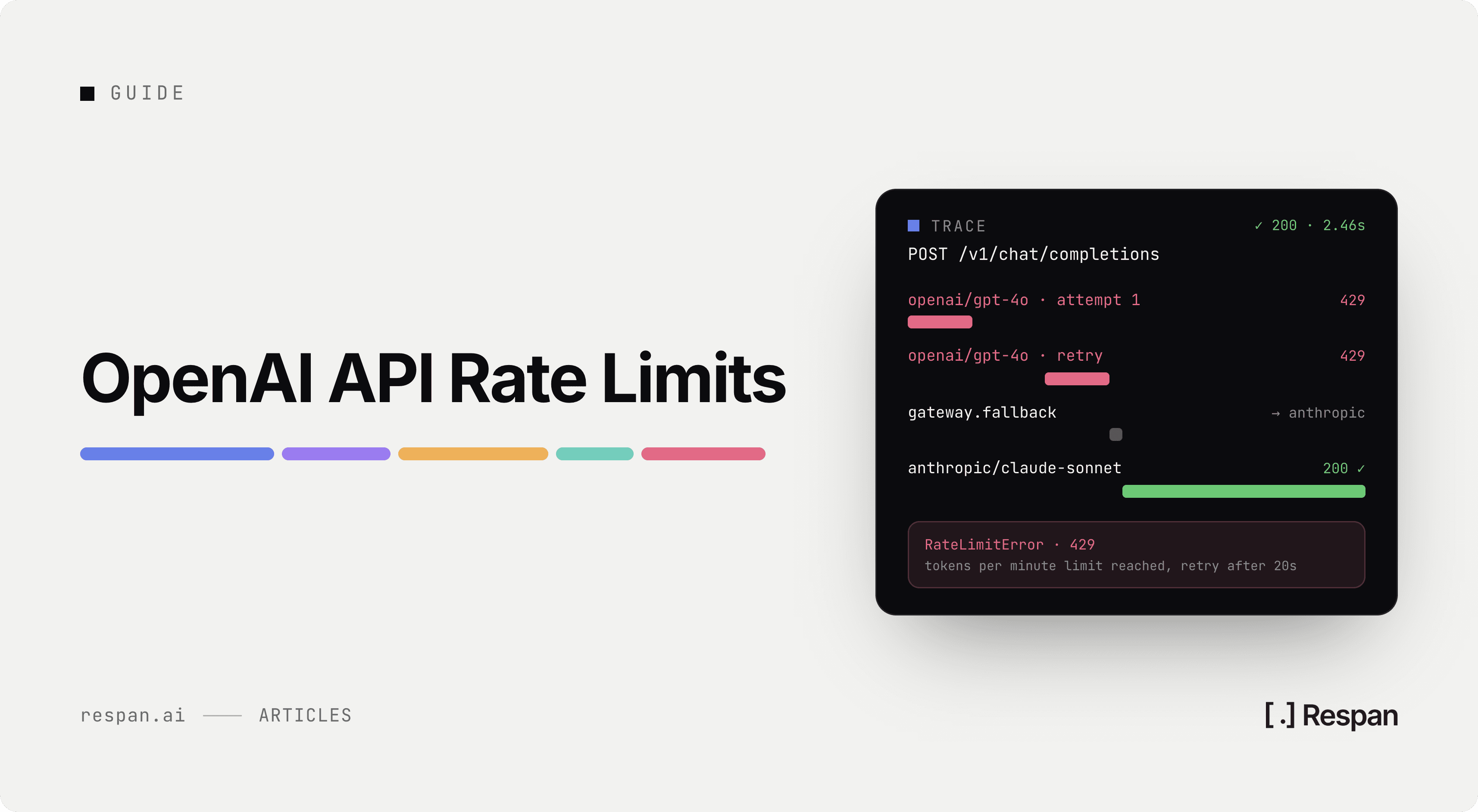
- The 1,024-token threshold is hard. Prompts under 1,024 tokens get zero cache regardless of how many times you call them. For short prompts, the gateway cache (below) is your only option.
- The cache lives ~5-10 minutes. No way to extend. Bursty traffic with 15-minute gaps loses the cache.
- Tool order matters. Reordering tools busts the cache for everything after them.
- Cache is per-organization, not per-API-key. Multiple keys in the same org share cache. Usually what you want.
Layer 2: Anthropic prompt caching
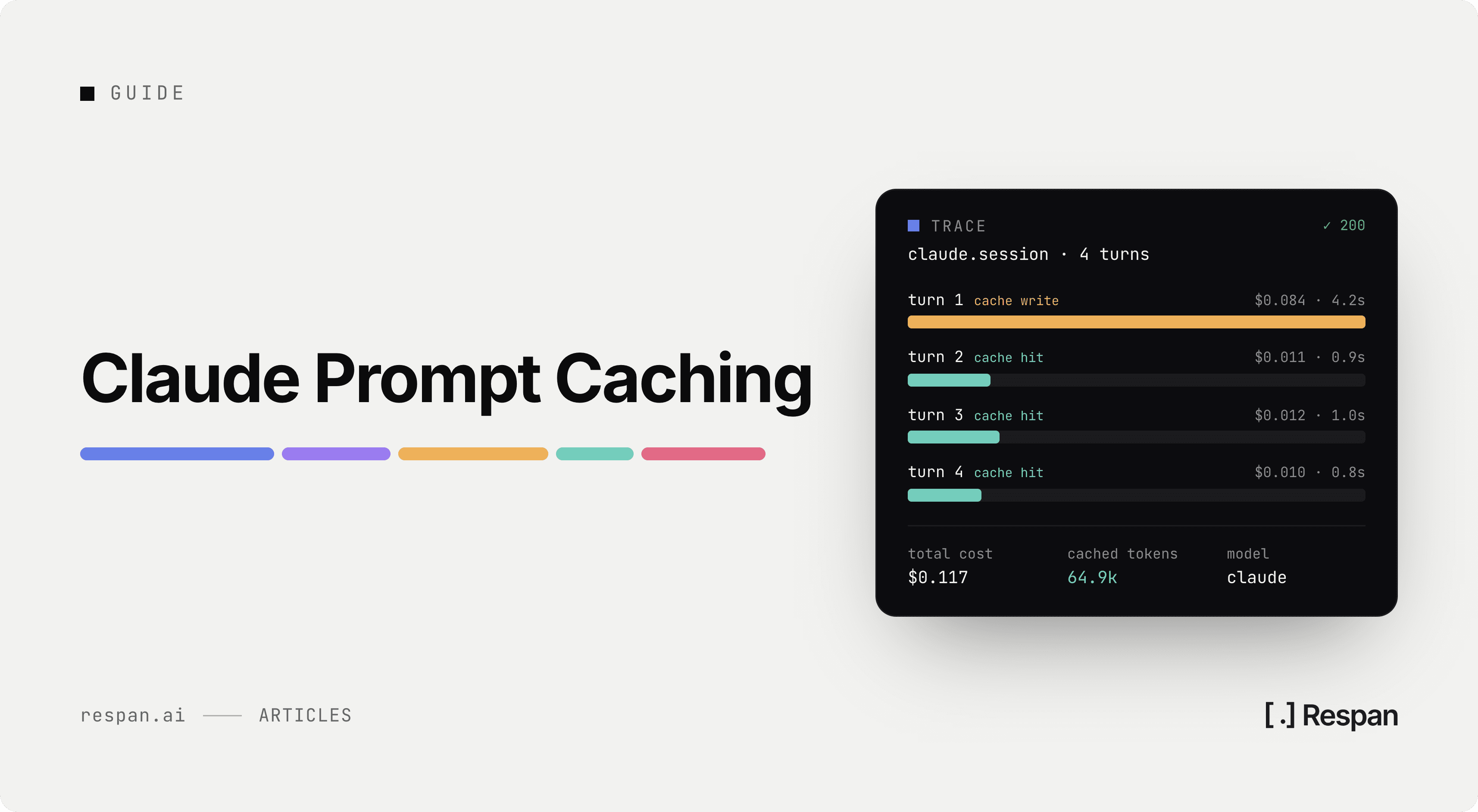
How it works: explicit. You add cache_control: { type: "ephemeral" } markers to up to 4 content blocks. Each marker becomes a cache breakpoint. The cache is matched as a prefix up to and including the marker. Cached reads cost 10% of base input. Cache writes cost 1.25x base input (5-min TTL) or 2x base input (1-hour TTL). Full mechanics in the Anthropic prompt caching docs.
Supported models (May 2026): Claude Opus 4.7, Sonnet 4.6, Haiku 4.5, all current versions.
Where to place breakpoints: longest stable content first, dynamic content last. The standard arrangement:
- System prompt (longest stable text)
- Tool definitions
- Conversation history up to the last user turn
- Optional fourth layer
Anything after the last breakpoint is fresh input on every call.
Python example:
import anthropic

client = anthropic.Anthropic()

resp = client.messages.create(
    model="claude-sonnet-4-6",
    max_tokens=1024,
    system=[
        {
            "type": "text",
            "text": LONG_SYSTEM_PROMPT,
            "cache_control": {"type": "ephemeral"},
        }
    ],
    messages=[{"role": "user", "content": "What does the spec say about retries?"}],
)

print(f"Cache create: {resp.usage.cache_creation_input_tokens}")
print(f"Cache read:   {resp.usage.cache_read_input_tokens}")
print(f"Input total:  {resp.usage.input_tokens}")
First call: cache_creation_input_tokens is the system prompt token count. Second call within TTL: cache_read_input_tokens carries that count, cache_creation_input_tokens is 0.
The pricing math: Sonnet 4.6 base input is $3 per million. 5-minute cache write is $3.75. Cache read is $0.30. 50K-token system reused 100 times in 5 minutes:
- Without cache: 100 × 50K × $3/MTok = $15.00
- With 5-min cache: 50K × $3.75/MTok + 99 × 50K × $0.30/MTok = $0.19 + $1.49 = $1.68
That's an 89% reduction on the cached portion.
The 1-hour cache option doubles the write cost (2x base) but the read price stays the same. The break-even is roughly 5-7 reads in an hour. For shared system prompts across many users or sessions that span 15+ minutes, the 1-hour cache pays off.
Gotchas specific to Anthropic:
- Whitespace changes break the cache. A trailing newline difference between two clients invalidates everything after it.
- Tool definitions are part of the prefix. Reordering tools, renaming a parameter, even tweaking a description string busts the cache for everything after.
- Image bytes must be identical. Re-encoded JPEGs from different clients differ at the byte level.
- The
systemfield type matters. Passing system as a string vs. an array of typed blocks produces different cache keys. - Cache reads do not count toward ITPM rate limits on current models. Effectively a free rate-limit multiplier on top of the cost savings.
For the deeper dive on Anthropic caching specifically, see Claude prompt caching pricing.
Layer 3: Gateway exact-match caching
The provider caches above only run AFTER you make the API call. Even on a cache hit you still pay for at least the variable portion of the prompt, you wait for the network round-trip, and you spend tokens on the cached prefix at the discounted rate.
A gateway-level cache runs BEFORE the API call. If the entire request matches a prior one byte-for-byte (same model, same messages, same tools, same parameters), the gateway returns the cached response immediately. Zero tokens used. Zero provider cost. Latency typically under 50 ms because no LLM call happens.
This is what Respan's gateway does. It is exact-match caching on the full conversation including system message, user message, and response. Default TTL is 30 days, configurable per request via cache_ttl in seconds.
How to enable it (Python, OpenAI-compatible client):
from openai import OpenAI

client = OpenAI(
    api_key="YOUR_RESPAN_API_KEY",
    base_url="https://api.respan.ai/api/",
)

resp = client.chat.completions.create(
    model="gpt-5.4",
    messages=[
        {"role": "system", "content": "Classify support tickets into: billing, technical, sales."},
        {"role": "user", "content": "I was charged twice for my subscription this month."},
    ],
    extra_body={
        "cache_enabled": True,
        "cache_ttl": 3600,  # optional, default is 30 days
    },
)
TypeScript:
import { OpenAI } from "openai";

const client = new OpenAI({
  baseURL: "https://api.respan.ai/api",
  apiKey: "YOUR_RESPAN_API_KEY",
});

const response = await client.chat.completions
  .create({
    model: "gpt-5.4",
    messages: [{ role: "user", content: "Classify this ticket" }],
    cache_enabled: true,
    cache_ttl: 3600,
  })
  .asResponse();
The first request is a normal call. The second identical request comes back from cache. In the Respan Logs page, cached responses show the model tag respan/cache and can be filtered by the "Cache hit" field. See the gateway caching docs for the full options.
Advanced cache controls via cache_options:
cache_by_customer: true. Cache is partitioned per end-user customer identifier. Different users hitting the same prompt get separate cache entries. Important when responses might be personalized.is_cached_by_model: true. Cache key includes the model name. Prevents a GPT-5.4 response from being returned to a GPT-5.5 request.omit_log: true. Skip writing this cached response to your traces. Useful for high-volume cached health-check style calls that would otherwise flood your logs.
See it in action
The fastest way to understand what cache hits look like in production is to click through Respan's live demo and watch the trace tree. Send the same prompt twice. The second call shows up as respan/cache with sub-50 ms latency and zero token cost in the trace.
If the iframe doesn't render in your browser, open the live demo in a new tab.
When the gateway cache wins:
- Classification and extraction (same inputs repeat constantly across users)
- Eval pipelines (same golden-set inputs across runs)
- Internal tools (canned questions, debug queries)
- Short prompts (under 1,024 tokens, where OpenAI's provider cache never triggers)
- Anything where determinism matters more than freshness
When the gateway cache loses:
- Open-ended chat (inputs almost never repeat exactly)
- Anything with timestamps, user IDs, or random values in the prompt
- Use cases where temperature > 0 and users expect diverse outputs
Practical hit rates we see across production deployments:
| Workload | Typical exact-match hit rate |
|---|---|
| Classification / extraction | 40-70% |
| Eval pipelines on golden sets | 90-99% |
| Customer support FAQ-style | 15-30% |
| Open-ended chat | 1-5% |
| Code generation | 1-5% |
For workloads with low exact-match hit rates, semantic caching is the next layer up. We covered it in LLM cache layers.
How the three layers stack
Picture a request flowing through Respan's gateway with caching enabled:
Your code
    │
    ├──► Respan gateway: check exact-match cache
    │       └── HIT → return cached response, $0 cost, <50ms
    │       └── MISS → forward to provider
    │
    ├──► Provider (OpenAI/Anthropic): check provider prompt cache
    │       └── HIT on prefix → pay 10% of input on cached portion
    │       └── MISS → pay full price
    │
    └──► Return response, gateway stores it for next time
A 50K-token RAG context call, 500-token output, 10,000 calls per month, GPT-5.4:
| Scenario | Monthly cost |
|---|---|
| No caching | 10K × (50K × $2.50 + 500 × $15) / 1M = $1,325 |
| Gateway only, 20% exact-match | 8K × $1,325/10K + cache 0 = $1,060 |
| Provider only, 80% prefix hit | 10K × (10K × $2.50 + 40K × $0.25 + 500 × $15) / 1M = $400 |
| Both stacked (20% gateway, 80% provider on rest) | 8K calls at $400/10K + 2K free = $320 |
That last line is what production looks like when you've actually wired both layers. Compared to the $1,325 baseline, that's a 76% cut.
A decision guide
If you can only spend a day on caching, do this:
- For every Anthropic call, add a single
cache_controlmarker at the end of your system prompt. One line of code, zero downside, 89% off the cached portion on repeat traffic. - For every OpenAI call, do nothing. The provider cache is automatic. Just make sure your prompts exceed 1,024 tokens and your prefix is stable.
- For everything else, enable gateway-level caching on the deterministic-output workloads (classification, extraction, eval). One flag, big wins.
If you have a week, additionally:
- Move stable system prompts into a prompt-registry so caching keys stay consistent across deployments. See prompt versioning.
- Set up cache-hit-rate dashboards per layer. The metric that tells you whether each layer is doing its job. See LLM observability.
- For Anthropic's high-traffic shared prompts, switch to 1-hour TTL. The 2x write multiplier pays back after 5-7 reads.
Common gotchas across all 3 layers
- You never look at cache hit rates. All three caches expose hit metrics in their respective response fields or dashboards. If you don't look at them, you don't know which layer is failing.
- You cache responses where temperature > 0 without telling users. Two users get the same response to the same query when one of them expected diversity. Set temperature=0 for cacheable endpoints or skip caching there.
- You cache tool-call responses with side effects. A cached
send_emailcall is a bug. Only cache pure-read tool calls; gate cacheability per tool. - You assume the provider cache catches everything. It doesn't catch prompts under 1,024 tokens (OpenAI) or prompts without
cache_controlmarkers (Anthropic). The gateway cache is the safety net. - You don't include model version in your gateway cache key. Cached responses from
gpt-5.4shouldn't return when the request is forgpt-5.5. Most gateway caches handle this, but verify. - You forget UI consistency. If your UI shows "thinking..." for 2 seconds, a 50ms cached response feels broken. Add a minimum render delay or show the cached badge.
FAQ
Does OpenAI prompt caching need any code changes?
No. It's fully automatic on supported models for prompts over 1,024 tokens. Just check usage.prompt_tokens_details.cached_tokens in the response to confirm hits.
Does Anthropic prompt caching need a beta header?
The original 5-minute cache no longer requires a beta header. The extended 1-hour cache may still be behind a beta header depending on your account tier. Check the latest Anthropic docs.
Can I use both OpenAI cache and Anthropic cache in the same app?
Yes. They're independent provider features. Your app code can call both providers, each with its own caching mechanics.
What's the difference between Anthropic's explicit cache and OpenAI's automatic cache?
OpenAI trades control for simplicity (no code, auto-detect prefix). Anthropic trades simplicity for control (pick your breakpoints, pick 5-min or 1-hour TTL). Both end up at roughly 90% off the cached portion.
Does the gateway cache work with streaming responses?
Yes. Store the assembled response, replay it on cache hit. Most clients won't notice. If you need streaming preserved on cache hits, replay chunks with a small artificial delay.
How do I monitor cache hit rates across all 3 layers?
Per layer:
- OpenAI:
usage.prompt_tokens_details.cached_tokensper call - Anthropic:
usage.cache_read_input_tokensandusage.cache_creation_input_tokens - Gateway (Respan): the model tag
respan/cacheand the "Cache hit" filter in the Logs page
Roll all three into a single dashboard for the operational view. See LLM cache layers for the broader telemetry pattern.
Will provider prompt caching ever extend the TTL?
OpenAI hasn't published plans. Anthropic offers the 1-hour cache today. For longer TTL than that, the gateway cache (30 days default) is your only option.
Is there a downside to enabling everything?
Cost of bad cache hits if you cache content that should change. Set conservative TTLs on the gateway cache (30 minutes for support-style content, 24 hours for FAQ-style, 30 days for static reference content). And never cache responses for tool calls with side effects.
Try it on your own traffic
The provider caches above need either a long prompt (OpenAI's 1,024-token floor) or explicit markers (Anthropic's cache_control). The gateway cache is the one that catches everything else: short prompts, identical repeats, classification calls, eval pipelines, anything you can predict will repeat.
If you want to see what cache hits look like before wiring this into production, open the Respan live demo and run the same prompt twice. The first call shows the model name in the trace; the second shows respan/cache with sub-50 ms latency.
Then start free at platform.respan.ai and add "cache_enabled": true to your existing OpenAI-compatible client. No SDK swap, no rewrite. The 10K-traces-per-month free tier covers most teams' first month of testing.
Related
- Claude Prompt Caching Pricing. The deep dive on Anthropic specifically.
- LLM Cache Layers. Exact-match vs semantic vs provider cache, the broader picture.
- OpenAI vs Anthropic Pricing. Full pricing comparison including cache rates.
- LLM Gateway: The Complete Guide. Where gateway caching lives in the architecture.
- LLM Observability. The cache-hit-rate dashboards.
- How to Reduce OpenAI API Costs. Broader cost-reduction playbook.
- Prompt Versioning. How to keep cache keys stable as prompts evolve.