An open source AI gateway is a proxy you run yourself between your code and the model providers you call. It gives every service one endpoint for routing, fallbacks, and keys, and it keeps provider credentials inside your own infrastructure.
The software costs nothing to license, so the differences between gateways show up in what each one takes to run. Some ship as a single binary, some expect a database and a cache beside them, and some fit best inside Kubernetes. Those choices decide how much memory each instance uses, what changes when you add a second copy, and which features you would have to buy back from an enterprise edition.
Below are the 5 best open source AI gateways to self-host in 2026, compared on what they take to run in production.
Open source AI gateway comparison (2026)
Disclosure: Respan, which publishes this guide, makes one of the products below. We tried to place it only where it is a strong fit, and we list its limitations the same way we list everyone else's.
After Respan, the order follows how often each gateway comes up when teams compare options they can run themselves. Each entry covers what you deploy beside it, footprint and speed, what happens at more than one instance, and what the free edition leaves out, and says who it's best for.
| Gateway | Best for | Runtime | What you run alongside it | Multiple instances | MCP | Free edition leaves out |
|---|---|---|---|---|---|---|
| Respan | Single-binary gateway, every call traced | Rust | Nothing | Responses state per instance | MCP servers, tools in-request | Nothing; hosted platform separate |
| LiteLLM | 100+ providers, Python proxy | Python (Rust in beta) | Postgres; Redis past one instance | Redis coordinates pods | Built in | SSO, RBAC, secret managers |
| Bifrost | Semantic caching, web UI free | Go | Pluggable config, log, vector stores | Clustering on Enterprise | Gateway free; federated auth paid | Guardrails, clustering, SSO |
| agentgateway | Kubernetes, MCP and A2A | Rust | Optional SQLite or Postgres | Postgres across replicas | Federation plus A2A | Enterprise via Solo.io |
| Portkey Gateway | Guardrails in free build | Node.js | Node.js or Docker | Not documented | Hosted MCP gateway | Semantic caching, PII redaction |
How we picked
The five gateways here are open source, actively released, and come up most when teams compare gateways they can run themselves. Each one is compared on these criteria:
- What you deploy - The runtime, and what has to run beside it, such as a database, a cache, or Kubernetes.
- Footprint and speed - Added latency, throughput, and memory per instance, where a comparable number exists.
- Running more than one instance - What stays local to each copy, and what needs a coordinator or an enterprise license.
- What the free edition leaves out - Features the vendor sells in an enterprise edition instead.
Every license, feature tier, and price was checked on the vendor's own docs, repository, or pricing page, linked in each entry. The one side-by-side speed run comes from the respan-gateway README:
| Respan Gateway (open source) | Bifrost | Portkey | LiteLLM (1 worker) | |
|---|---|---|---|---|
| Added latency (p50) | 0.07 ms | 0.16 ms | 0.17 ms | 4.34 ms |
| Throughput | 56,734/s | 18,182/s | 4,187/s | 268/s |
| Memory | 31 MB | 488 MB | 350 MB | 418 MB |
| 1k streams, success | 100% | 92-100% | Not reported | 79% |
| p99 with 5% slow calls | 105 ms | 2,002 ms | 2,003 ms | 2,024 ms |
These are Respan-run benchmarks, and the README doesn't publish the test setup. LiteLLM ran with one worker, which matches its own Kubernetes guidance of one worker per pod, and agentgateway wasn't part of the run, so test your shortlist on your own traffic before deciding on speed.
Pricing verified on November 24, 2026.
The 5 best open source AI gateways to self-host in 2026
Respan
Best for: Teams that want a gateway with nothing else to run beside it, cheaper tokens when they want them, and every call traced.
The take: Respan (formerly Keywords AI) is an open-source AI gateway: one API for 1,000+ models, with every call traced in Respan. The gateway is a single Rust binary, licensed MIT or Apache-2.0, that you can run for free, and the same gateway runs managed at gateway.respan.ai with up to 55% off tokens on Respan credits and a 0% fee.
In Respan-run benchmarks, the open-source gateway handled 56,734 requests per second at 0.07 ms of median added latency, using 31 MB of memory. Open-sourced in October 2026 and at version 0.3.0, it's the newest project here.
- Up to 55% off tokens when you'd rather not run it - The same gateway runs managed on Respan credits, with bulk rates passed on and a 0% fee.
- Small and fast per instance - 31 MB of memory at 56,734 requests per second, and 100% success in the 1k-streams test, in the same Respan-run benchmarks.
- Holds up when a provider stalls - In the same tests, with 5% of provider calls slowed, p99 stayed at 105 ms against about 2,000 ms for the other three gateways.
- Any SDK, any model - The OpenAI, Anthropic, and Gemini SDKs can each call any of 16 built-in providers, with streaming, tools, images, and reasoning translated both ways, plus realtime voice, MCP servers, and built-in tools that any model can use.
- Every call traced - The built-in web UI logs each request's provider, latency, tokens, and cost, and the Respan plugin sends every request to Respan as a trace.
What you run: Nothing else: the binary, the Python package, or the Docker image, with no database or cache. The request log stays in memory (the last 1,000 requests by default), and one gateway.toml holds keys, providers, routes, and tools, reloading without a restart.
Self-host it: Install the open-source binary with pip, Cargo, or Docker, and turn on the Respan plugin when you want requests traced, priced, and scored in the hosted platform.
- You run OpenAI Responses clients across several gateway copies. When the responses plugin keeps conversation state, for example so
previous_response_idworks on Anthropic or Gemini, that state lives in one gateway's memory and isn't shared, so those clients need to reach the same gateway. Ordinary Chat Completions requests don't depend on it. - You want the whole Respan platform (dashboards, evals, prompts) on your own servers. That's Enterprise only, while the open-source gateway is free to self-host on any plan.
- You want the token discounts on your own provider keys. Respan's discounts apply to Respan credits, not bring-your-own-key traffic.
Pricing: The open-source gateway is free. The managed platform's Free plan is $0 with 100k logs and 4,200 gateway requests a minute, and Team is $199/month billed yearly ($249 monthly), adding bring-your-own-key support, 8,400 requests a minute, and a 99.99% uptime SLA, per Respan's pricing page. Enterprise is custom and adds self-hosting of the full platform. Each model's current discount is listed in Respan's model catalog, and discounts grow with annual commitment, with spend across every provider counting toward one commitment.
LiteLLM
Best for: Python teams that want 100+ providers behind one proxy and are fine running a database beside it.
The take: LiteLLM is a Python SDK and proxy that puts 100+ LLM providers behind one OpenAI-compatible API, by its own count, and the proxy documents an MCP gateway. It ran at 268 requests per second and 4.34 ms of median added latency with one worker in the Respan-run benchmark above.
A Rust gateway is in beta, though LiteLLM's docs say the current main build serves only two routes on Rust, OCR and Bedrock transcription, with everything else still on Python.
What you run: LiteLLM's production docs name PostgreSQL as the primary database for production, holding keys and spend data, and say to run Redis as soon as you have more than one proxy instance, so the pods can coordinate. On Kubernetes, the docs recommend one worker per pod and scaling by adding pods.
- You can't pin and verify every release, since compromised builds reached PyPI in March and October 2026.
- You need SSO, SCIM, RBAC, or secret-manager integration without an Enterprise license.
Pricing: The open-source proxy is free, so the bill is your infrastructure plus provider rates. LiteLLM Enterprise is custom pricing, with a 30-day trial key.
Bifrost
Best for: Teams that want semantic caching and a web UI in the free build.
The take: Written in Go, Bifrost is Maxim AI's Apache 2.0 gateway that puts 23+ providers behind one OpenAI-compatible API and works as a drop-in for the OpenAI, Anthropic, and Google GenAI SDKs when you change the base URL. Fallbacks, load balancing, MCP, a web UI, and Prometheus metrics with distributed tracing are in the open-source core.
Maxim reports 11 µs of added overhead at 5,000 requests per second on a t3.xlarge, while the Respan-run benchmark measured 0.16 ms, 18,182 requests per second, and 488 MB, so expect the numbers to differ by test setup.
What you run: It starts with npx -y @maximhq/bifrost or the Docker image. Its config, log, and vector stores are pluggable components, and semantic caching relies on a vector store.
- You need high-availability clustering, guardrails, or SSO without a sales contract, since Maxim sells those in Bifrost Enterprise.
- You need federated auth on the MCP gateway, which Maxim sells in Bifrost Enterprise.
Pricing: Maxim lists the open-source build as free forever on Bifrost's pricing page, so your cost is provider rates plus the infrastructure you run it on. Enterprise is custom pricing, with a 14-day trial, and if your requirements land there, the Bifrost alternatives compare self-hosted and managed options.
agentgateway
Best for: Platform teams on Kubernetes that want MCP and agent-to-agent traffic in the same gateway as their LLM calls.
The take: Created by Solo.io and now a Linux Foundation project, agentgateway is an Apache 2.0 gateway written in Rust. Version 1.7's compatibility table lists 22 LLM providers plus any OpenAI-compatible endpoint, such as vLLM or llama.cpp.
It federates several MCP servers behind one endpoint, supports the A2A protocol, and has OpenTelemetry metrics, logs, and tracing built in. It wasn't part of the Respan-run benchmark, and teams weighing it against other options can compare agentgateway alternatives.
What you run: It runs as a standalone binary or Docker image, or on Kubernetes with its built-in control plane and the Gateway API. It routes traffic with no database, and its docs suggest adding SQLite for a single instance or PostgreSQL once you run more than one replica, which its analytics and logs pages also rely on.
- You want enterprise features and vendor support from the project itself, since those come through Solo.io's Enterprise distribution.
Pricing: The project is free. Solo.io sells an enterprise edition and production support, with no public pricing.
Portkey Gateway
Best for: Teams that want guardrails in the free build, or the gateway running on Cloudflare Workers.
The take: Licensed MIT and written in TypeScript for Node.js, Portkey Gateway ships fallbacks, retries, load balancing, and guardrails in the open-source build. In the Respan-run benchmark it handled 4,187 requests per second at 0.17 ms and 350 MB.
It's worth keeping in mind that Palo Alto Networks acquired Portkey in May 2026 and now sells it as Prisma AIRS AI Gateway. Teams reassessing after that change can compare Portkey alternatives. The latest stable release is v1.15.2 from January 2026, while the 2.0 branch, which merges Portkey's enterprise gateway into open source, is still a prerelease.
What you run: Running it with npx @portkey-ai/gateway needs Node.js and npm, and it also runs in Docker, on a Node.js server, or on Cloudflare Workers. Its MCP gateway is a hosted endpoint that Portkey runs.
- You need semantic caching, IP and geo access rules, or PII redaction, which are enterprise features.
- You want new open-source features on a stable release, since they're landing in the 2.0 prerelease.
Pricing: Self-hosting the open-source gateway is free. The hosted product starts free at 10K requests a month, Pro is $49/month, and Enterprise is custom, per Portkey's plan comparison.
Recent changes in open source AI gateways (2026)
- LiteLLM shipped two compromised releases - Versions 1.82.7 and 1.82.8 reached PyPI on March 24, and version 1.107.0 on October 21, when the malicious build also shipped in the official Docker images.
- Portkey joined Palo Alto Networks - The acquisition closed May 29, and the hosted product is now Prisma AIRS AI Gateway.
- LiteLLM started moving its gateway to Rust - The Rust gateway is in beta, and most routes still run on the Python proxy.
- Respan open-sourced its gateway - respan-gateway launched in October under MIT or Apache-2.0.
Because a self-hosted gateway holds every provider key you own, pinning versions and checking release signatures belong in the rollout plan from the start.
How to choose an open source AI gateway
The decisions that are hardest to reverse are the ones about what you'll be running and maintaining, so start there:
- Self-hosted or managed - Self-host when data residency, a contract, or network rules require it. If you'd rather not run the gateway at all, the best LLM gateways comparison covers managed options too. If you've been running a tool like OmniRoute for coding agents, compare what teams switch to before that traffic reaches production.
- What runs beside it - A database or cache next to the gateway means backups, upgrades, and connection limits that become your team's job.
- More than one copy - Check what stays local to each instance and what needs Redis or a cluster license before you put the gateway behind a load balancer. Heavy streaming can also hit open-file limits on the host, so load-test with your own streams.
- What the free edition leaves out - SSO, RBAC, audit logs, and guardrails often sit in the enterprise edition, so price them in if you'll need them later.
- Release hygiene - Pin versions, verify image digests, and plan how you'd rotate provider keys if a release were compromised.
- Moving off a self-hosted LiteLLM - If your team has outgrown running the proxy, the best LiteLLM alternatives cover both self-hosted and managed replacements.
Whichever gateway you pick, keep your application code on an SDK format the gateway translates, so switching later stays a base-URL change.
How to get started with an open source AI gateway
Most open source gateways follow the same setup: install the gateway, give it provider keys, point your SDK at it, then add routes and telemetry. With Respan's gateway, it looks like this:
-
Install it - From PyPI:
pip install respan-gatewayThe README also lists a shell script, Cargo, and Docker.
-
Run it with a provider key - Every provider whose key is set is ready, with no config file needed:
export OPENAI_API_KEY=sk-... respan-gateway -
Point your SDK at it - Set the OpenAI SDK's base URL to
http://localhost:8080/v1, or the Anthropic SDK and Google GenAI tohttp://localhost:8080, and keep the rest of your code. -
Add a hedge or fallback - In
gateway.toml, a route can race a slow provider against the next one:[routes.fast] # start GPT if Claude is 200ms late to = ["anthropic/claude-haiku-5-5", "openai/gpt-6-luna"] hedge = "200ms" -
Turn on tracing - Add the Respan plugin to send a trace per request:
[plugins.respan] # a trace per request in Respan key = "env:RESPAN_API_KEY" -
Set client keys before you expose it - Without client keys, the gateway listens only on loopback and refuses to start on a public address, so add
client_keystogateway.tomlbefore you deploy it beyond your machine.
While you test, the web UI at localhost:8080/ui/ shows each request's provider, latency, tokens, and cost.
FAQ
Which open source AI gateway has the lowest overhead?
It depends on the workload and on who ran the test. In the Respan-run benchmark in its README, Respan's gateway added 0.07 ms at the median, against 0.16 ms for Bifrost, 0.17 ms for Portkey, and 4.34 ms for LiteLLM with one worker. Every vendor measures differently, so run your own traffic through a shortlist before deciding.
What do you need to run alongside a self-hosted AI gateway?
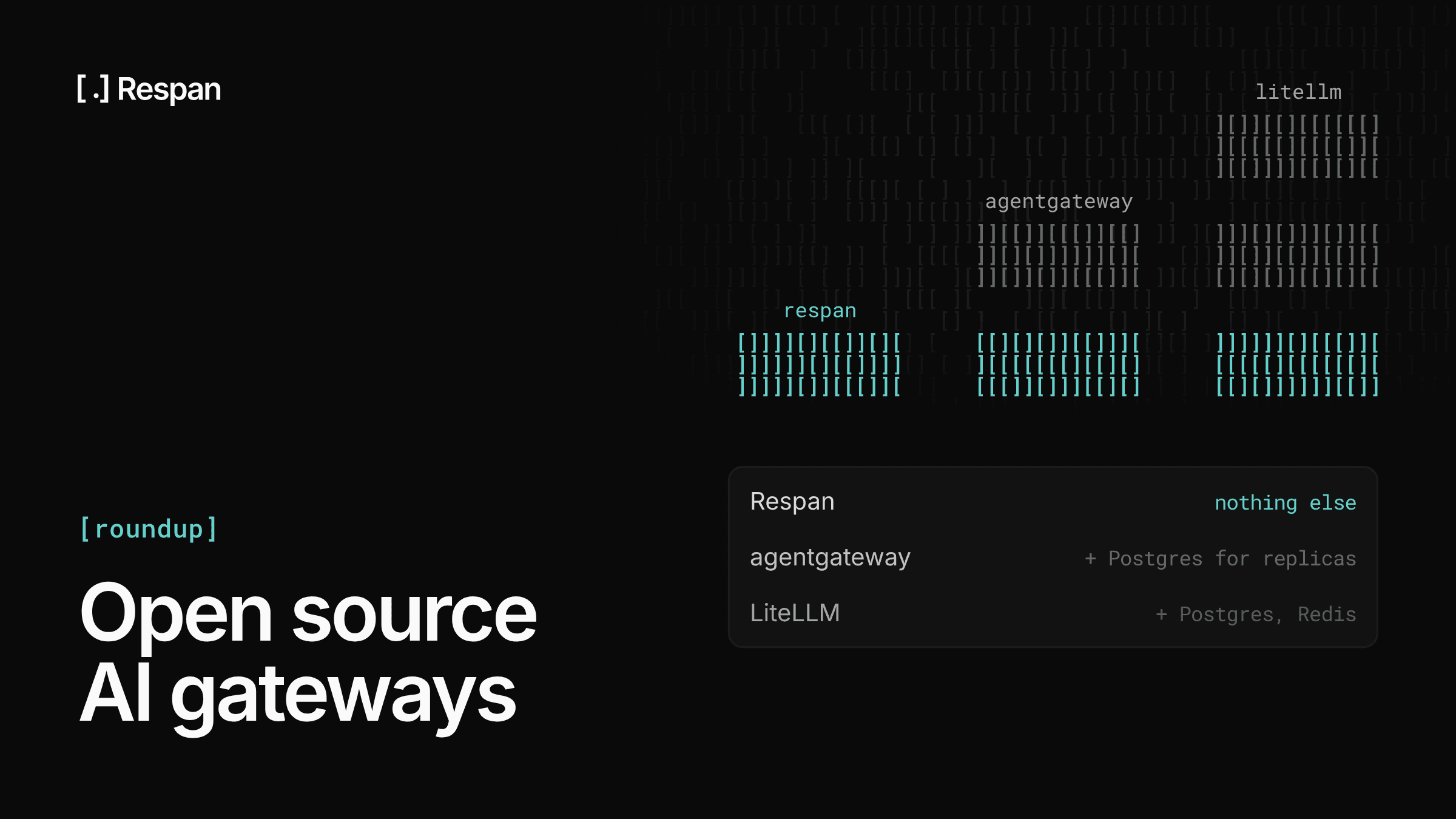
That ranges from nothing to a small stack. Respan's gateway runs as a single binary with no database or cache, while LiteLLM uses PostgreSQL in production and Redis once you run more than one instance, and agentgateway routes without a database but suggests PostgreSQL once you run several replicas.
Can a self-hosted AI gateway route to both local models and OpenAI or Anthropic?
Yes. Respan's gateway has Ollama and vLLM among its 16 built-in providers alongside OpenAI, Anthropic, and Gemini, and it accepts any OpenAI-compatible endpoint. agentgateway, LiteLLM, and Bifrost also route to self-hosted models next to hosted providers.
Do open source AI gateways support MCP?
Most do, in different ways. Respan's gateway puts MCP servers behind the gateway and runs their tools inside a chat request, so any model can use them. LiteLLM's proxy documents an MCP gateway, Bifrost includes an MCP gateway in its open-source build, with federated auth on Enterprise, agentgateway federates MCP servers and supports A2A, and Portkey's MCP gateway runs as a hosted endpoint.
Is an open source AI gateway free to run?
The software is free, but you still pay for the infrastructure it runs on, the provider tokens it sends, and any enterprise features you need later. Respan's gateway is free to self-host, and running it managed on Respan cuts the token bill by up to 55% on Respan credits with a 0% fee.