Models and providers
Pick a model ID, see which providers serve it, and know who pays for each call.
You choose a model with the model field. A model ID can name the model alone, so any provider that serves it can answer, or name one provider’s offering of it. Switching models or providers is a change to that one string.
curl https://gateway.respan.ai/v1/chat/completions \
  -H "Authorization: Bearer $RESPAN_API_KEY" \
  -H "Content-Type: application/json" \
-d '{"model": "gpt-5.5", "messages": [{"role": "user", "content": "Hello!"}]}'Model IDs
| Form | Example | What serves it |
|---|---|---|
| Model name | gpt-5.5 | Every provider in the catalog that serves the model, tried in order: the model’s default provider first, then the rest from cheapest. |
| Provider offering | azure/gpt-5.5, openrouter/openai/gpt-5.5 | That provider’s offering only, as the model’s Providers tab names it. |
<provider>/<model name> | openai/gpt-5.5 | The model on that provider only. The prefix is the provider’s ID or the prefix its model IDs use. |
| Video resolution | gemini/veo-3.1-generate-preview:1080p | The video model with its output resolution fixed. See Video. |
| Route name | your own name, such as smart | The models your project’s route lists. See Routes and aliases. |
| Respan model | span-02 | Respan’s own models. See Span-02. |
A version can be written with dots or dashes: claude-sonnet-4.5 and claude-sonnet-4-5 name the same model. A model ID the catalog doesn’t know is refused with model '<id>' is not available. To call one, add it as a custom model.
How the providers behind a model name become an ordered list of attempts, and the request fields that change that list, are in Provider routing.
Browse the catalog
In the platform , go to Gateway › Models. Each row is one model, with its cheapest price across providers in USD per 1M tokens, its context window, and its capabilities. Filter by Provider, Model type, Modality, and Capabilities, or switch Active to Deprecated to find models to migrate off.
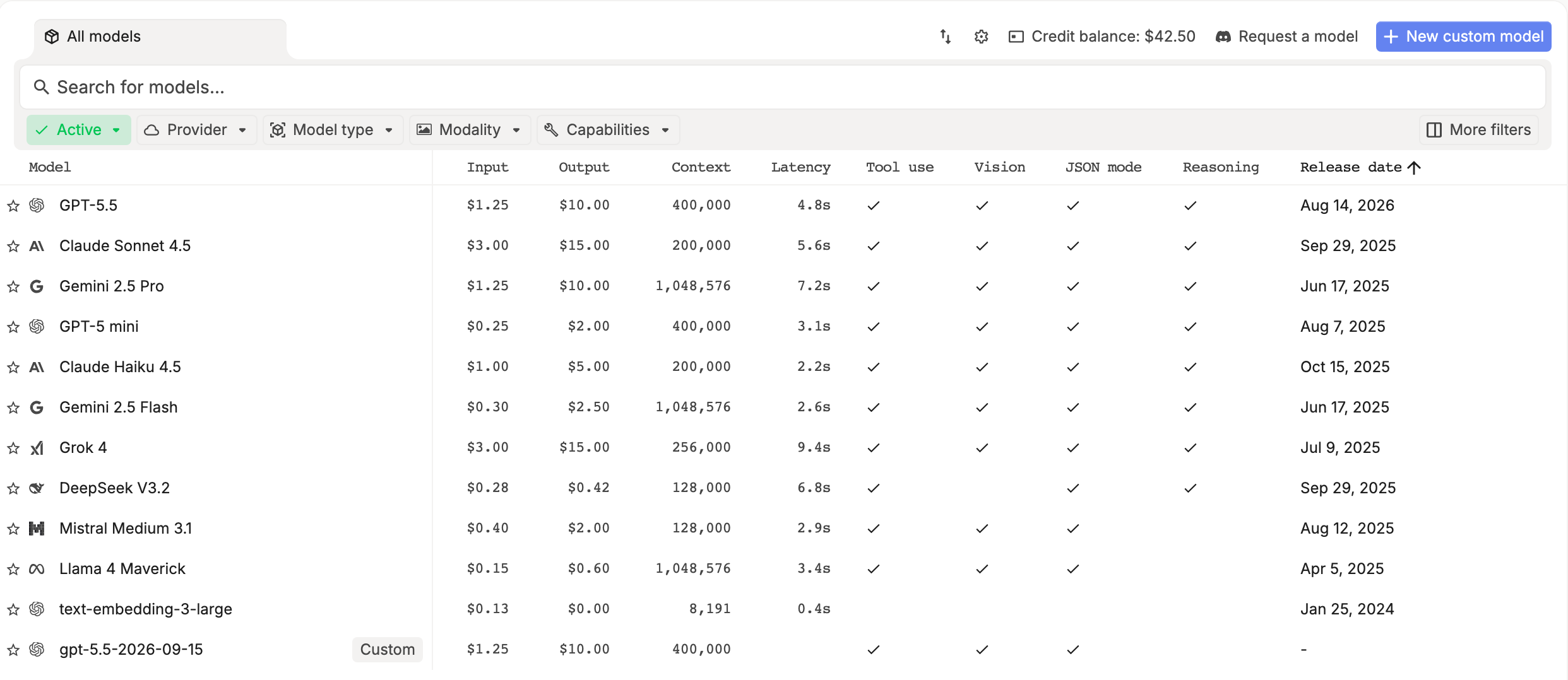
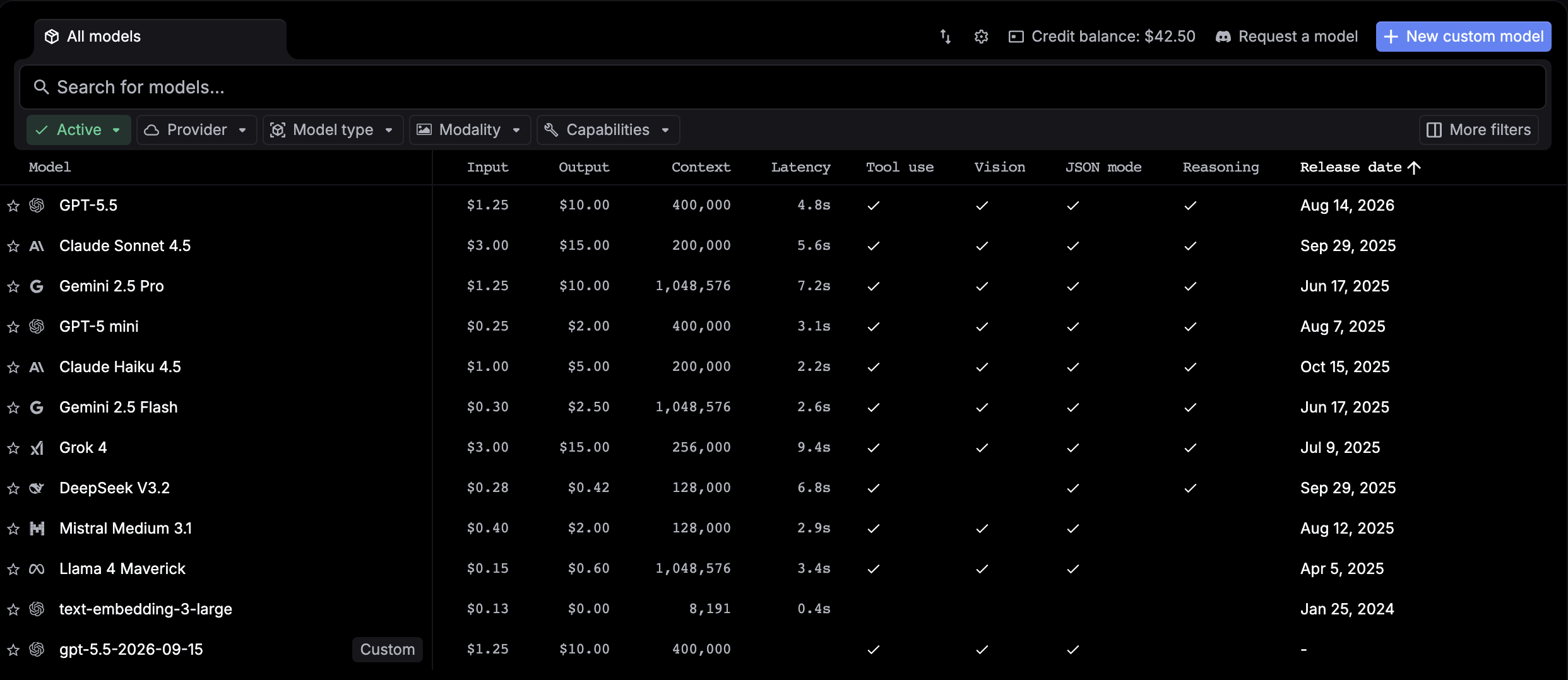
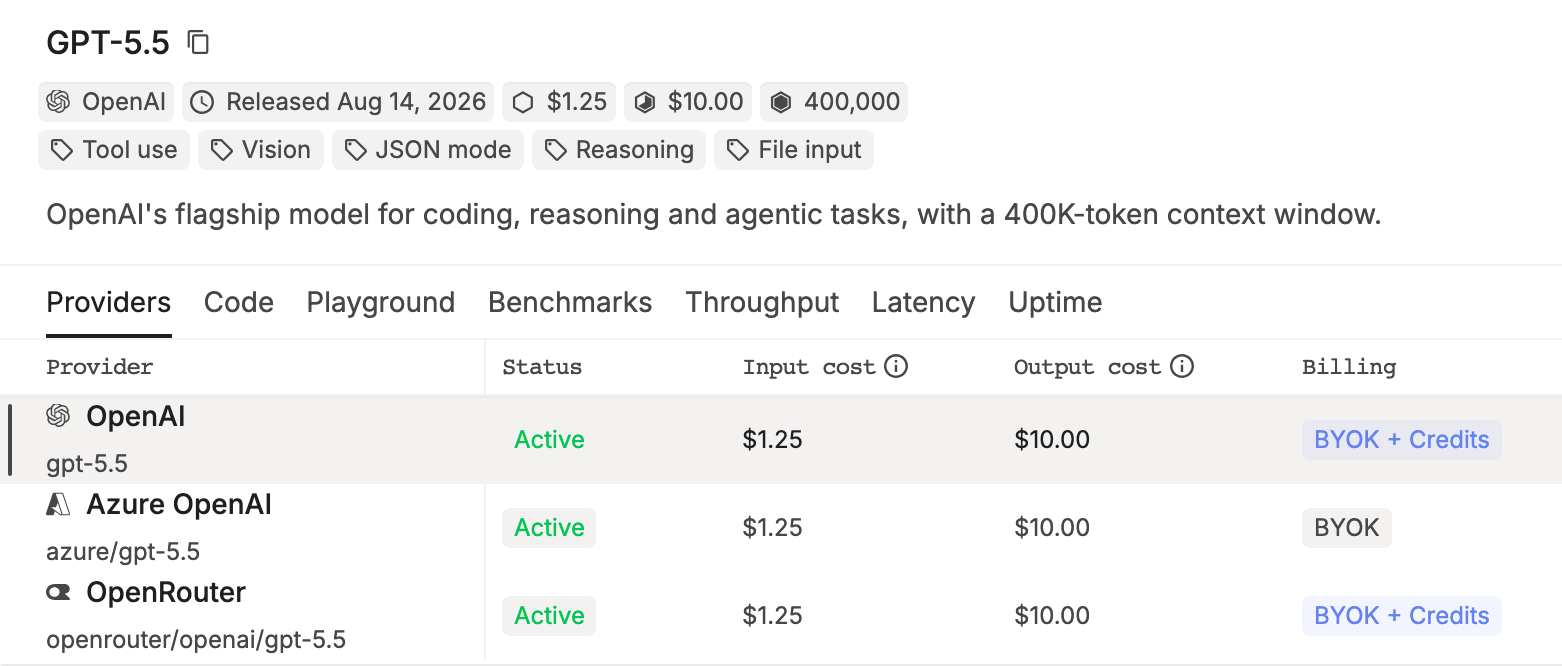
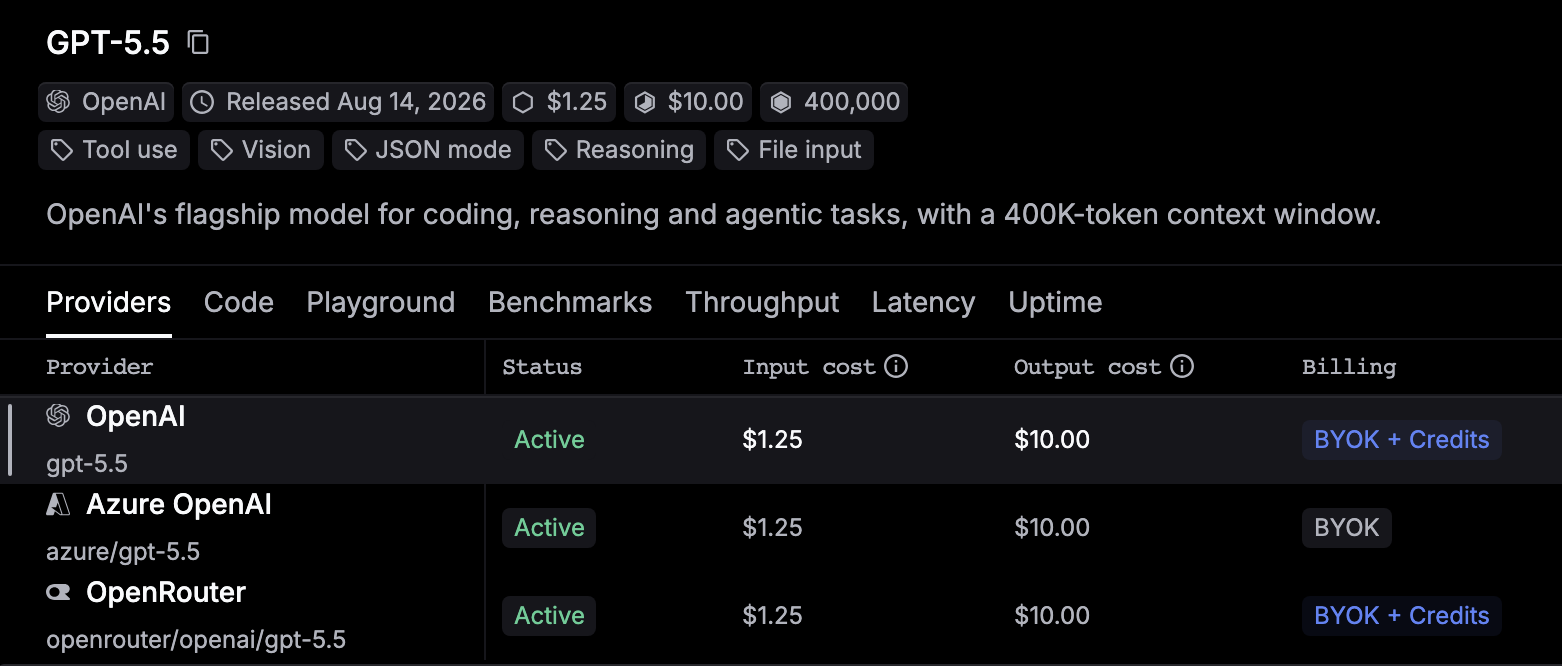
Click a model and open its Providers tab to see every provider that serves it, each with its own model ID, status, price, and billing label. Hover a provider and click the copy icon to copy its model ID.
respan.ai/models is the public catalog, with prices, providers, and benchmarks, no sign-in needed.
List models by API
| Endpoint | Auth | Returns |
|---|---|---|
List models: POST https://api.respan.ai/api/models/list/ | Respan API key | The models your project can call, custom ones included. |
List public models : GET https://api.respan.ai/api/models/public/ | None | The public catalog. |
| Get model | Respan API key | One model’s details. |
curl -X POST https://api.respan.ai/api/models/list/ \
  -H "Authorization: Bearer $RESPAN_API_KEY" \
  -H "Content-Type: application/json" \
  -d '{}'
Who pays for a call
Each provider offering has a billing label, shown in the Billing column of a model’s Providers tab:
| Label | Who pays |
|---|---|
| Credits | Your Respan credits. |
| BYOK + Credits | Your own provider key if you added one, otherwise your Respan credits. |
| BYOK | Your own provider key only. Credits can’t pay for it. |
For each request, the gateway tries keys in this order: your project’s own keys, keys your workspace shares with the project, Respan keys dedicated to your organization, then Respan’s public keys. When one of your own keys can serve the model, Respan’s keys are not used for it, unless you opt in to managed fallback.
- A call on Respan’s key is charged to your credits at the offering’s catalog price. Without credits it’s refused, unless the Respan key is dedicated to your organization. See Pricing.
- A call on your own key is billed by your provider, and is still logged and counted against your limits. See Bring your own key.
See which provider and key served a request
Every response carries an X-Respan-Log-Id header. Open that log in Gateway › Logs: it shows the model, the provider, and the deployment (key) the call ran on. The Config tab’s Billing method shows BYOK for your own key or Respan credits. To see every request one key served, filter Logs by Deployment.
Custom models
To call a model your provider offers before it’s in the catalog, add a custom model: on Gateway › Models, click New custom model, pick the Provider, enter the Model name exactly as the provider names it, set its capabilities and prices, and click Save. Send the Model ID the dialog shows as model. You can also use the custom model API.
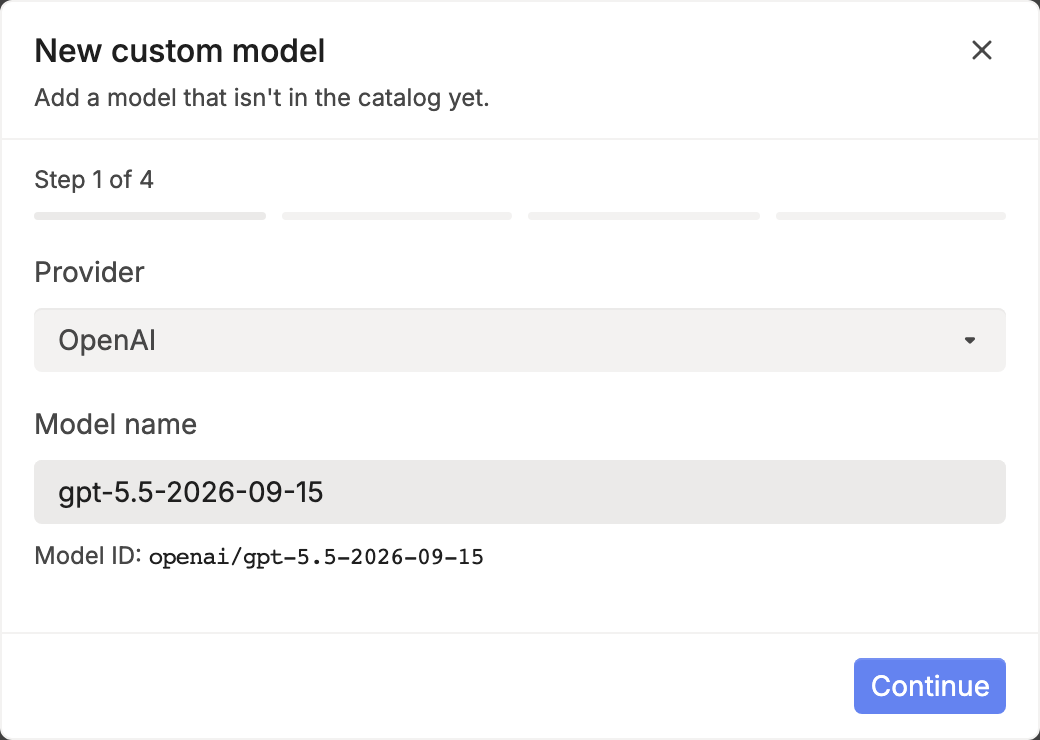
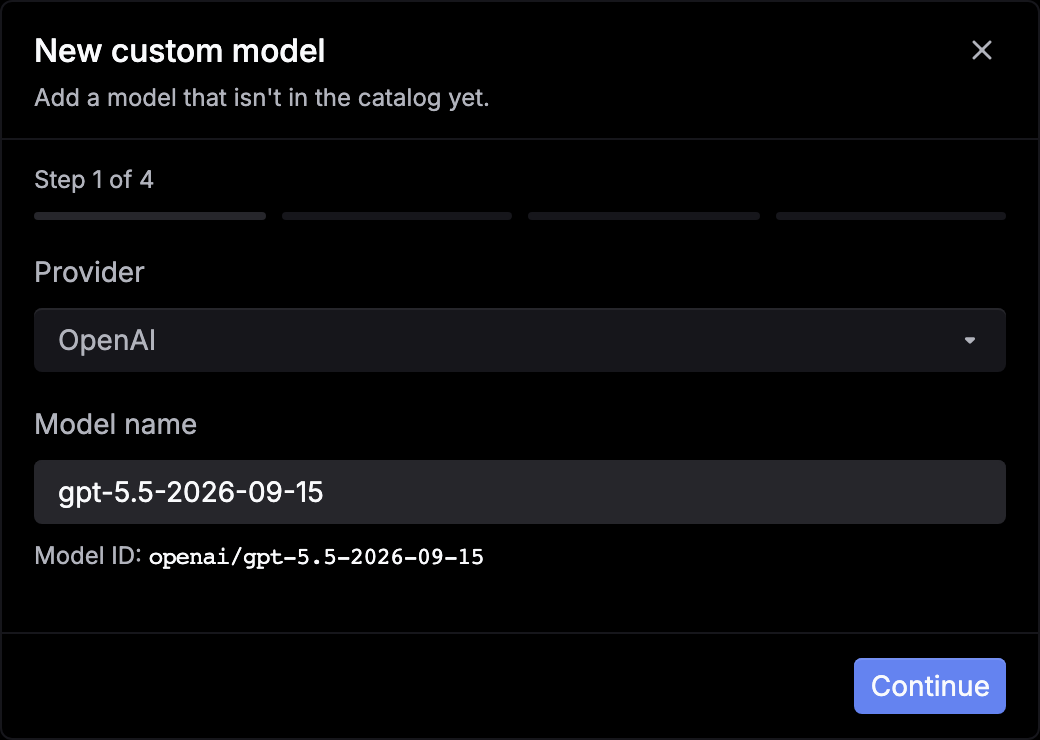
A custom model runs on your own key for its provider. Respan’s keys never serve it.
Custom providers
To call a self-hosted or other OpenAI-compatible endpoint, add it as a custom provider: go to Gateway › API keys › Bring your own key, click New custom provider, and enter a Provider ID, a Provider name, and the endpoint’s Base URL. Add the endpoint’s key with Add deployment, then add a custom model for each model it serves. A custom provider is called with its own key only, and its base URL must resolve to a public address. See Custom provider and the custom provider API.
Providers
Setup for each provider, including the keys and settings it needs, is under Providers:
- OpenAI, Azure OpenAI
- Anthropic, Gemini, AWS Bedrock
- xAI, Mistral, Groq, Together, Fireworks, DeepSeek, Perplexity, OpenRouter
Next steps
- Provider routing: how a model ID becomes ordered attempts.
- Fallbacks: what happens when a provider fails.
- Routes and aliases: name a fallback chain or a weighted split.
- Span-02: Respan’s own model.