

Structured output
Structured output constrains a prompt response to a JSON schema. This workflow creates a prompt version with a strict schema, deploys it, calls the deployed prompt, and parses the returned JSON.
New to prompts? Start with the Prompt management quickstart. For prompt schema, version pinning, and deployment behavior, see Advanced configurations.
Prerequisites
- A Respan API key from Settings → API keys.
- A prompt created in the Prompts page. Copy its prompt ID.
- A model available to your project through credits or a configured provider key.
Configure and deploy in the platform
Add the schema
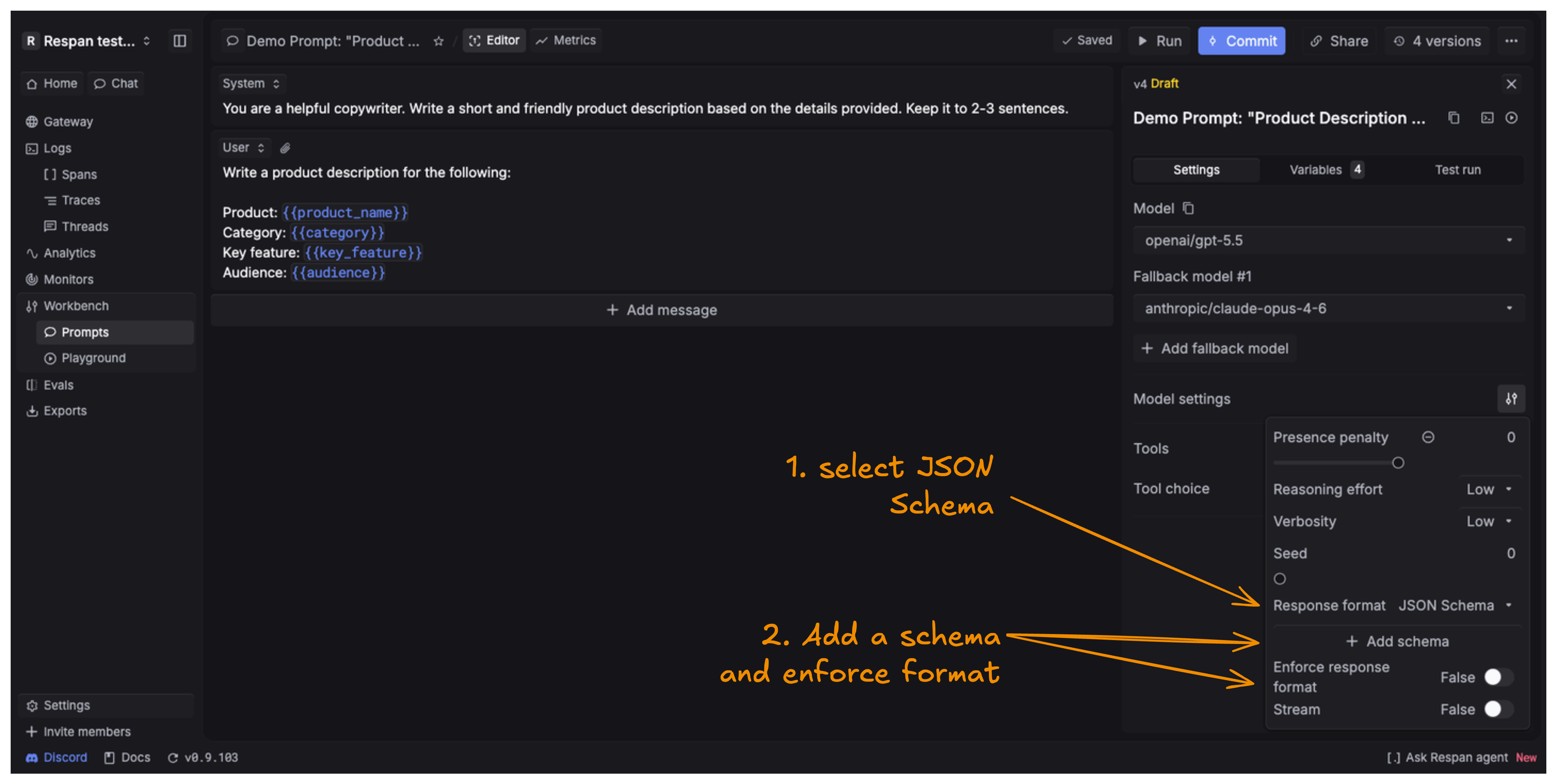
Open the prompt editor. In model settings, set Response format to JSON Schema, then click Add schema.
Define and save the schema
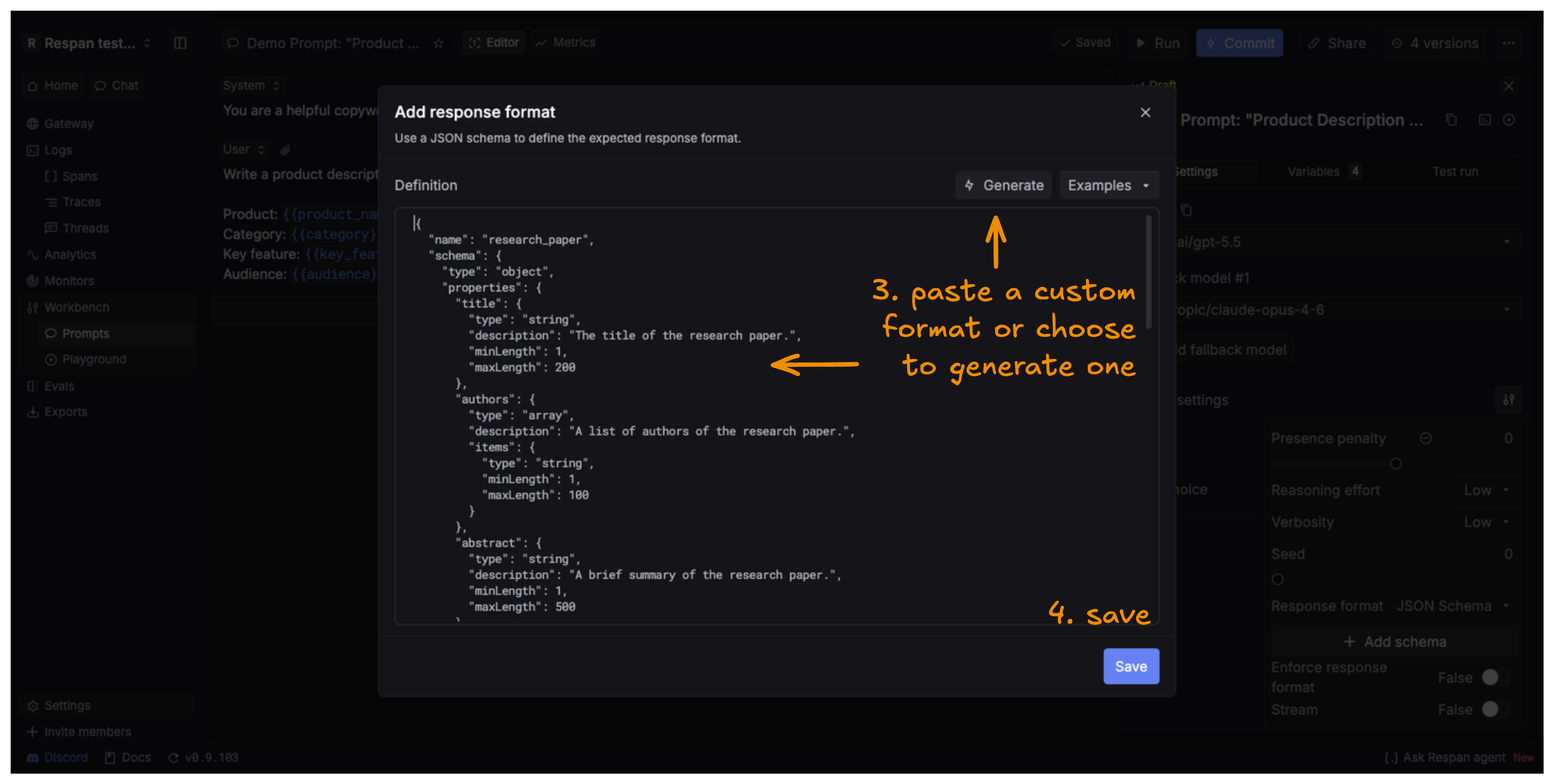
Paste a schema or use the schema generator. For strict output, list every property in required and set additionalProperties to false.
Complete API workflow
The example below creates and deploys a prompt version with a deterministic schema, invokes the deployed prompt, and asserts the promised response shape.
Python
TypeScript
Expected result
The fact text can vary, but the response must contain exactly the two required fields:
Open the Logs page and select the request to verify the deployed prompt ID, model, request variables, and structured output captured on the span.
Troubleshooting
- The prompt call uses an older schema. Confirm that the version containing
response_formatis deployed, or pin the intended version explicitly. - The provider rejects the schema. In strict mode, every property must be required and the object must set
additionalProperties: false. Also confirm that the selected model supports structured output. json.loadsorJSON.parsefails. Inspect the rawmessage.contentand the request log. Confirm that the prompt version—not only the caller—contains the response format.- A prompt variable is missing. The keys under
variablesmust match the{{variable}}names in the deployed messages. - The version request returns an error. Check the Prompt Versions API for the current schema and verify that the API key can edit the prompt.
- Deployment says the version is still a draft. Commit the current draft with
POST /prompts/{prompt_id}/commits/, then deploy the returned version number withPOST /prompts/{prompt_id}/deployments/.
Prompt schema v2 fields such as schema_version and patch are best sent with raw HTTP requests. OpenAI SDK validation can strip fields it does not recognize.