LLM apps fail in ways a stack trace doesn't explain. OpenAI returns a 429 because your classifier hit its tokens-per-minute limit. Anthropic answers 529 overloaded for twenty minutes. A long support thread outgrows the context window. Someone rotates a BYOK key and forgets to update it.
A general-purpose error tracker sees an exception. It doesn't know which provider, model, endpoint, or customer was involved, or whether the fix is yours or the provider's. Respan already has the span for every LLM call, so error tracking starts there.
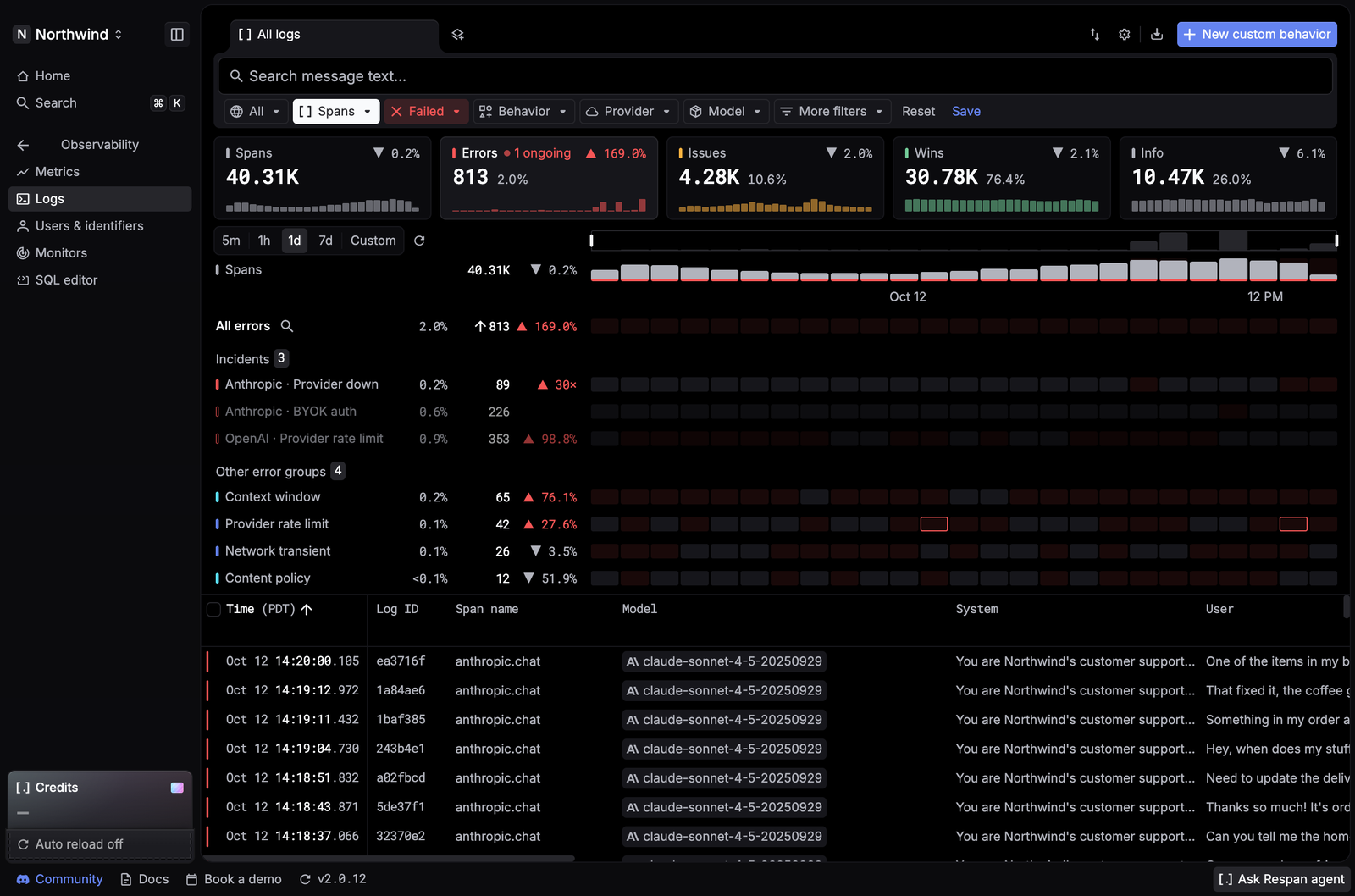
Screenshots in this post come from a demo workspace: the customer support agent of a store called Northwind.
Errors live in your logs
Error tracking sits in Logs, in the signals panel above the spans table. The Errors card shows how many spans failed and the error rate, compared with the period before. When an incident is live, the card says so in red: 1 ongoing.
Click the card and the table filters to failed spans. The panel lists Incidents first, then Other error groups. Each row shows its share of traffic, its count, the change from the previous period, and a heatmap across the range you picked. Drag across the columns to zoom into a spike, or click a cell to list the spans behind it.
One group per failure, not one alert per request
An error group collects the failures that share an error type, provider, endpoint, and status code. A burst of 300 rate-limit errors is one row, not 300 alerts.
Every group is classified two ways:
| Field | Values |
|---|---|
| Error type | Provider rate limit, Provider down, Network transient, Context window, Content policy, BYOK auth, Managed auth |
| Fault | Provider, Your requests, Respan |
Fault answers the first question in any outage: is this us? A 529 from Anthropic is the provider's fault, and a fallback model keeps you up while it recovers. A 400 for context length is your request's fault, and no number of retries will fix it. Error type, Fault domain, and Error issue (one group) are all Logs filters, so you can scope the table, or a monitor, to the failures you own.
Read the error, the warning, and the fix
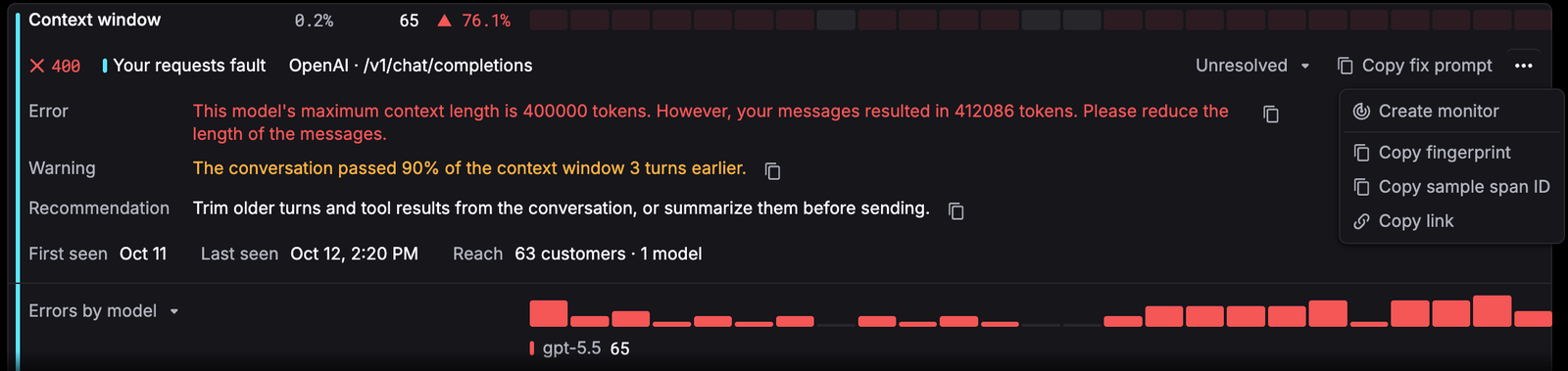
Click a group's name to open it. Respan shows the status code, the fault, the provider and endpoint, and the details of a sample span: the Error the provider returned and, when the span has them, a Warning and a Recommendation.
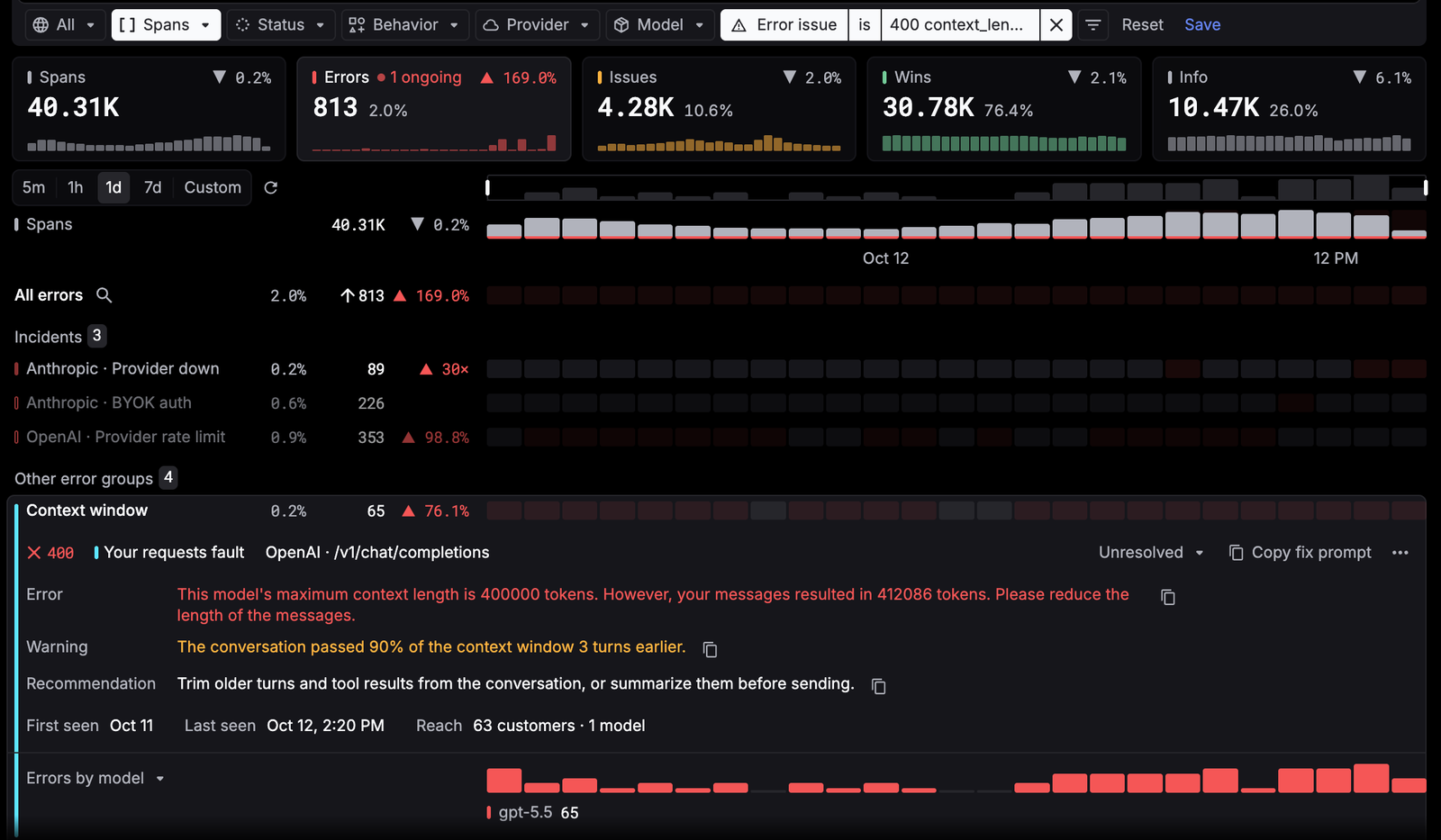
In this Context window group, the warning says the conversation passed 90% of the window three turns before it failed. The recommendation: trim older turns and tool results, or summarize them before sending. First seen and Last seen tell you whether the problem is new. Reach counts the customers and models it hit, and Errors by model (or Errors by customer) shows where it's concentrated.
Incidents: when errors spike or drift
Most error groups tick along at a steady, low rate. An incident is a window where errors spike or drift above their usual rate. Respan opens one on its own and names it for what's failing, like Anthropic · Provider down.
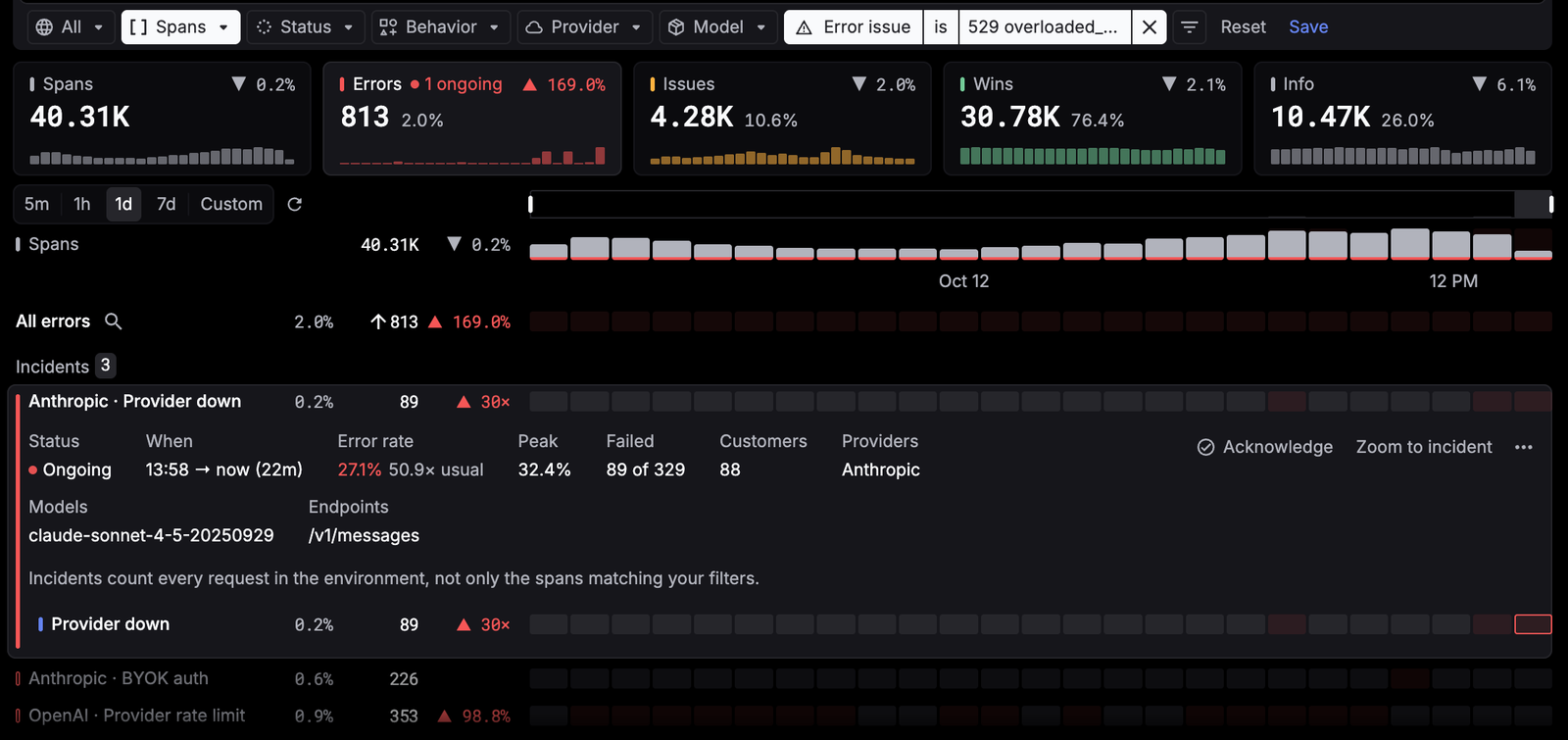
This one is still going. For 22 minutes, 27.1% of requests have failed with Anthropic's 529 overloaded error, 50.9 times the usual rate, with a peak of 32.4%. That's 89 failed requests and 88 customers, all on one model and one endpoint. Incidents count every request in the environment, not only the spans that match your filters, so the rate is the real blast radius. An ongoing incident refreshes every minute.
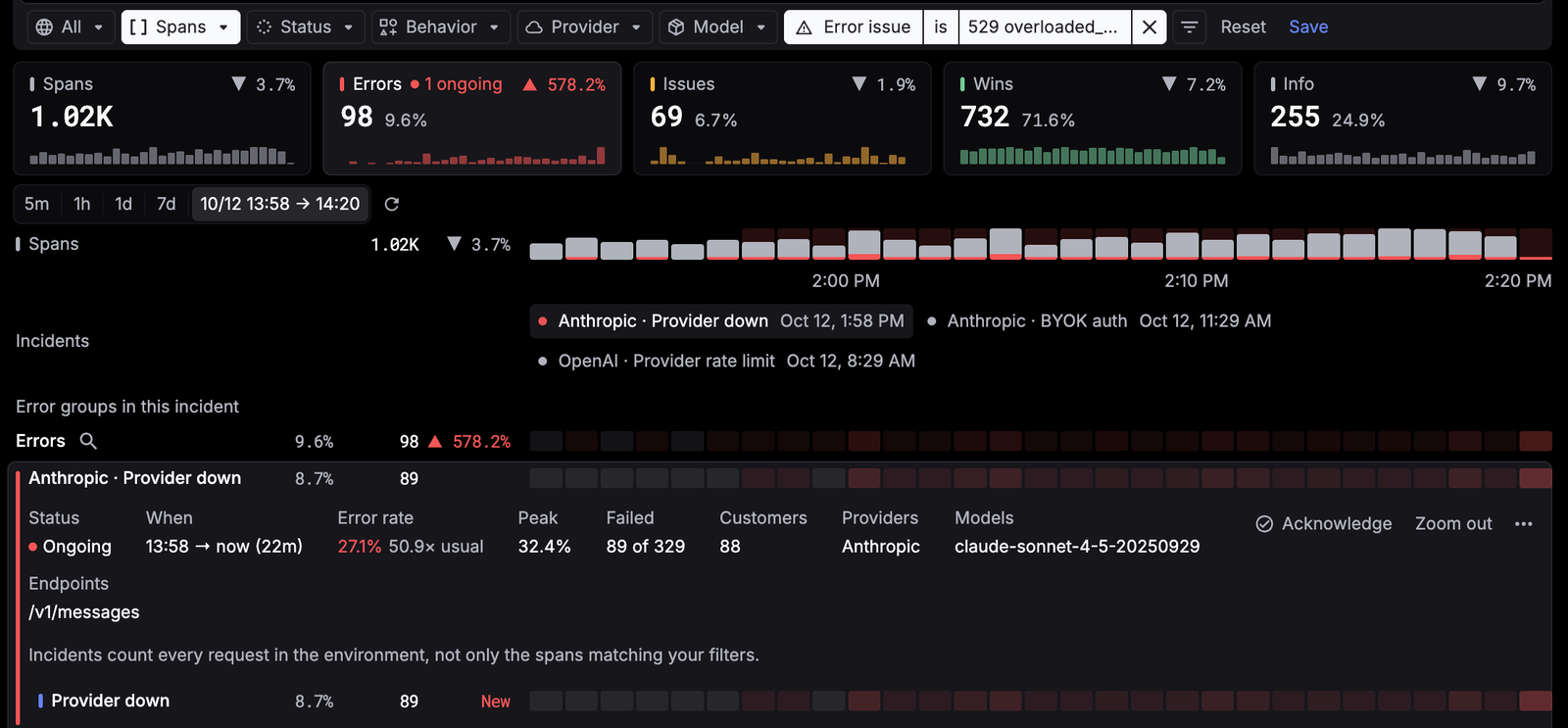
Zoom to incident narrows the chart to the incident's window and filters the table to its error groups:
Triage it like an on-call team
Acknowledge an incident so your team knows someone owns it, and add a note with what you found. When errors fall back to normal, the incident shows Recovered, and the note stays with it for whoever looks next.
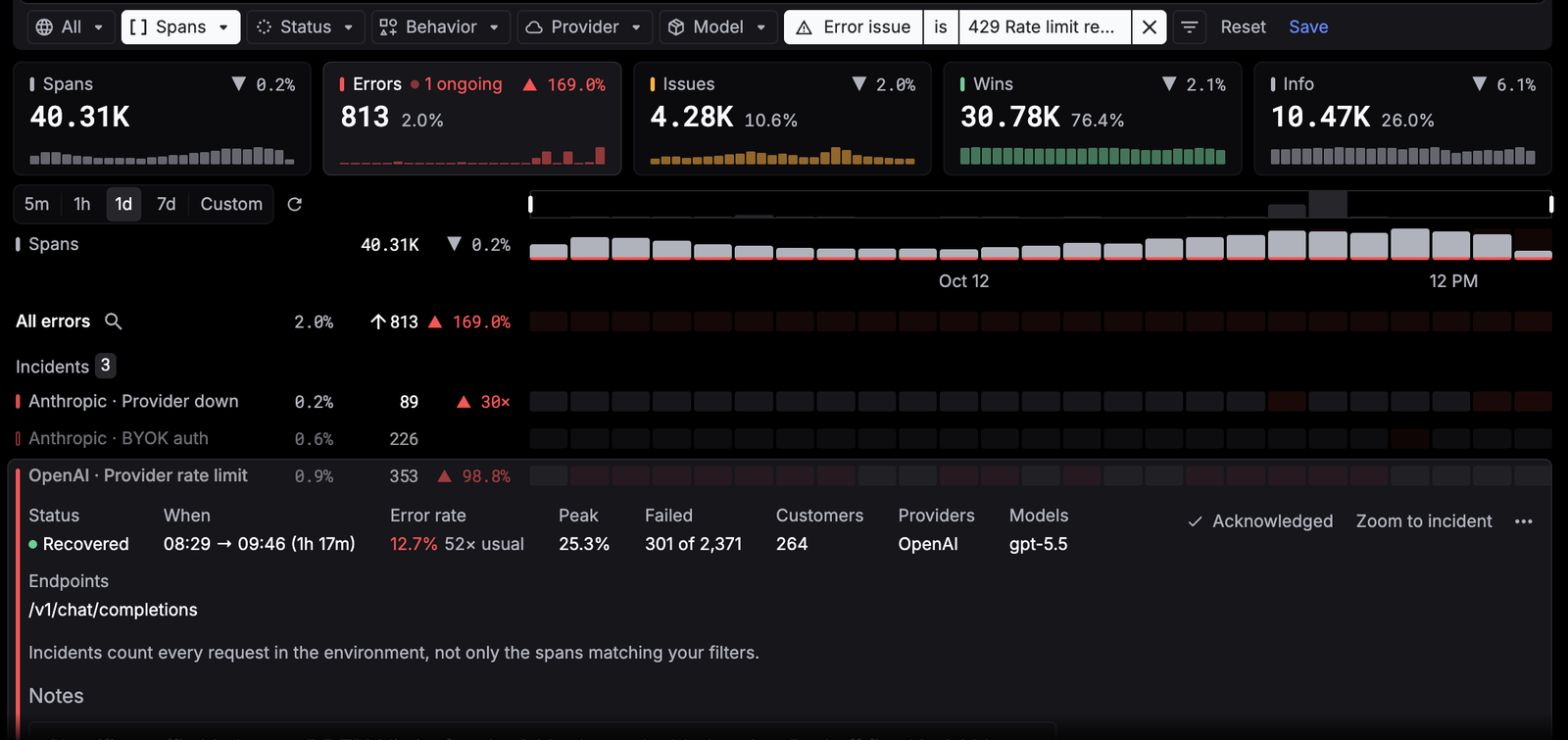
Error groups have a triage state of their own. A group starts Unresolved. Resolve or Ignore it from that menu, and Reopen it if it comes back. Resolved and ignored groups are dimmed and sorted to the bottom, so the list stays an inbox of what's still open.
Every group also has two shortcuts to the fix:
- Copy fix prompt copies a prompt for your coding agent. It carries the fingerprint, status code, fault, time range, filters, counts, sample span ID, and error message, and asks the agent to inspect the failing spans through the Respan MCP server and propose the smallest safe fix.
- Create monitor, in the ⋯ menu, makes a monitor scoped to this group and your current filters, so the next spike alerts you by email, Slack, Microsoft Teams, or webhook. It's created turned off and opens in the editor, so you can set the threshold before you deploy it.
Down to the span
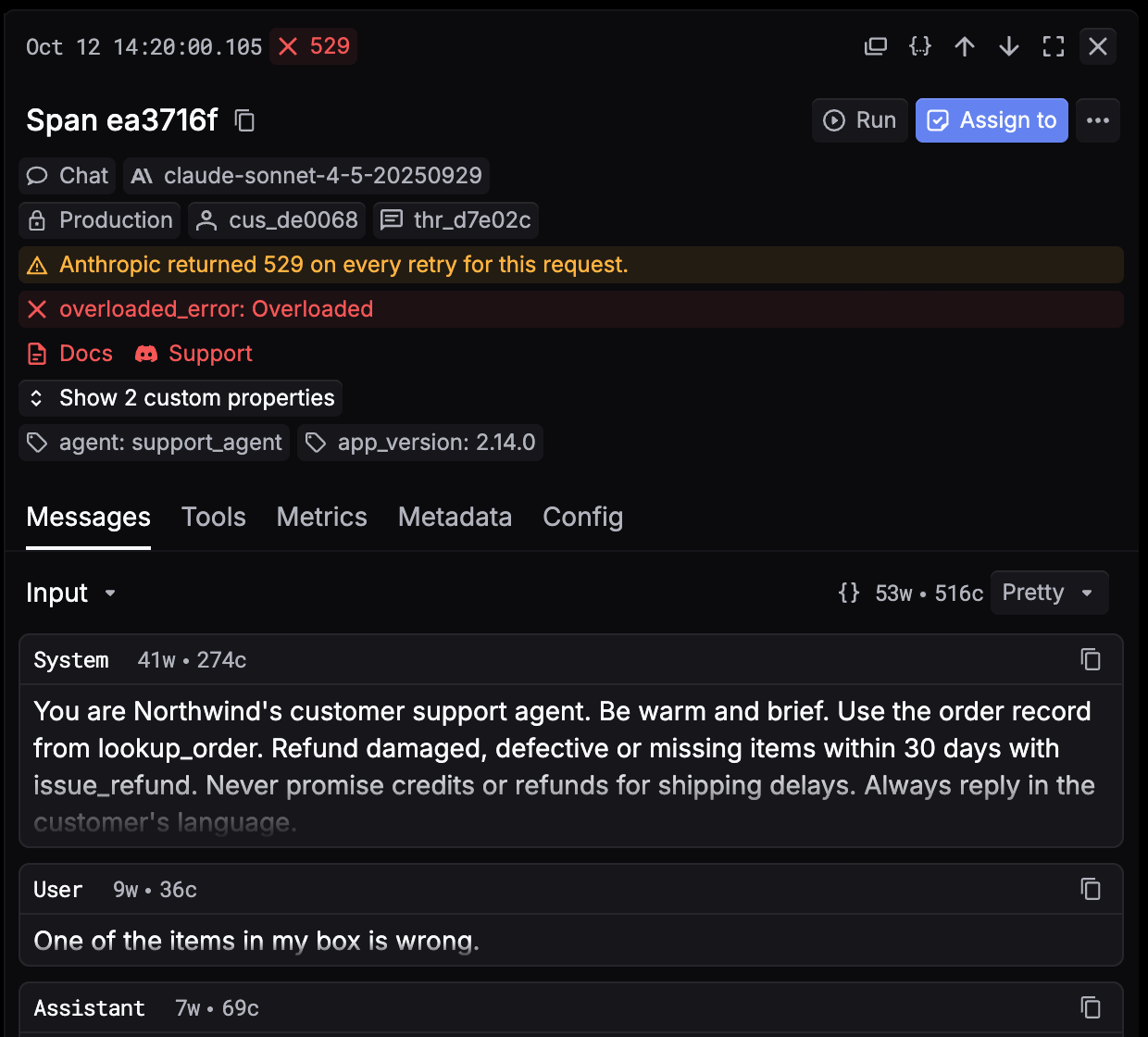
Every count links to the spans behind it. Click one to see the full request: the error and any warning at the top, then the messages, tools, metrics, and config, with the customer, thread, and environment it belongs to.
Copy link on a group or an incident gives you a Logs URL that opens it directly, for the Slack thread or the postmortem. You can build one yourself with ?error_detail=<fingerprint> or ?incident_detail=<incident ID>.
Error tracking works in every Respan workspace. Open Logs and click Errors, or read Signals and errors in the docs.
Not on Respan yet? Paste this into Claude Code, Cursor, Codex, or any coding agent, and it will set up Respan for you:
Set up Respan for me: fetch and follow this guide https://respan.ai/docs/agent-setup.md