Model selection is moving into the routing layer in 2026. LiteLLM shipped classifier-based Auto Routing in July, Respan Router launched in September, and Microsoft and AWS both run managed routers that pick a model for each prompt inside their own clouds.
For teams running agents and LLM apps at real volume, that changes what a router is for. Failover still matters when a provider returns errors for eleven minutes, but the costlier failures are the requests that come back fast, cheap, and wrong with a clean 200 status code, which no health check catches.
Picking the model per request only pays off if the router sits next to something that measures output, because price says nothing about whether the smaller model could actually handle the job.
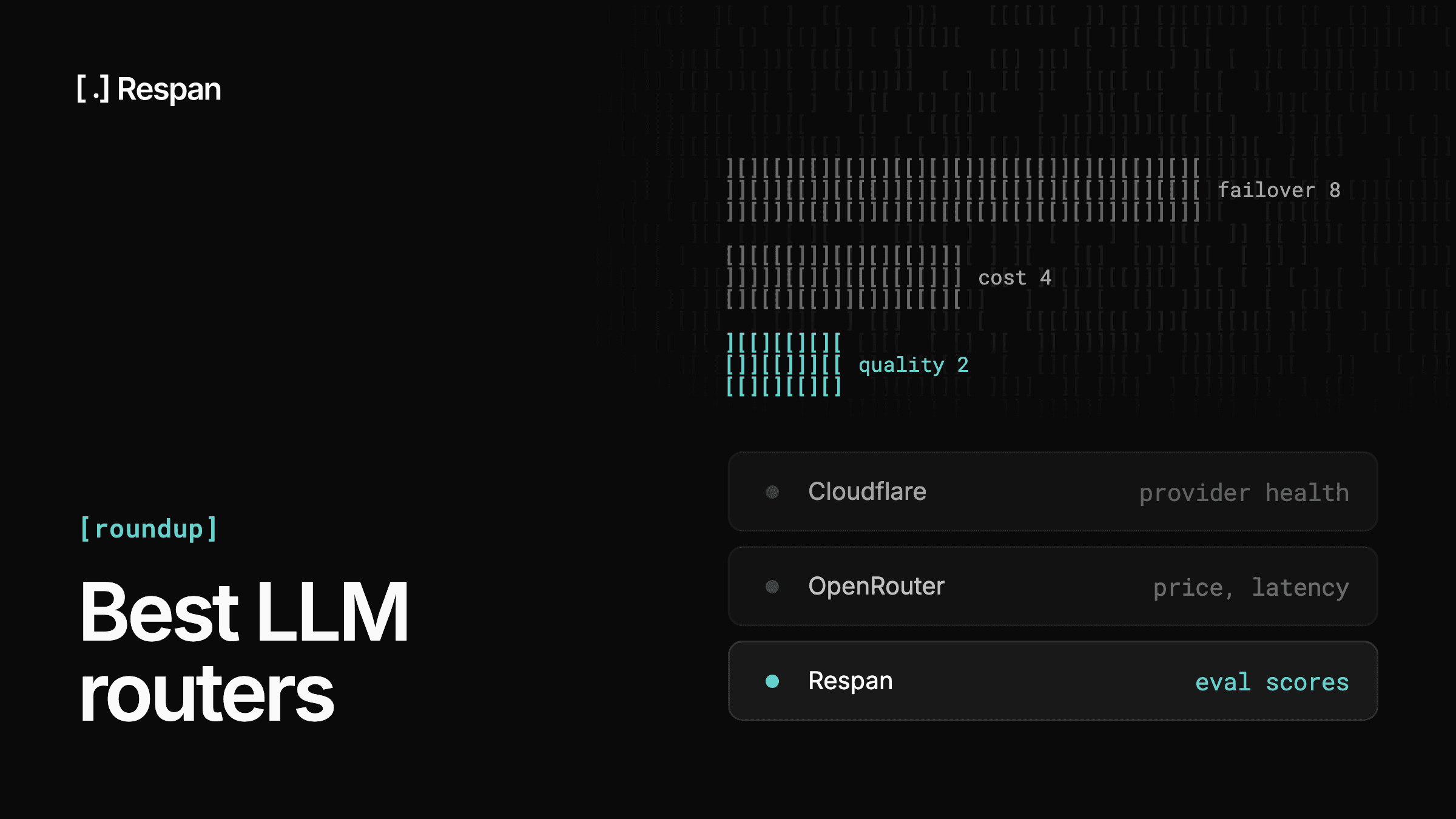
Below are the 9 best LLM routers and AI model routers, compared on how each one decides where a request goes and what that decision costs.
TL;DR: Best LLM routers
Respan is the pick for teams that want the router to choose the model per task and also trace and score every request it routes. OpenRouter and Vercel AI Gateway suit teams that mainly need a managed catalog with failover, Respan's open-source gateway and LiteLLM suit teams that want to self-host, and Bedrock and Foundry suit teams already committed to AWS or Azure.
| Router | Routes on | Fallback | Pricing |
|---|---|---|---|
| Respan | Task, cost, capabilities (beta) | Ordered chains, retries, load balancing | Free, $199/mo Team |
| OpenRouter | Price, latency, throughput | Provider and model fallbacks | 5.5% credit fee |
| LiteLLM | Rules, budgets, classifier (beta) | Ordered fallback chains, retries | Free OSS, Enterprise custom |
| Portkey | Request metadata conditions | Fallbacks, retries, circuit breakers | Free, $49/mo Production |
| Braintrust | Provider availability | Provider failover header | Free in public preview |
| Vercel AI Gateway | Availability, cost, latency | Same model, other provider | No markup, $5 credits |
| Microsoft Foundry model router | Prompt complexity, routing mode | Automatic within model subset | Routing fee + model tokens |
| Amazon Bedrock Intelligent Prompt Routing | Predicted quality vs. cost | Fallback model as anchor | $1/1K requests + tokens |
| Cloudflare AI Gateway | Metadata, splits, budget limits | Retries, model fallbacks | Free core, 5% credit fee |
What is an LLM router?
An LLM router sits between your application and provider APIs and selects the destination for each request. Your code calls one OpenAI-compatible endpoint, and the router picks OpenAI, Anthropic, Bedrock, or an open-weight model behind it, based on rules, health signals, or a read of the request itself.
Because the selection happens in the routing layer, changing models becomes a config change rather than an application deploy.
Routers are not the same as destinations. Groq and Together AI are places a request can land, and a router is the thing choosing among them.
An LLM gateway is the related layer that handles the shared endpoint, keys, caching, and logging, and many products ship both. If the interface matters more to you than the routing decision, the best LLM gateways comparison sorts the same vendors on that basis instead.
An AI model router is the subset of routers that decides which model should answer each request, rather than only which provider should serve a model you already named.
How AI model routers pick a model
Routers differ in what information they use to choose a destination, and each step adds something the one before it can't see:
- Failover on errors - The router watches for 5xx responses, timeouts, and 429s, then sends the request to the next model in an ordered list. Load balancing spreads traffic across keys or regions so one account's quota doesn't become the ceiling.
- Rules on the request - Metadata, prompt length, or an explicit task tag decides the model, so classification and formatting go to a small model and multi-step reasoning goes to a frontier one.
- A classifier on the prompt - AI model routers read the prompt, system message, and tool definitions before the model call and pick the model per request, which adds a hop worth measuring.
- Scores from production traffic - LLM-as-a-judge results, rule-based checks, human review, or online evals show whether a switch to a cheaper model actually held quality. They need to sit on the same request IDs as the routing decision, and keeping them in a separate product means stitching identifiers across two systems.
Failover only catches failures that announce themselves, so a fluent, wrong answer with a 200 status code passes every resilience check. Cheaper routing carries the opposite risk, because the savings only count net of the retries, escalations, or human cleanup a weaker answer causes, which is why model selection needs scores on the same traffic.
9 best LLM routers & AI model routers compared
1. Respan
- Routes on: Task type, model capabilities, and projected cost through Respan Router (beta), alongside ordered fallback, load balancing, and retries.
- Fallback: Ordered model chains set at the org level or per request, with retries and load balancing.
- Best fit: Teams that want model selection, failover, traces, and eval scores in one platform.
- Pricing: Free tier, Team at $199/month, Enterprise custom.
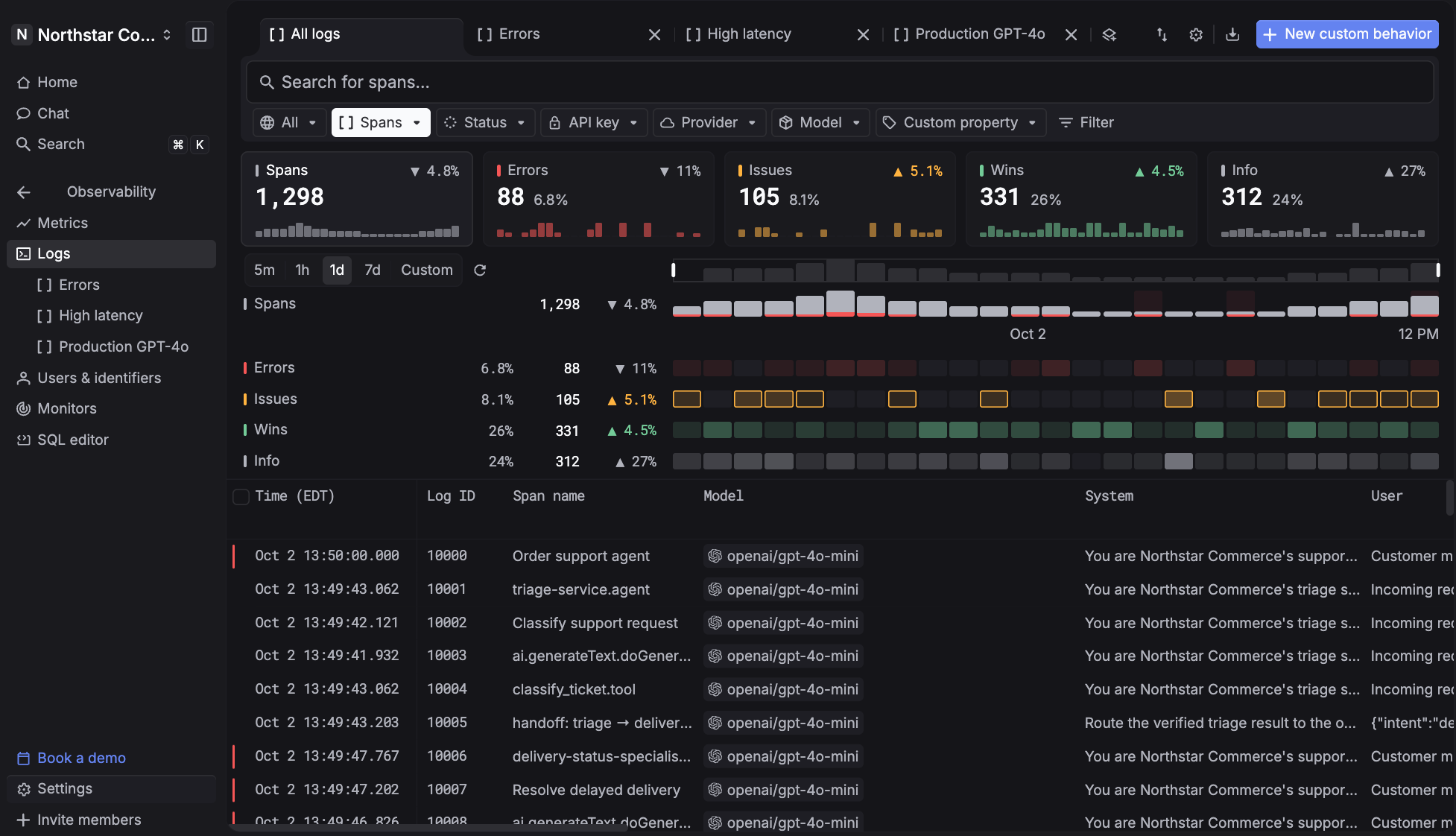
Respan is the AI router with built-in observability and automated evals. Its gateway is a single OpenAI-compatible endpoint to 1,000+ models, and every request through it is logged as a span automatically, whether it goes through the unified router or a provider's native passthrough URL. Because the routing layer and the measurement layer are the same product, a routing change and the scores that justify it sit against the same request IDs instead of being reconciled across two vendors.
Set the model to span-router and Respan Router, currently in beta, picks the model for each task. It classifies the request from the system prompt and the latest exchange and checks each candidate against the context length and capabilities the request needs.
With cost-aware routing enabled, it weighs cache reads and writes before switching, so a warm cache can make staying on the current model the cheaper call. In Respan's own benchmark on 557 held-out requests, the router passed 94.1% of them against 94.3% for the most accurate single model, at 37% lower cost.
That matters most when you move traffic to a cheaper model. Respan shows what the switch did to accuracy, latency, and spend on the requests your application actually serves.
- Stay up when a provider fails - Ordered model fallback turns an upstream error into the next model in your list, with load balancing across keys and automatic retries with backoff.
- See every routing decision - Each call becomes a trace tree with latency on every span, showing the model attempted, whether a fallback fired, cache hit or miss, tokens, and cost.
- Reach 1,000+ models through one endpoint - Route OpenAI-style calls across every major provider, or keep a provider's native SDK on a passthrough endpoint and still get unified logs.
- Run routing on your own infrastructure - Respan's open-source gateway runs as a single binary under MIT or Apache-2.0, and any OpenAI, Anthropic, or Gemini SDK can call any model through it. Routing runs on rules you configure: named routes, ordered fallback, retries, hedged races between providers, and picking the cheapest or fastest candidate. It is still pre-alpha, and the Respan plugin sends each request into the platform as a trace.
- Know where the money goes - Soft warnings or hard caps per API key, Slack and email alerts when a threshold crosses, and response caching on exact repeat requests.
- Stop a request before it routes anywhere - Respan Guardrails check each request inside the gateway and block ones in categories like prompt injection or system prompt leak before they reach any model, so a blocked request spends no provider tokens.
- Score quality on production traffic - Rule-based checks and LLM-as-a-judge evaluators run against production traces, so when you change which model serves a slice of traffic, you have the numbers that justify it.
- Attribute traffic to customers and features - Send
customer_identifierand metadata on production paths, then filter logs and traces by tenant, feature, or thread.
Every one of those runs off the same request record, which is what lets a routing policy change on measured output instead of a hunch.
Pricing starts at $0 with 100k logs, 1k scores, and 412 requests per minute of proxy throughput. Team is $199 per month billed yearly and raises throughput to 8,400 requests per minute with 30-day retention, unlimited prompts, datasets, and evaluators. Respan Router bills the serving model's list price, including applicable cache discounts, with no markup. The open-source gateway is free under MIT or Apache-2.0.
2. OpenRouter
- Routes on: Provider ordering, price, throughput, and latency sorting, with data policy filters.
- Fallback: Provider ordering and model fallback lists.
- Best fit: Reaching a large model catalog through one account and one balance.
- Pricing: 5.5% fee on credit purchases (8% on Business), no token markup.
OpenRouter exposes 500+ models behind one OpenAI-compatible endpoint as a managed service. Its routing controls cover explicit provider ordering, model fallback lists, price-based selection, throughput and latency sorting, and data policy filters that keep requests away from providers whose retention terms you have not accepted.
All of those signals describe the provider before the request lands, so a fallback fires on a 500 and stays silent when a model returns a plausible but incorrect answer. Anything resembling quality-based selection means running an eval platform alongside and joining its results back to each OpenRouter call yourself, which is the tradeoff to weigh when comparing OpenRouter alternatives.
The fee sits on credit purchases at 5.5% with an $0.80 minimum on Standard, and at 8% on Business. On Standard, that works out to 8% on a $10 top-up and a rounding error at $10,000. Tokens pass through at provider list price, and bring-your-own-key traffic is free up to $25,000 of list-price inference a month, then 5%.
3. LiteLLM
- Routes on: Rule-based fallback chains, budget thresholds, and load balancing, plus classifier-based Auto Routing in beta.
- Fallback: Ordered fallback chains with retries.
- Best fit: Platform teams that want the routing layer on their own infrastructure.
- Pricing: Free open source, custom Enterprise license.
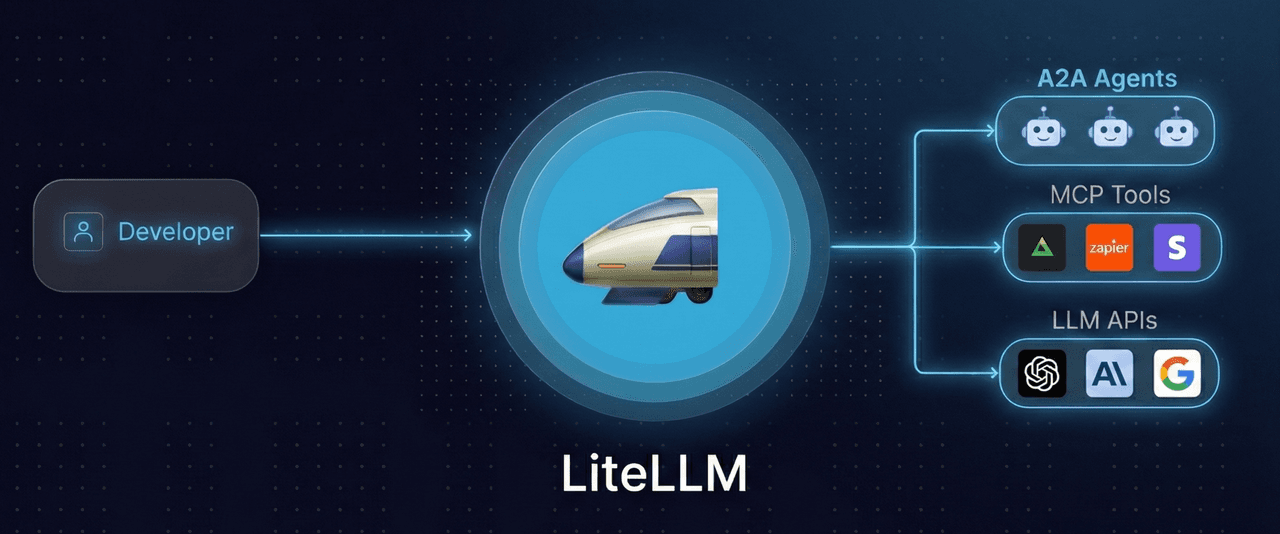
LiteLLM gives you one OpenAI-format interface to 100+ LLMs, as a Python SDK or a self-hosted proxy server. Fallback chains are declarative, so an ordered list across Azure OpenAI, OpenAI direct, and Anthropic is config rather than application code. Virtual keys, per-project budgets, rate limits, and spend tracking all live in the proxy.
Most of the routing still runs on rules you write and maintain. Auto Routing, in beta since July 2026, adds per-request classification through heuristics, an LLM classifier, or keyword rules, though LiteLLM's docs don't say whether it ships in the open-source build or the Enterprise one.
Observability arrives through callbacks into an external tool, which puts the trace and the routing decision in different systems by default. That split is worth weighing against LiteLLM alternatives that keep both in one place.
SSO, JWT auth, audit logs, and RBAC sit behind a custom-priced Enterprise license, so check that list before the free proxy becomes load-bearing.
Self-hosting also means owning the supply chain. Datadog Security Labs reported that malicious LiteLLM releases were published to PyPI in March 2026 as part of a broader supply-chain campaign. Because the proxy holds every provider key you own, pin versions and review dependency updates the way you would for any credential-bearing service.
4. Portkey
- Routes on: Conditional rules on request metadata and user attributes.
- Fallback: Fallbacks, retries, request timeouts, and circuit breakers.
- Best fit: Rule-driven routing under governance and compliance constraints.
- Pricing: Free Developer tier, $49/month Production, Enterprise custom.
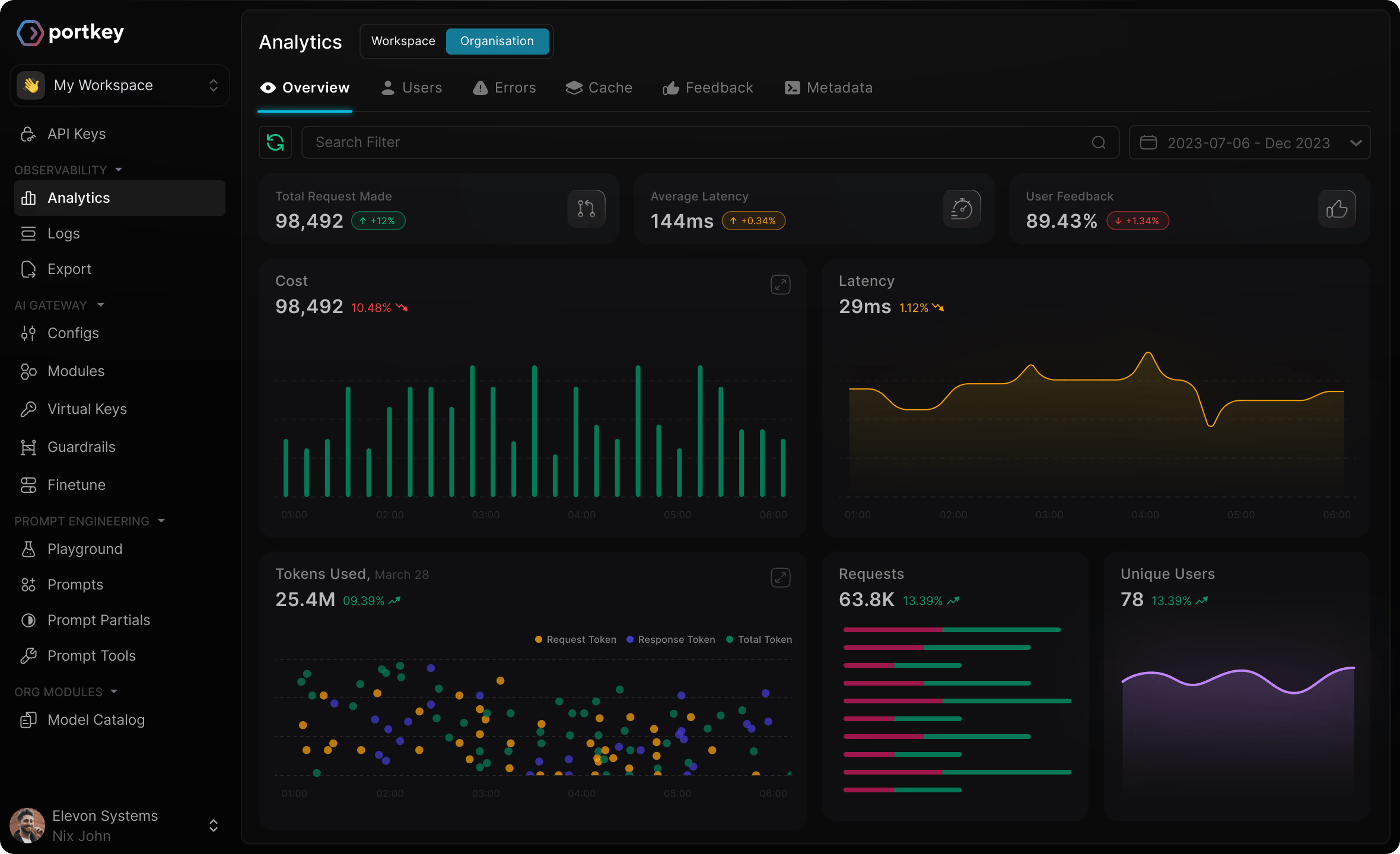
Portkey bundles a universal API with conditional routing on metadata and user attributes, automatic fallbacks, retries, request timeouts, circuit breakers, load balancing, simple and semantic caching, and budget and rate limits. Guardrails and PII redaction run before requests reach providers, and the core routing engine is open source and self-hostable. Following Palo Alto Networks' acquisition, Portkey is now sold as Prisma AIRS AI Gateway.
Conditional routing is only as current as the rules someone last wrote, so if you want selection that adapts per request, that is the axis to compare Portkey alternatives on. If failover is the whole requirement, the volume of governance controls is setup work you did not ask for.
The Developer tier is free for 10k logs a month with 3-day log retention, and Portkey's own pricing page says it is not suitable for production workloads. Production is $49 a month for 100k recorded logs at 30-day retention, plus $9 per additional 100k requests up to 3M. Enterprise is custom and covers 10M+ logs, VPC hosting, SSO, granular budgets, custom retention, and custom BAAs.
5. Braintrust
- Routes on: Provider availability, with failover across the providers you configure.
- Fallback: Ordered fallback providers set through a request header.
- Best fit: Teams that will build the eval layer first and route from it second.
- Pricing: Gateway free in public preview; Starter free, Pro $249/month.
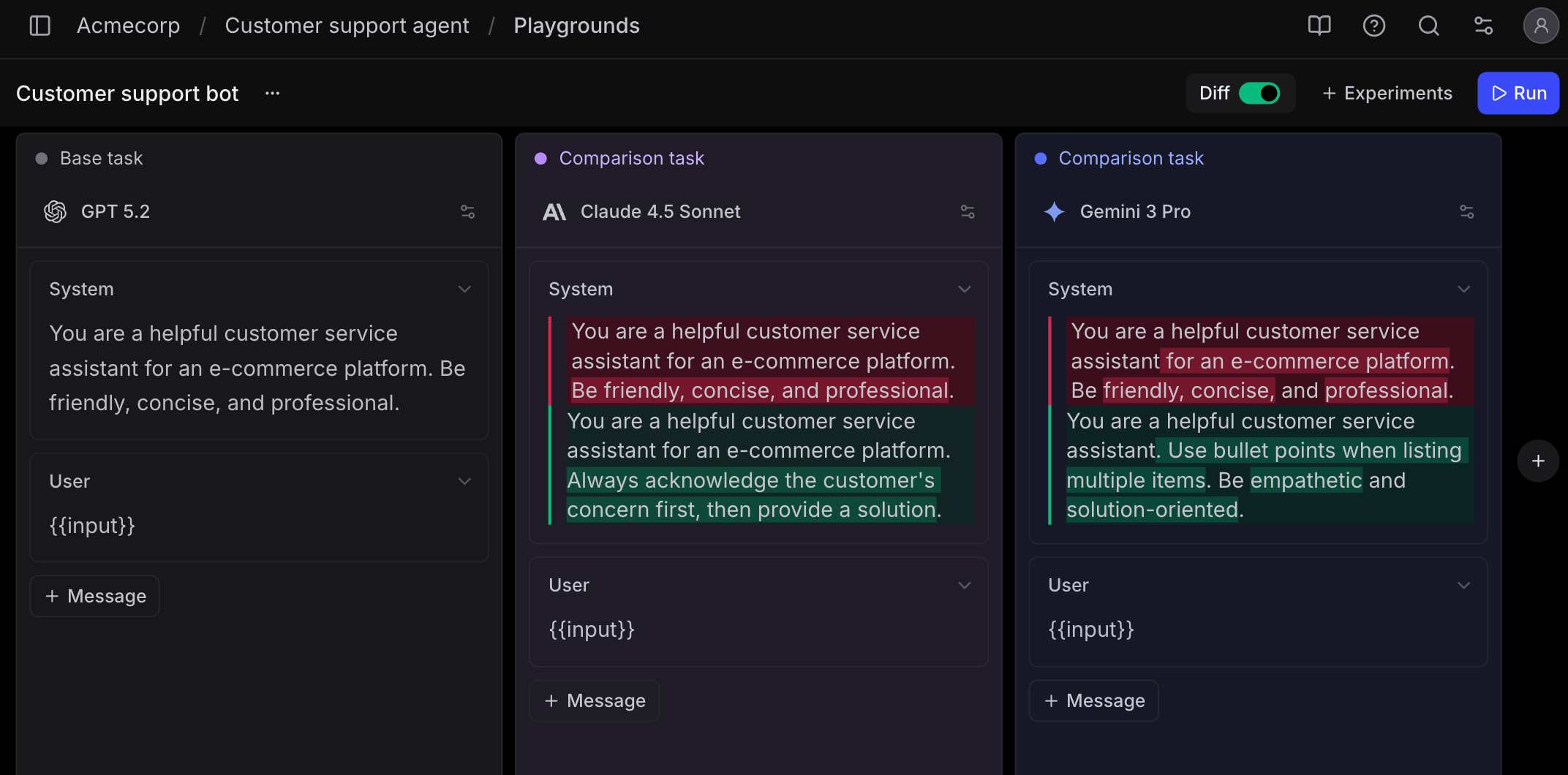
Braintrust comes at routing from the opposite end of the roster. It is an evaluation and observability platform, and the gateway is the newer attachment: one API across OpenAI, Anthropic, Google, Bedrock, and custom endpoints, with caching and logging that ties routed requests to traces. Scoring covers LLM-as-a-judge, autoevals, custom code scorers, classifiers, and human review.
That ordering has consequences. The gateway's routing is failover across the providers you list, so model selection by score is something you build on top of the evals rather than a setting you turn on.
The hosted gateway is in public preview, free during that period, and Braintrust offers no SLA for it. For a component in the request path of production traffic, that is the main tradeoff to weigh against Braintrust alternatives. Also, self-hosting Braintrust is only available on Enterprise.
Starter is free with 1GB of processed data, 10k scores, 14-day retention, and unlimited users. Pro is a flat $249 a month rather than per seat, with 5GB of data and 50k scores, which takes seat-count negotiation out of procurement. Built-in models on the gateway need Pro or Enterprise, and because the gateway is free in preview, today's bill tells you little about what routing through it will cost later.
6. Vercel AI Gateway
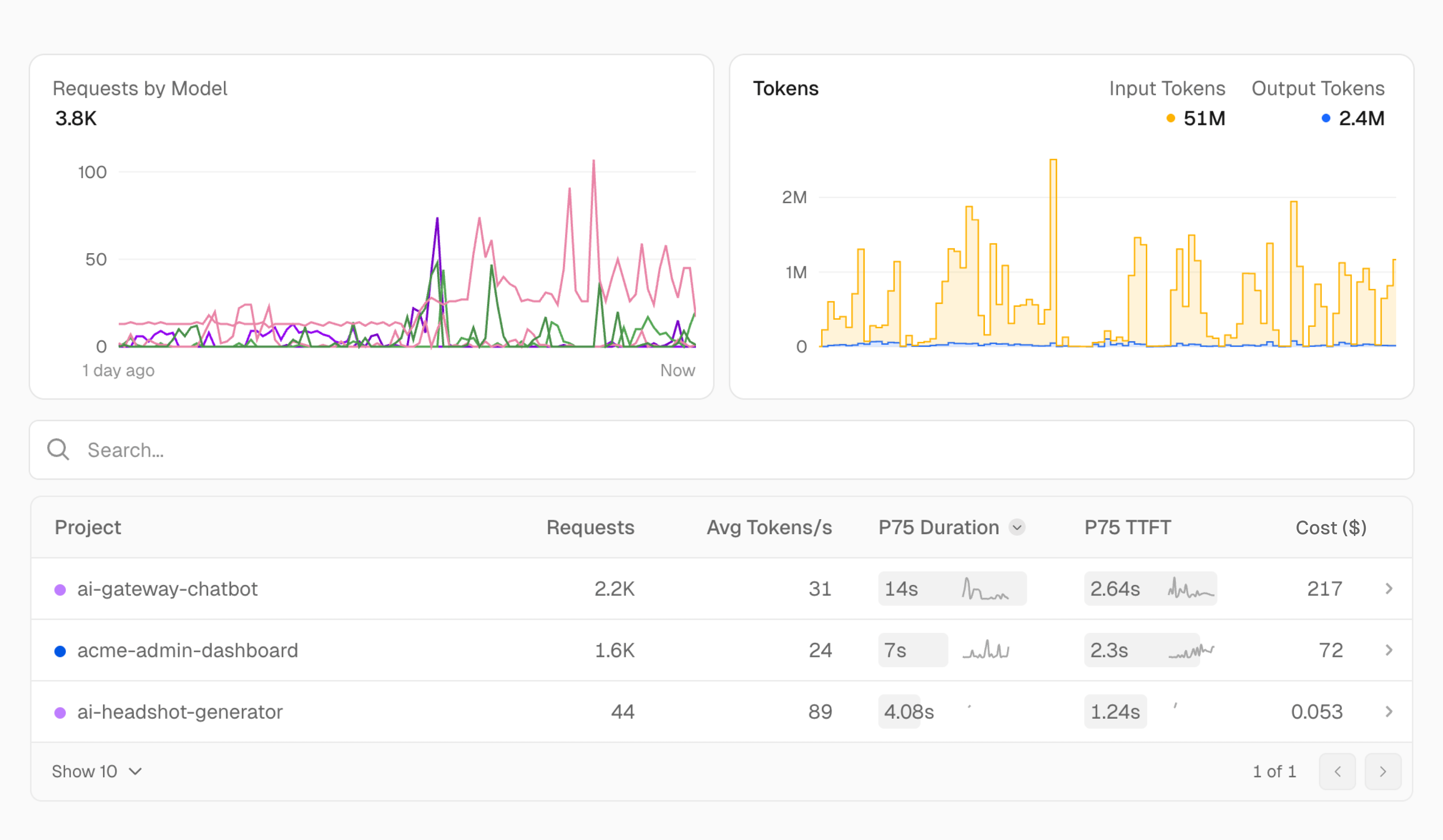
- Routes on: Availability, cost, and latency across providers.
- Fallback: The same model served by a different provider.
- Best fit: Applications already deployed on Vercel that need failover and spend visibility without new infrastructure.
- Pricing: Provider list price with no markup, $5 in monthly credits on the free tier.
Vercel AI Gateway puts one key and one dashboard in front of hundreds of models. Fallback models are configured in the gateway instead of application code, and a degraded provider fails over to the same model served by a different one. Vercel's own guidance covers sending everyday requests to cheaper open models and escalating complex ones, with the routing decision kept in your code.
The no-markup headline is accurate and incomplete. Tokens pass through at provider list price, including on BYOK, but four add-ons bill separately:
- Custom Reporting - $0.075 per 1,000 tag or user ID writes and $5 per 1,000 reporting queries.
- Team-wide provider allowlist - $0.10 per 1,000 successful requests.
- Team-wide zero data retention - $0.10 per 1,000 requests.
- Trace Drains - $0.05 per 1,000 traces plus $0.50 per GB, on Pro and Enterprise.
At volume, those per-thousand lines can become a real share of the gateway bill.
The $5 monthly credit covers a subset of models at lower rate limits and stops once you buy credits. BYOK requires purchased credits, and a failed BYOK call retries on Vercel's credentials against your balance. Vercel doesn't describe a scoring layer behind any of this, and the gateway is offered as a hosted service.
7. Microsoft Foundry model router
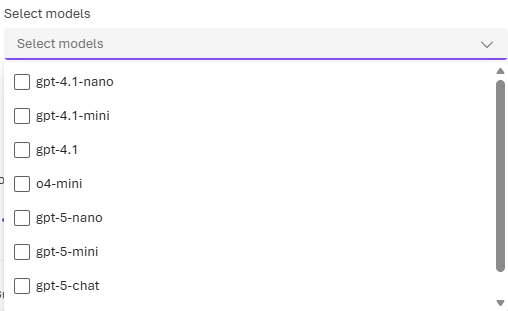
- Routes on: Prompt complexity, weighed by the routing mode you choose (Balanced, Cost, or Quality).
- Fallback: Automatic failover within the model subset you select.
- Best fit: Teams already deploying models in Microsoft Foundry on Azure.
- Pricing: A routing charge on input, plus the tokens of whichever model serves the request.
Microsoft Foundry model router deploys like any other model in Foundry and works as an AI model router inside Azure. A lightweight classifier, not an LLM, reads the system message, user message, tool definitions, and conversation history, then sends the request to the model it predicts will do best under your routing mode. The pool spans OpenAI models alongside Anthropic, xAI, DeepSeek, and Meta options, and you can narrow it to a subset, with new models excluded until you add them.
Handing over the choice changes how individual requests behave. Unless you pin a model, the one answering can change from turn to turn, and the effective context window is the smallest model's in the pool.
When the router picks a reasoning model, it ignores sampling parameters like temperature and top_p. Claude models also have to be deployed separately in the same Foundry account before they can join a subset. Microsoft's docs say the router isn't a substitute for evaluation and recommend comparing it against your own workload baseline.
Billing has two parts: Microsoft charges for input prompts at the router's listed rate, and you pay the token costs of whichever model serves each request, so the routing mode effectively sets your bill. Each response's model field shows which model served it, and Azure Monitor can split metrics by underlying model.
8. Amazon Bedrock Intelligent Prompt Routing
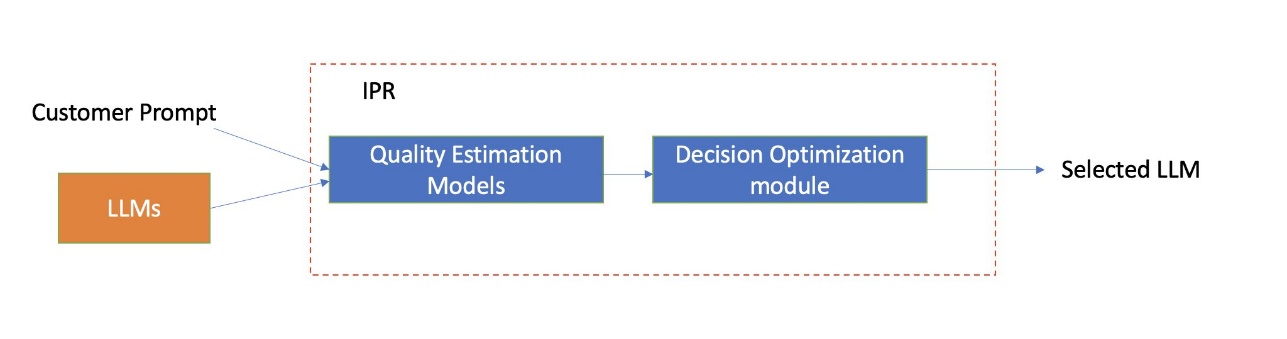
- Routes on: Predicted response quality against cost, between two models in one family.
- Fallback: A fallback model you name acts as the baseline.
- Best fit: AWS-resident teams already using Amazon Nova or Meta Llama models on Bedrock.
- Pricing: $1 per 1,000 routed requests, plus model tokens.
Amazon Bedrock Intelligent Prompt Routing analyzes each prompt, predicts how well each model in a family would answer it, and routes to the one with the best mix of response quality and cost. You configure a router with two models from the same family, one of them the fallback that serves as the baseline, plus a response quality difference that sets how much better the other model has to be before the router switches.
Routing stays inside one model family, and supported models currently cover Amazon Nova and Meta Llama, with availability varying by region. AWS also notes that the router is optimized for English prompts and can't adjust its decisions based on your application's own performance data, so the routing reflects what the router learned in training rather than what your traffic shows.
AWS charges $1 per 1,000 routed requests on top of the token costs of the model that answers. That charge applies whether or not the router moves a request off the fallback model, so at high volume it is worth comparing against the savings the switches actually produce.
9. Cloudflare AI Gateway
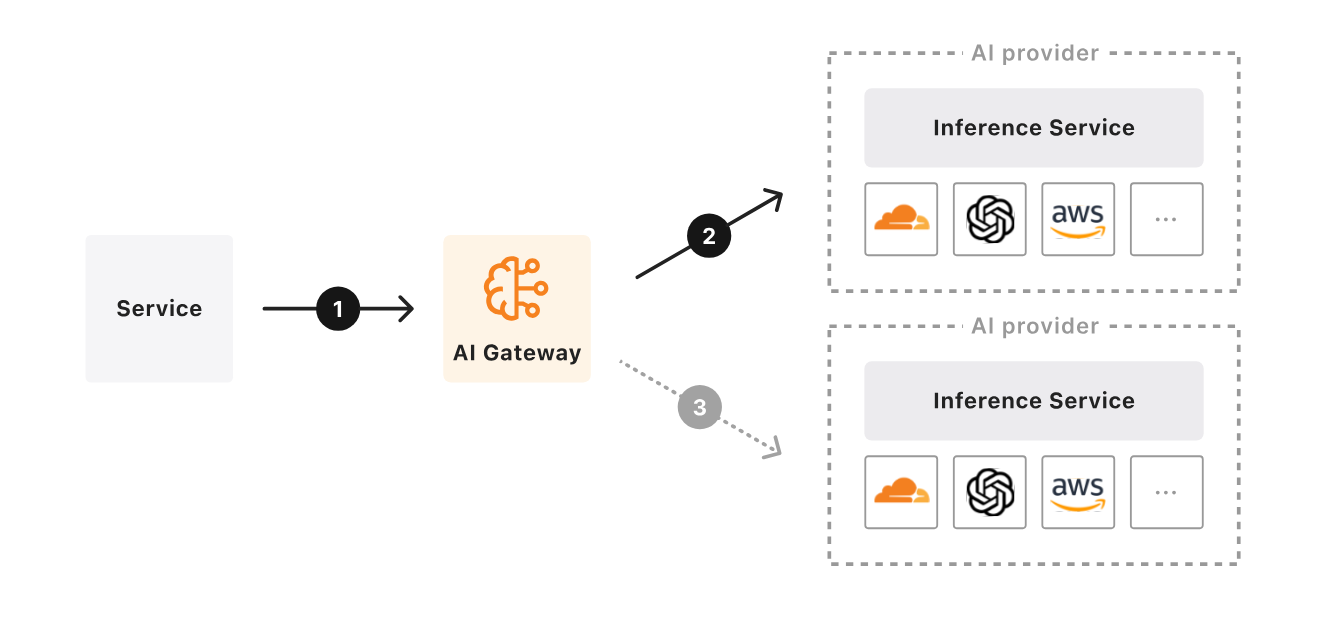
- Routes on: Metadata and request-body conditions, percentage splits, and budget or rate limits.
- Fallback: Retries and model fallbacks when providers fail or limits are hit.
- Best fit: Cloudflare-resident stacks that want edge routing and spend controls at no platform cost.
- Pricing: Core features free on all plans; 5% fee on Unified Billing credit purchases.
Cloudflare AI Gateway runs the control plane on Cloudflare's edge, so the routing hop happens near the user rather than in one region. Caching, rate limiting, analytics, retries, and model fallbacks are included, and DLP scanning is free on every plan, with two predefined profiles available without a Zero Trust subscription.
Dynamic Routing adds conditional flows: branch on metadata or fields in the request body, split traffic by percentage for A/B tests, and switch to a fallback model when a budget or rate limit is hit. Nothing in those flows looks at output quality, and observability is request-level rather than token-level tracing, which is thin when you are reconstructing why an agent took a particular path.
There is no per-call gateway fee beyond your Cloudflare plan. Unified Billing, which lets you pay for inference through Cloudflare, passes provider rates through with no markup and adds 5% to credit purchases. For gateways created before September 24, 2026, Workers Free stores 100,000 logs total across all gateways and Workers Paid raises that to 10,000,000 per gateway, while newer accounts follow Workers Logs pricing, so log volume is worth sizing before you rely on it.
How to evaluate an LLM router
Vendors compete on model counts because model counts are easy to print on a page. What separates routers is narrower and harder to market, and most of it comes down to the routing decision itself:
- What the router routes on - Provider health, price, request metadata, or a classification of the request itself. Each answers a different question, so match it to the decision you actually need made.
- Quality signals behind the routing policy - Whether the policy can act on scored outputs from real traffic, through evals on production traffic, or whether it only sees status codes and token prices.
- Routing observability - Whether a single trace shows the model attempted, whether a fallback fired, cache hit or miss, latency per span, tokens, and cost. Without this, a routing regression is invisible until a customer reports it.
- Added latency - The router's own overhead at P95, and whether content-aware routing adds a classification hop before the model call. Measure it against your own latency budget rather than the vendor's benchmark.
- Traffic outside the router - Calls that bypass the routing layer miss unified logs, so cost attribution and quality scores describe a subset of production while reading like the whole of it.
Weight these against where you are. A team at 50k requests a day needs failover and budgets. A team at 50M is choosing between a frontier model and a small one thousands of times an hour and needs evidence for that choice.
FAQ
What is the best LLM router with fallback support?
The best LLM router for fallback lets you define the chain once and shows you, on each request, whether it fired. Respan lets you set an ordered fallback chain at the org level or per request, with retries and fallback that move to the next model on rate limits, server errors, and dropped connections, and every fallback appears on the request's trace.
OpenRouter, LiteLLM, Portkey, and Cloudflare also support model fallbacks, Portkey adds circuit breakers, and Foundry fails over automatically within its model subset.
How much does an LLM router cost?
It depends on what the router meters. OpenRouter charges a fee on credit purchases, Bedrock and Foundry add a routing charge on top of model tokens, and Portkey and Braintrust price platform tiers on logs or processed data, while LiteLLM is free software you host and pay for in infrastructure. Respan's free tier includes 100k logs and 412 requests per minute, Team is $199 per month billed yearly, Respan Router bills the serving model's list price with no markup, and Respan's open-source gateway is free to self-host.
Is there an open-source LLM router?
Yes. Respan's open-source gateway is MIT or Apache-2.0 licensed and runs as a single binary on your own infrastructure. It routes on rules you configure, including named routes, ordered fallback, retries, hedged races between providers, and picking the cheapest or fastest model, and it is currently pre-alpha. Any OpenAI, Anthropic, or Gemini SDK can call any model through it, and the Respan plugin sends each request to the hosted platform as a trace when you want to trace and evaluate that traffic. LiteLLM is also open source and self-hosted, with rule-based fallback chains and a beta classifier-based Auto Routing, and Portkey's core gateway is open source too.
What you take on is the operations: deployment, scaling, patching, and dependency review on a component holding every provider key you own, which the March 2026 LiteLLM PyPI incident made concrete. If what you want from open source is a free starting point rather than infrastructure to run, Respan's hosted free tier covers 100k logs and 412 requests per minute with nothing to deploy.
Can an LLM router send simple requests to a cheaper model?
Yes, and that is the job AI model routers are built for. Respan Router (beta) classifies each task from the system prompt and the latest exchange, picks the model, and weighs cache cost before switching.
Foundry and Bedrock do per-prompt selection inside Azure and AWS, and LiteLLM's Auto Routing adds a classifier in beta. Score the cheaper model on real requests before shifting traffic to it, since a downgrade that triggers retries or escalations can cost more than it saves.