Monitoring tools have gotten good at spotting problems. They flag error spikes, slow responses, and unusual behavior, often before users notice anything is wrong.
However, detecting an issue is only the first step. Once a monitoring tool flags a critical problem, someone still has to be notified, and if they don't respond, the alert has to escalate to someone who will, sometimes at 2 a.m.
On-call management software bridges that gap between automated monitoring and human intervention. By integrating with monitoring and IT service management (ITSM) platforms, these tools help make sure critical alerts reach the right people at the right time.
Below are 9 of the best on-call management tools for IT incident response in 2026, along with how to choose one and what changes when the systems you monitor are AI applications.
What Is On-Call Management?
On-call management is how a team makes sure someone is always responsible for responding when something breaks, including nights and weekends.
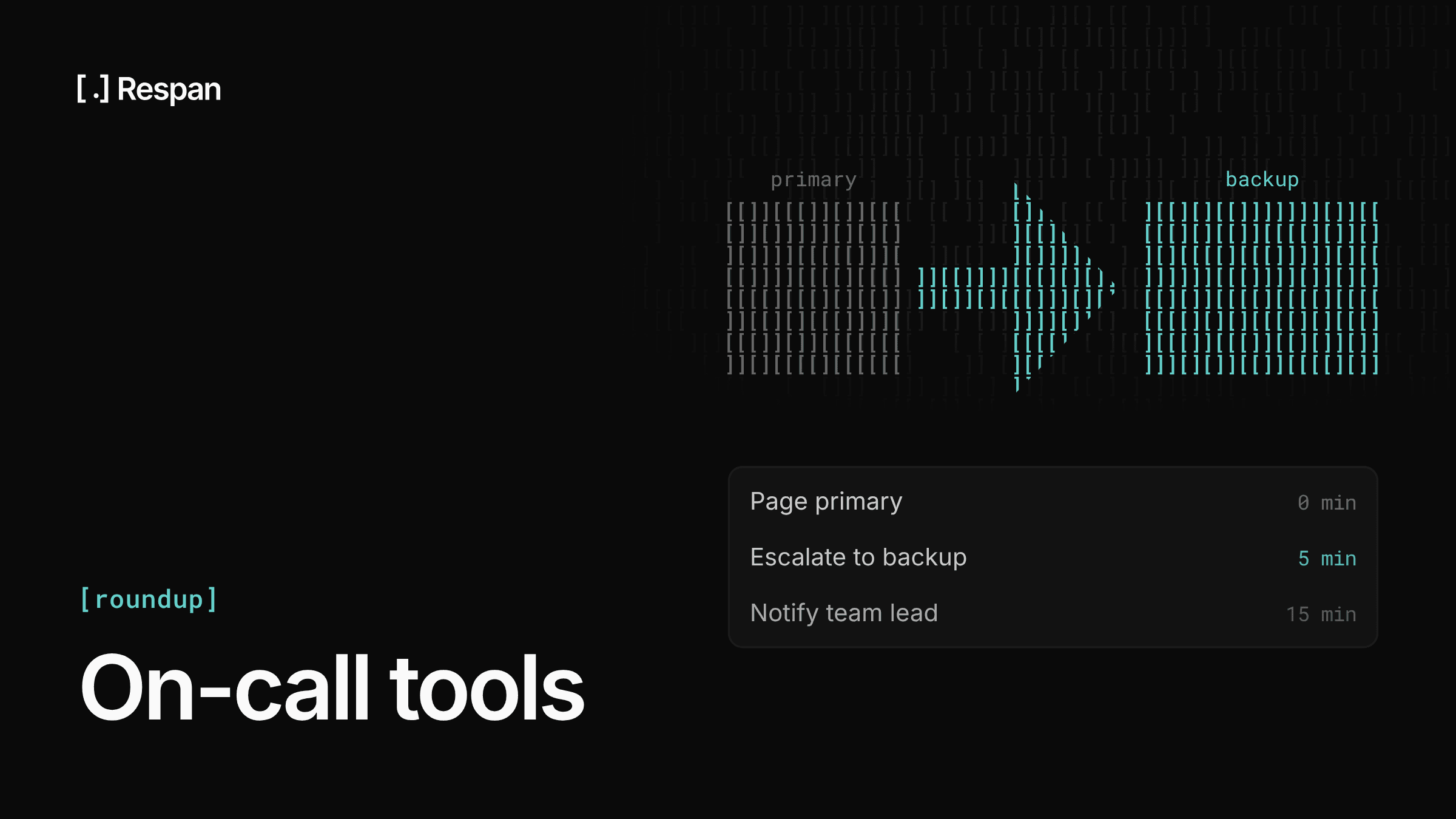
Teams set up rotations that define who covers which hours. When a monitoring tool detects a problem, it sends an alert to the on-call platform, which checks who is on call, notifies that person by push notification, phone call, or SMS, and escalates to a backup if nobody acknowledges the alert in time.
On-call management tools handle the schedules, routing, escalation, and incident records, so nobody has to watch dashboards around the clock.
How an Alert Reaches the Right Engineer
Consider a production application that starts returning a sudden increase in failed requests.
The monitoring tool detects the unusual error rate and generates an alert. That alert is forwarded to an on-call management platform, which identifies the responsible engineer based on the current schedule and routing rules, then sends a high-priority notification.
If the engineer does not acknowledge the alert, the platform escalates it to the next available responder. Once someone picks it up, the incident is tracked through to resolution, and the record feeds into reviews afterward.
Each step in that chain is a place where an incident can stall. Monitoring catches the problem, but on-call management is what makes sure a person acts on it.
Why IT Teams Need On-Call Management Tools
As IT environments grow, notifications come from everywhere: cloud infrastructure, security platforms, business-critical services, and the alerts generated by application performance monitoring tools and log monitoring tools. Without structured routing and escalation, critical incidents can be overlooked or delayed.
On-call management tools help with that by providing:
- Automated alert routing - Directs critical notifications to the right responder based on schedules, team assignments, and routing rules.
- On-call scheduling - Organizes rotations so alerts go to the people responsible for responding.
- Escalation policies - Notifies backup responders automatically when the primary on-call engineer does not acknowledge an alert.
- High-priority notifications - Delivers urgent alerts through mobile push, phone calls, SMS, or other supported channels.
- Alert noise reduction - Uses filtering, deduplication, or grouping so teams can focus on actionable incidents.
- Monitoring integrations - Connects with monitoring, ITSM, and security tools to support end-to-end incident workflows.
These capabilities matter most for DevOps, site reliability engineering (SRE), managed service providers (MSPs), and IT operations teams responsible for around-the-clock availability.
AI Incident Response: What Changes for AI Applications
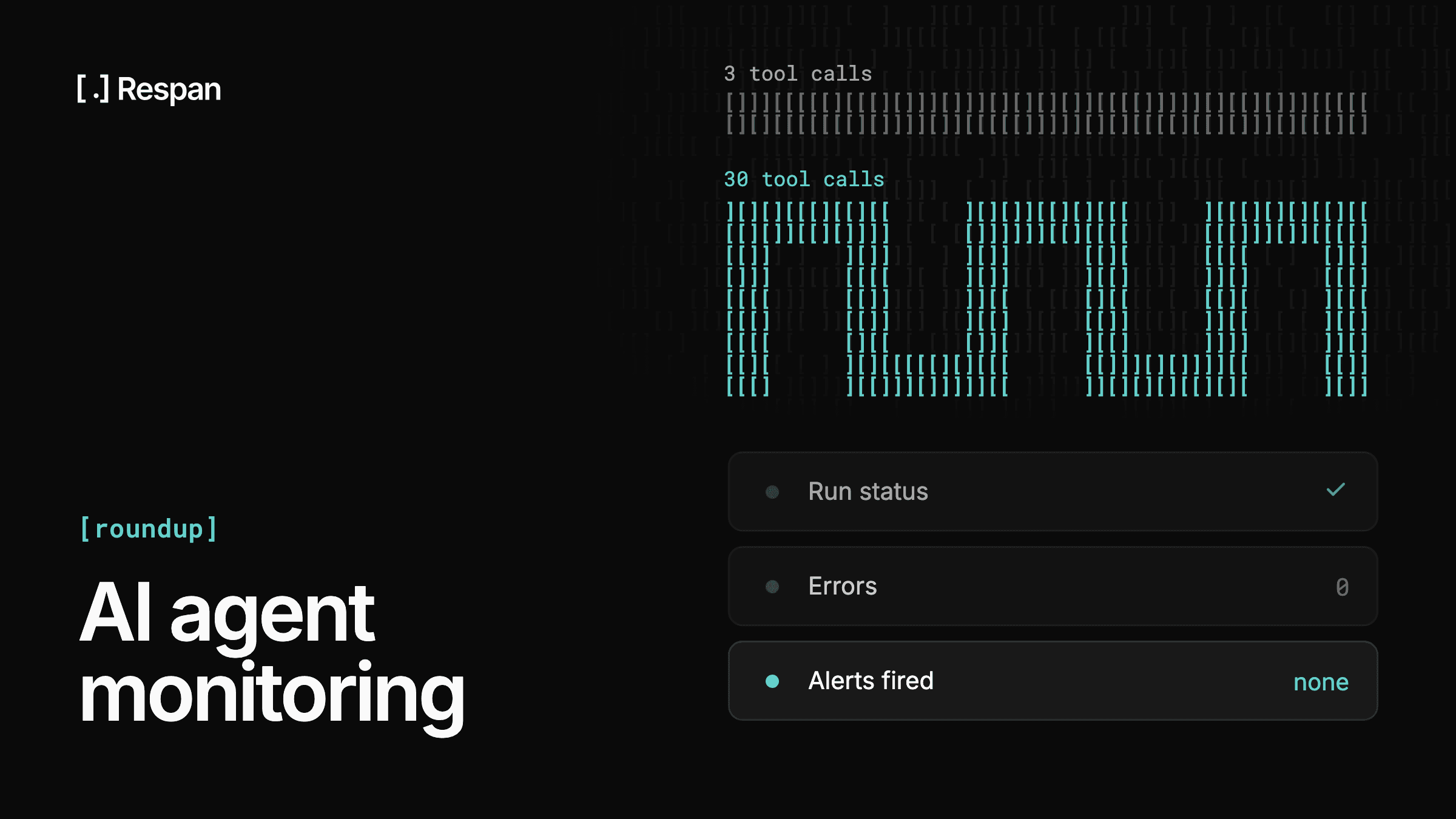
The chain stays the same for AI applications, but what should trigger a page changes. LLM apps fail in ways traditional infrastructure monitoring wasn't built to catch, and some of those failures don't need a person at all:
- Quality regressions - A prompt change or model update can make outputs worse without moving error rates or latency. Online evals that score live production traffic surface these regressions as they happen, instead of through user complaints.
- Cost spikes - A runaway agent loop or a leaked API key can burn through budget quickly. Cost monitors alert on the spike, and hard spend limits stop spending at a set ceiling.
- Provider outages and rate limits - When a model provider errors or rate-limits, a fallback chain you configure once moves traffic to the next model automatically, so the outage doesn't have to become a 2 a.m. page.
Respan covers that layer for AI applications. It monitors errors, latency, tokens, and cost on every LLM call, and it sends alerts to Slack, Microsoft Teams, email, or a webhook, which is how an alert reaches an on-call platform like OnPage. Once the engineer is up, the trace in Respan shows the exact prompt, tool calls, and the step that failed, so the investigation starts from the failure instead of a guess.
9 Best On-Call Management Tools for Incident Response
The following platforms support different stages of incident response, from critical alert delivery and on-call scheduling to incident coordination and workflow automation.
| Tool | Best For | Standout Capability |
|---|---|---|
| OnPage | IT ops and after-hours support | Persistent alert-until-read mobile alerts |
| PagerDuty | Enterprise IT operations | Event intelligence and orchestration |
| incident.io | Collaborative engineering teams | Chat-based incident coordination |
| Rootly | DevOps and SRE teams | Slack-based incident workflows |
| xMatters | Complex enterprise workflows | Event-driven workflow automation |
| Grafana Cloud IRM | Grafana Cloud users | Built into Grafana monitoring |
| SolarWinds Incident Response | SRE and IT operations | On-call and incident management |
| Xurrent IMR (Zenduty) | Distributed IT teams | Alert routing and coordination |
| Phaedra Solutions | Teams needing custom DevOps help | Engineering services, not software |
1. OnPage: Best for Reliable Critical Alerting and On-Call Management
Best for: IT operations, MSPs, NOCs, SREs, and after-hours IT support
Website: onpage.com
OnPage is an incident alerting and on-call management platform designed to help IT teams respond to critical events without continuously monitoring dashboards, ticket queues, or communication channels.
Unlike monitoring platforms that focus on identifying performance anomalies and application behavior, OnPage specializes in the next stage of the incident response workflow: making sure critical notifications reach the right on-call responder and catch their attention.
OnPage integrates with monitoring, ITSM, and remote monitoring and management (RMM) tools, including Datadog, Amazon CloudWatch, Dynatrace, ServiceNow, and ConnectWise. It also supports integrations through APIs, webhooks, and email.
For organizations with existing monitoring tools, OnPage serves as a dedicated alerting and on-call management layer. When a connected platform generates a critical alert, OnPage uses predefined on-call schedules, routing rules, and assignment and escalation policies to identify and notify the right responder.
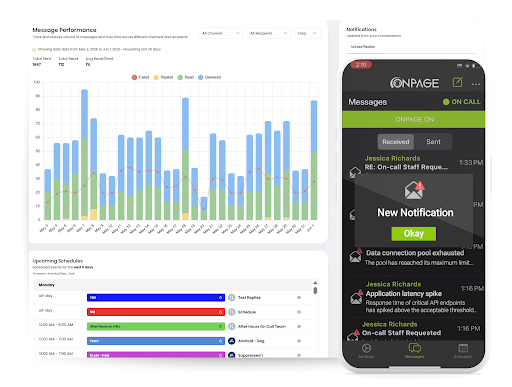
One of OnPage's distinguishing capabilities is its Alert-Until-Read technology, which delivers persistent, high-priority mobile notifications that can override silent and Do Not Disturb settings on supported devices. This helps separate critical incidents from everyday notifications that might otherwise be overlooked.
Key Features
- Persistent, high-priority mobile alerts - Distinctive notifications that continue until read, with silent and DND override capabilities.
- Automated on-call scheduling - Create rotations, manage coverage, and route alerts according to responder availability.
- Escalation policies - Automatically notify backup responders when the initial recipient does not respond within the configured window.
- Alert noise reduction - Minimize unnecessary notifications so on-call teams can focus on critical incidents.
- Multichannel notifications - SMS, voice, and email as additional channels for redundancy.
- Reporting and audit trails - Track message delivery, read status, and response activity, with post-incident reports.
- Integrations - Connect OnPage with monitoring, ticketing, collaboration, and other business-critical systems.
How OnPage Fits Into Incident Response
Consider an application monitored by Datadog. The monitoring platform detects a critical increase in latency or failed API requests.
Instead of relying on an engineer to notice the alert in a dashboard, the monitoring system triggers an OnPage notification through a configured integration. OnPage identifies the responsible engineer from the current on-call schedule and delivers a high-priority mobile alert. If the responder does not acknowledge it, OnPage follows the configured escalation policy to notify the next available team member.
Strengths
- Focused on reliable, alert-until-read critical alert delivery.
- Supports 200+ integrations with existing IT monitoring and service management systems.
- Combines on-call scheduling, incident routing, escalation, and post-incident reporting.
- Suitable for organizations managing business-critical infrastructure and after-hours support.
Limitations
- Not a standalone monitoring or application performance monitoring platform.
- Advanced incident investigation and root-cause analysis depend on connected monitoring tools.
Why Choose OnPage?
OnPage is particularly useful for IT teams that already have monitoring tools but need a more reliable way to turn critical alerts into human action and close the gap between detection and ownership. Rather than replacing existing monitoring, OnPage complements it with persistent mobile alerting, automated on-call scheduling, and escalation workflows.
OnPage's incident alert management
2. PagerDuty: Best for Enterprise Incident Response
Best for: Large enterprises and complex IT environments
Website: pagerduty.com
PagerDuty is a digital operations and incident management platform that helps organizations detect, coordinate, and resolve IT incidents. It combines on-call scheduling, automated alert routing, event intelligence, and incident response workflows in one place.
For organizations with existing monitoring tools, PagerDuty can receive their alerts and use event management capabilities to organize notifications and coordinate the response.
Key Features
- Automated on-call scheduling and escalation policies.
- Event grouping and alert noise reduction.
- Incident response automation and orchestration.
- Integrations with monitoring, cloud, and ITSM platforms.
- Incident analytics and response performance reporting.
Strengths
- Broad enterprise incident management capabilities.
- Supports complex escalation and incident coordination workflows.
- Extensive monitoring and operations integration ecosystem.
Limitations
- Advanced features may add implementation complexity.
- Pricing and product tiers may need careful evaluation for smaller teams.
Why Choose PagerDuty?
PagerDuty suits larger IT organizations that need a full incident operations platform, especially when managing incidents across many applications, services, and teams.
3. incident.io: Best for Collaborative Incident Management
Best for: Engineering teams using Slack or Microsoft Teams
Website: incident.io
incident.io is an incident management platform designed to help engineering teams coordinate responses, manage on-call responsibilities, and improve post-incident processes. It connects incident workflows with communication environments such as Slack and Microsoft Teams.
For teams with existing monitoring tools, incident.io can turn alerts into coordinated incidents with assigned responders and structured response activities.
Key Features
- On-call scheduling and alert escalation.
- Incident creation and responder coordination.
- Chat-based incident management.
- Automated incident workflows and status updates.
- Post-incident reviews and reporting.
Strengths
- Emphasis on team collaboration.
- Combines on-call management with broader incident response.
- Supports structured incident documentation and follow-up.
Limitations
- Teams not using supported collaboration platforms may see less benefit from chat-centered workflows.
- Broader incident management functionality may exceed the needs of teams that mainly want critical alert delivery.
Why Choose incident.io?
incident.io is a good option for engineering organizations that want to manage the full incident lifecycle while keeping communication and coordination closely connected.
4. Rootly: Best for Slack-Centered Incident Response
Best for: DevOps and SRE teams managing collaborative incidents
Website: rootly.com
Rootly is an incident management platform that helps engineering teams automate incident workflows, coordinate responders, and manage operational disruptions. It is particularly relevant for organizations that use Slack as their main communication channel during incidents.
When monitoring tools identify an issue, Rootly can organize the response by starting incident workflows, involving the right people, and maintaining incident records.
Key Features
- On-call management and alert escalation.
- Slack-based incident workflows.
- Automated incident creation and coordination.
- Incident status communication.
- Postmortem and incident analysis workflows.
Strengths
- Designed around engineering collaboration.
- Helps standardize incident response procedures.
- Supports automation throughout the incident lifecycle.
Limitations
- Chat-centered workflows may not suit every organization's operational processes.
- Configuration may need more planning when multiple teams follow different response procedures.
Why Choose Rootly?
Rootly suits DevOps and SRE teams that want to standardize incident response and reduce manual coordination after monitoring systems detect a problem.
5. xMatters: Best for Enterprise Workflow Automation
Best for: Enterprises with complex IT operations workflows
Website: xmatters.com
xMatters is an incident management and workflow automation platform that coordinates responses across monitoring systems, service management tools, and communication channels. Its event-driven automation lets teams configure workflows that trigger notifications, start actions, and involve different stakeholders.
When monitoring alerts fire, xMatters can connect them to automated response procedures that span multiple systems or departments.
Key Features
- Automated on-call scheduling and escalation.
- Event-driven workflow automation.
- Integration with monitoring and ITSM tools.
- Multichannel notifications.
- Incident response orchestration.
Strengths
- Flexible automation for complex operational processes.
- Supports cross-functional incident workflows.
- Useful for organizations with established ITSM procedures.
Limitations
- Complex workflows may require additional configuration.
- Smaller teams may not need the platform's full orchestration capabilities.
Why Choose xMatters?
xMatters fits enterprises that need to automate more than alert delivery, particularly when incidents involve several teams, approval steps, or connected operational systems.
6. Grafana Cloud IRM: Best for Monitoring-Driven Incident Response
Best for: SRE and DevOps teams using Grafana Cloud
Website: grafana.com
Grafana Cloud Incident Response Management (IRM) connects monitoring and incident response within the Grafana ecosystem. Grafana is used for monitoring infrastructure, visualizing metrics, analyzing logs, and troubleshooting application performance, and its incident response capabilities help teams act on what that monitoring finds.
Key Features
- Integration with Grafana dashboards and alerting.
- On-call scheduling and escalation workflows.
- Incident coordination and response management.
- Access to monitoring context during investigations.
- Integration with Grafana Cloud services.
Strengths
- Close connection between monitoring data and incident response.
- Reduces context switching for existing Grafana users.
- Useful for engineering teams working with metrics, logs, and traces.
Limitations
- Mainly useful for organizations already using Grafana Cloud.
- Organizations with mixed monitoring environments should evaluate integration requirements.
Why Choose Grafana Cloud IRM?
Grafana Cloud IRM is particularly relevant for organizations that want to connect existing monitoring workflows with incident response without adding a separate operational environment.
7. SolarWinds Incident Response: Best for SRE and IT Operations
Best for: SRE teams and IT operations groups
Website: solarwinds.com
SolarWinds Incident Response, built on Squadcast after SolarWinds acquired it in 2025, provides incident management and on-call capabilities for engineering and IT operations teams. It helps teams manage alerts, coordinate responders, and support incident response across distributed environments.
When connected to monitoring tools, it turns notifications into assigned incidents and escalation workflows.
Key Features
- On-call scheduling and escalation.
- Alert routing and incident management.
- Incident collaboration.
- Integration with monitoring systems.
- Response reporting and analysis.
Strengths
- Focuses on operational reliability and incident response.
- Supports structured on-call workflows.
- Relevant for organizations managing multiple production services.
Limitations
- Teams should verify current product packaging and migration options following the Squadcast transition.
- Integration and feature availability may vary by product offering.
Why Choose SolarWinds Incident Response?
SolarWinds Incident Response is worth evaluating for IT teams that want to combine incident management with their broader infrastructure monitoring and operational workflows.
8. Xurrent IMR (Zenduty): Best for Distributed IT Teams
Best for: IT operations and distributed incident response teams
Website: xurrent.com
Xurrent Incident Management and Response (IMR), formerly Zenduty, which Xurrent acquired in 2025, helps IT teams manage incidents through alert routing, escalation, and coordinated response processes. It fits organizations that need to connect alerts from multiple monitoring sources with clearly defined incident ownership.
When connected monitoring tools detect an issue that needs human investigation, Xurrent IMR provides the response management layer.
Key Features
- On-call scheduling and alert escalation.
- Incident management workflows.
- Monitoring and operations integrations.
- Responder coordination.
- Incident reporting and analysis.
Strengths
- Supports structured responses across distributed teams.
- Combines alerting with incident management.
- Suitable for organizations seeking centralized incident handling.
Limitations
- Organizations should verify current feature packaging under Xurrent.
- Advanced workflow requirements may need additional setup.
Why Choose Xurrent IMR?
Xurrent IMR is an option for IT organizations that want consistent alert routing and incident coordination across multiple teams and services.
9. Phaedra Solutions: Best for Custom DevOps and Incident Workflow Support
Best for: Organizations that need engineering help connecting monitoring, alerting, and incident workflows
Website: phaedrasolutions.com
Phaedra Solutions is an AI-first software engineering company that builds DevOps infrastructure, applications, and AI systems for client teams. Unlike the platforms above, it is not an on-call tool. It works as an engineering partner that sets up and connects the tools a team already uses.
For organizations that have monitoring and on-call platforms in place but lack the engineering time to wire them together, Phaedra Solutions can help design alerting workflows, automate incident-related tasks, and build the cloud infrastructure behind them.
Key Features
- DevOps and cloud infrastructure engineering.
- Integration with existing monitoring and on-call tools.
- Incident workflow and alerting automation.
- AI development, including AI agents.
- IT project management and staff augmentation.
Strengths
- Custom work for teams whose workflows don't fit an off-the-shelf setup.
- Covers DevOps, cloud, and AI engineering with one partner.
- Works alongside existing monitoring and on-call platforms.
Limitations
- Does not provide an on-call scheduling or alerting platform of its own.
- Custom integrations take implementation time and an ongoing engagement.
Why Choose Phaedra Solutions?
Phaedra Solutions fits teams that already have monitoring and on-call tools but need engineering help connecting them, rather than another platform to adopt.
How to Choose an On-Call Management Tool
The right platform depends on how your organization monitors applications, manages alerts, and coordinates incident response. Some teams prioritize reliable mobile alert delivery, while others need extensive automation, collaborative incident management, or a closer tie to their existing monitoring.
When comparing on-call management software, consider the following factors.
1. Integration With Your Monitoring Stack
Your on-call platform should connect with the systems responsible for detecting incidents. Teams using Datadog, Dynatrace, Grafana, or Amazon CloudWatch should check whether a platform supports direct integrations, APIs, webhooks, or other alert ingestion methods.
For AI applications, also check what's watching your LLM calls and whether its alerts can reach your on-call platform. Respan monitors errors, latency, tokens, and cost on every LLM call and sends alerts to Slack, Microsoft Teams, email, or a webhook that on-call platforms can ingest. Each alert includes the value that crossed the threshold along with the top users, API keys, and models involved, so the engineer who gets paged knows where to start before opening a dashboard.
2. Reliable Critical Alert Delivery
A monitoring system may detect an incident immediately, but that has limited value if the responsible engineer does not see the notification.
Evaluate how each platform delivers urgent alerts and whether it supports persistent notifications, mobile alerts, acknowledgment tracking, and backup channels. For teams responsible for mission-critical systems, these capabilities matter most outside business hours.
3. Automated On-Call Scheduling and Escalation
Teams need a reliable way to know who is responsible for responding at any given time. Look for scheduling that supports recurring rotations, schedule overrides, backup responders, and escalation policies, which removes manual responder selection and reduces the risk of alerts going to someone unavailable.
4. Alert Noise Reduction
Monitoring platforms can generate several notifications for one underlying failure. A single infrastructure problem might trigger alerts for increased latency, failed API requests, and service availability at once.
Look for deduplication, alert grouping, filtering, or event correlation, the same techniques many AIOps tools use to cut noise, so unnecessary notifications drop while critical incidents stay visible.
5. Incident Reporting and Performance Metrics
Incident response doesn't end when an alert is acknowledged. Reporting on alert volume, acknowledgment times, escalation frequency, and response performance helps teams find recurring problems, adjust schedules, and improve their procedures.
Best Practices for Connecting Alerts to Incident Response
Connecting monitoring to on-call management isn't about forwarding every notification to an engineer. Teams that do it well set up workflows that prioritize critical incidents and cut unnecessary interruptions.
Define actionable alert thresholds. Configure monitoring tools to page only when an issue needs immediate human intervention. Not every increase in latency or failed request warrants waking an on-call engineer, and for AI applications, problems like provider outages may already be handled by automatic fallbacks.
Connect alerts to the right teams. Use routing rules and service ownership to send each incident to the team responsible for investigating it.
Establish escalation procedures. Define how long a responder has to acknowledge an alert before it escalates to another engineer or team.
Include useful incident context. Where supported, include the affected application, alert severity, relevant error information, and a link to the dashboard or, for AI applications, the trace of the failing request. Responders can then start investigating without searching multiple systems.
Review incident performance. Analyze alert volume, acknowledgment times, and recurring incidents to refine thresholds and improve response workflows.
These practices fit alongside broader DevOps best practices and help teams build a tighter connection between automated monitoring and human-led incident management.
Frequently Asked Questions
What are on-call management tools?
On-call management tools are platforms that help IT teams organize responder schedules, route critical alerts, automate escalation, and coordinate incident response. DevOps, SRE, IT operations, and MSP teams use them to maintain service availability.
What is the best on-call management tool for IT teams?
The best tool depends on your operational requirements. OnPage is a strong option for teams prioritizing persistent critical alerting, automated scheduling, and escalation. PagerDuty suits complex enterprise incident operations, while incident.io and Rootly emphasize collaborative incident workflows. Grafana Cloud IRM is particularly relevant for teams already using Grafana.
Can OnPage receive alerts from other monitoring tools?
Yes, as long as the monitoring tool can send alerts through a compatible integration. OnPage supports integrations with monitoring and ITSM tools, plus APIs, webhooks, and email-based alert ingestion, so alerts from connected tools flow into OnPage's on-call scheduling, notification, and escalation.
Conclusion: Turning Alerts Into Action
Detecting a problem doesn't mean it gets resolved. Without reliable alert delivery, clearly defined on-call responsibilities, and automated escalation, even well-monitored systems can leave critical incidents waiting for someone to notice.
On-call management tools close that gap by connecting monitoring with the people responsible for investigating and resolving incidents. For organizations that already use monitoring or ITSM platforms, OnPage's incident alert management provides a dedicated alerting and on-call layer, with persistent mobile alerts, automated schedules, escalation policies, and integrations with existing IT systems.
For teams running AI applications, the alerts feeding that on-call layer need to cover AI-specific failures too. Respan monitors errors, latency, and cost on every LLM call, scores live traffic with automated evals, and sends alerts by webhook into on-call tools like OnPage, so the engineer who gets paged can open the trace in Respan and see exactly what went wrong.