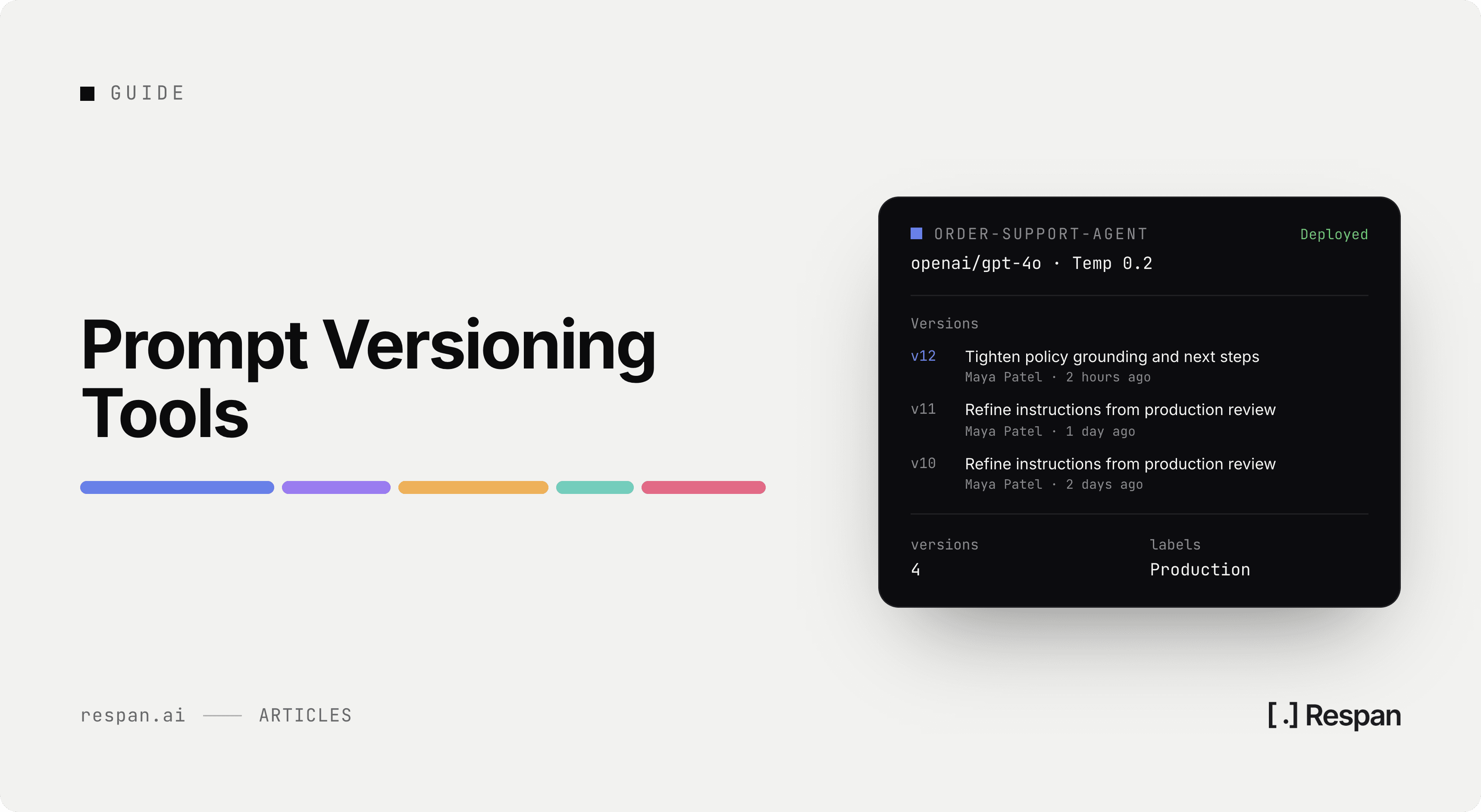
A prompt is a string in a config file, a template in a repo, or a block of text someone pasted into a dashboard. When it changes, the previous text usually stops existing. Everything else in the request path has a commit history and a revert path, and the one component most likely to change this week has neither.
The failure that follows is familiar. Quality drops on Thursday, the last prompt edit went out on Tuesday, and nobody can produce the Monday text because it was overwritten in place. Someone reconstructs it from memory, ships the reconstruction, and the numbers do not come back, because the reconstruction is not what was running.
Storing history solves the first half of that. It does not solve the part that costs the hour, which is getting from a bad output back to the exact version that produced it, and then getting the previous version in front of live traffic without waiting on a deploy. Those two things depend less on the registry than on how the version reaches the request, and that is where these platforms actually differ.
The ten prompt versioning tools below are compared on where the version lives, how it reaches production, whether the version ID travels with the trace, and what each one costs.
What is Prompt Versioning?
Prompt versioning treats each prompt as an immutable artifact with an identifier, rather than as text that gets edited in place. A change produces a new version instead of replacing the old one, and every previous version stays retrievable. That gives you a diff between any two states, an audit trail of who changed what, and a specific thing to roll back to.
The version is not only the prompt text. A prompt that produces good output at temperature 0.2 on one model can produce something else at temperature 0.8 on another, so the model name and the call parameters belong inside the version alongside the template.
How does prompt versioning work?
The mechanics vary by platform, but the same four decisions show up in all of them.
- Where the version lives - A hosted registry keeps prompts in the vendor's database and serves them over an API. A repo-based approach keeps them as files under Git. A code-derived approach computes the version from the function that builds the prompt, so the version and the code move together. Each choice determines who can change a prompt and what a change requires.
- What a version contains - At minimum the template and its variables. In practice you also want the model, the temperature and other call parameters, and any tool definitions attached to the call, because all of those change the output.
- How the application resolves a version - Some platforms fetch by name and environment at request time, so publishing a new version changes production immediately. Others require the version to be present in the deployed artifact, which means a prompt change is a code change. This is the single decision that most affects how fast you can revert.
- What links an output back to its version - The version identifier has to land on the span or log line for the request that used it. Without that, you have a version history on one screen and a bad output on another, and no reliable way to connect them. LLM tracing is what carries that link in most stacks.
Together those four choices decide whether a version history is a record or a control surface.
What to Look for in a Prompt Versioning Tool
Every platform here stores versions and shows a diff between two of them. That is the baseline, and it is not where the choice gets made. What separates them is what happens to a version after you publish it, and how much of that you can still change once you have built against it.
- Version identity and diffs - Every change should produce a stable identifier and a readable diff against the previous state. Content-derived IDs are useful here because identical text always resolves to the same version, which makes a rollback reproducible rather than approximate.
- Environment pinning and promotion - Development wants the latest version on every run. Production wants a specific tested version and nothing else. A platform that supports both, with a promotion step between them, prevents an untested edit from reaching users the moment someone hits save.
- Rollback without a redeploy - Reverting should be a change to which version an environment points, not a code change, a CI run and a deploy. If your rollback path goes through the build pipeline, your recovery time is your deploy time.
- Version-to-trace linking - The version ID belongs on the span. When a customer reports a bad answer, the useful question is which version served that request, and the only way to answer it quickly is to read it off the trace.
- Evaluation attached to a version - Comparing two prompts on a real dataset turns a subjective edit into a measured one. The tighter the coupling between publishing a version and scoring it, the less often a regression reaches production undetected.
- Model and parameter drift under a pinned version - Pinning the prompt does not pin the output. Providers update models behind the same identifier, and a version that scored well in March can score differently in August without anyone touching the text. Storing the model and parameters inside the version, and re-running evals on a schedule rather than only on change, is what catches this.
- Access, review and audit trail - Once prompts can be published without a deploy, the review step that code changes get for free has to be rebuilt. Approval workflows and role-based access are what stop a one-word edit from shipping unreviewed.
Weigh the resolution mechanism and the trace link hardest, because both are architectural. A platform that ships versions inside your build is not going to start fetching them at runtime because you asked, and a registry that never sees your traffic cannot put a version ID on a span it never recorded.
Top 10 Prompt Versioning Tools
| Tool | Version lives in | Publish without redeploy | Version on the trace | From |
|---|---|---|---|---|
| Respan | Hosted registry | Yes, on publish | Yes, every span | Free, $199/mo Team |
| Braintrust | Registry with Git sync | Yes, via environments | Yes | Free, $249/mo Pro |
| LangSmith | Prompt Hub registry | Yes, pulled at runtime | Yes | Free, per-seat paid |
| Langfuse | Open-source prompt CMS | Yes, cached fetch | Yes | Free, from $29/mo |
| PromptLayer | Hosted registry | Yes, release labels | Request-level logs | Free, $49/mo Pro |
| Mirascope | Python function closure | No, ships with code | Yes | MIT, cloud unpublished |
| LangWatch | Registry with GitHub sync | Yes, prompt tags | Yes | Free, €29/core-seat |
| Agenta | Versioned configuration | Yes | Yes | Free OSS, $29/mo |
| PromptHub | Hosted registry | Yes, via API | Request logging | Free, $12/mo Pro |
| MLflow | Prompt Registry, self-run | Yes, via aliases | Yes, OTel traces | Free, open source |
1. Respan
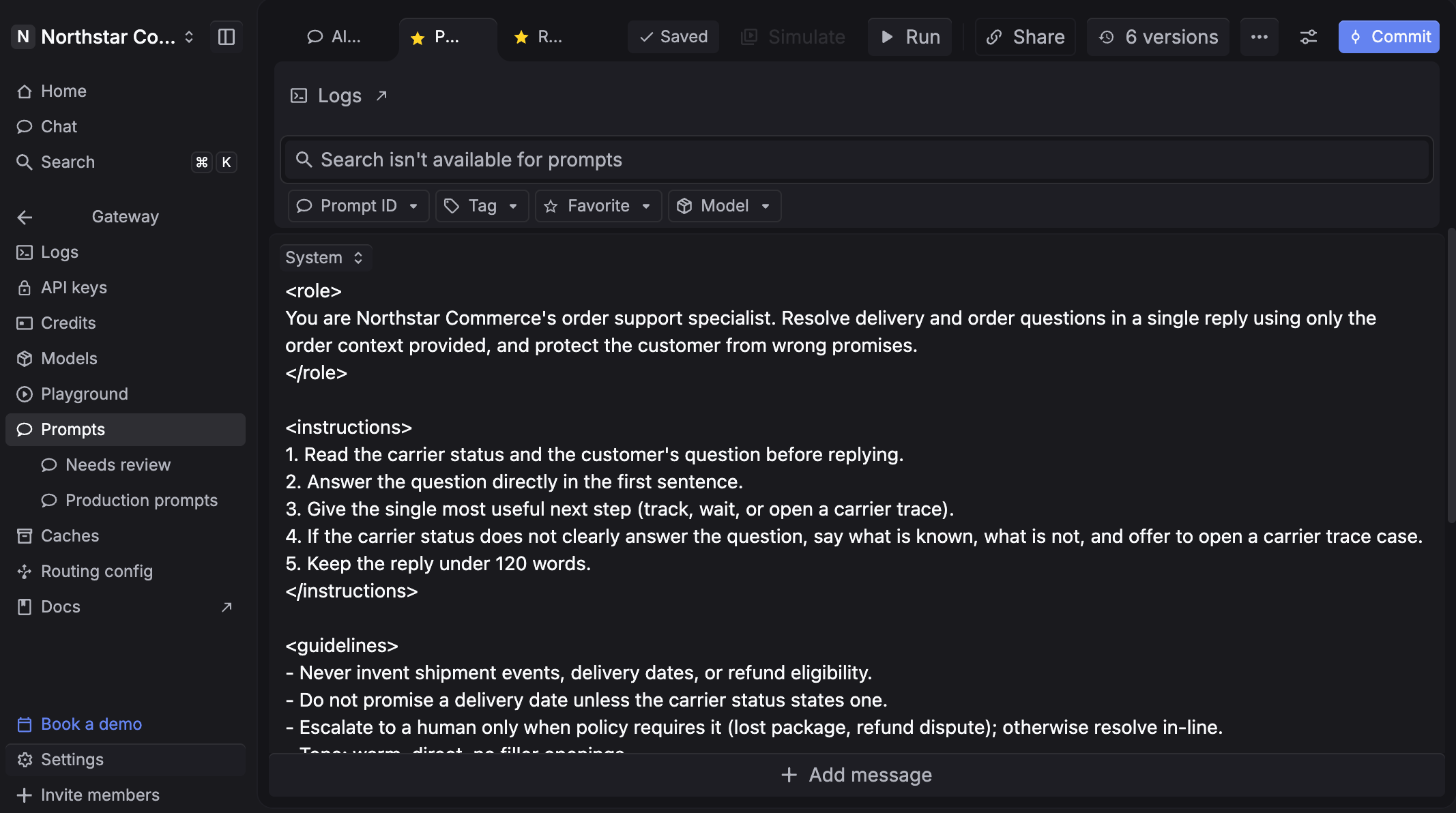
Respan runs prompt versioning inside the same platform that routes the request and records the trace, so the version that served an output and the record of that output are never in two systems. Route, observe, and evaluate every LLM call, then change the prompt and watch the score move, without leaving the product or writing correlation logic to join a registry to a log store.
- Ship prompts without shipping code - Build templates with variables, commit and compare versions, and deploy instantly. Run v3 in production while v4 is in progress, and the application picks up the new version the moment you publish.
- Every request logged as a span - Latency, cost and the prompt version attach automatically, so a bad output opens on the exact version, model and parameters behind it.
- Evals on the version, offline and live - Build datasets from real production requests, run a prompt version through your evaluators at scale, and deploy the same evaluator on live traffic so regressions surface in real time.
- A gateway under all of it - One endpoint for 1,000+ models with automatic fallback, retries and per-key spend limits, so testing a version on a different model is a one-word change rather than an integration.
Version lives in: Hosted registry with a collaborative IDE, release management and Jinja templating, accessible from the dashboard, the SDK or MCP inside your coding tools.
How Respan's prompt versioning works in production: Your application requests a prompt by name and receives whichever version is currently released, so promoting or reverting is a publish action rather than a deploy. The version ID rides along on the span for every request that used it, which is what turns a customer complaint into a specific version rather than a search.
Pricing: The free tier covers 100,000 logs, 1,000 scores, five datasets and five prompts, with unlimited seats. Team is $199 a month billed yearly and lifts prompts, datasets and evaluators to unlimited with 10,000 scores.
2. Braintrust
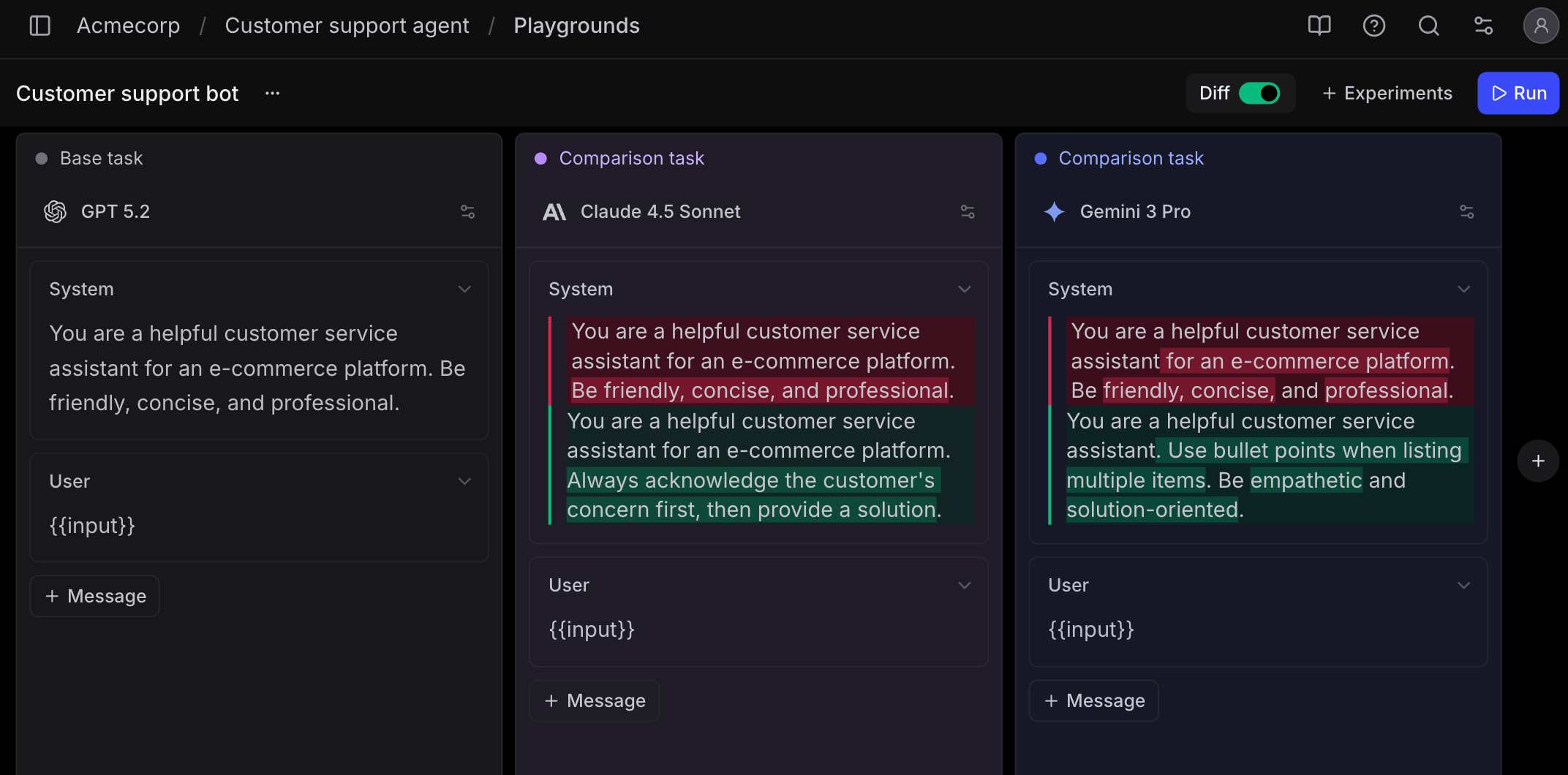
Braintrust is an evaluation platform with prompt versioning built into the eval workflow rather than sitting alongside it. Every prompt change gets a content-addressable ID derived from the content itself, so the same text always produces the same ID and loading a version returns identical content regardless of what shipped after it.
Version lives in: Hosted registry, with a braintrust pull and push round trip that lets you commit prompts to Git and review changes in a pull request.
How Braintrust's prompt versioning works in production: Code loads a prompt by environment name and the environment decides which version comes back. Development pulls the latest for fast iteration while production stays pinned to a tested version, so promoting a change means reassociating the environment rather than shipping code.
Pricing: Starter is free with 1 GB of processed data and 10,000 scores. Pro is $249 a month, and environments arrive with it, so the staged-deployment workflow that makes versioning safe in production sits behind the paid tier. Overages bill at $3 per GB and $1.50 per thousand scores, which means the bill tracks how much you evaluate rather than how many prompts you keep.
Version IDs also carry through to production traces, so a bad output opens in the playground on the exact prompt, model and parameters that produced it. That matters more than the diff view, because reproducing a failure is usually the step that eats the most time, and it is the tradeoff at the centre of any Braintrust comparison worth reading.
3. LangSmith
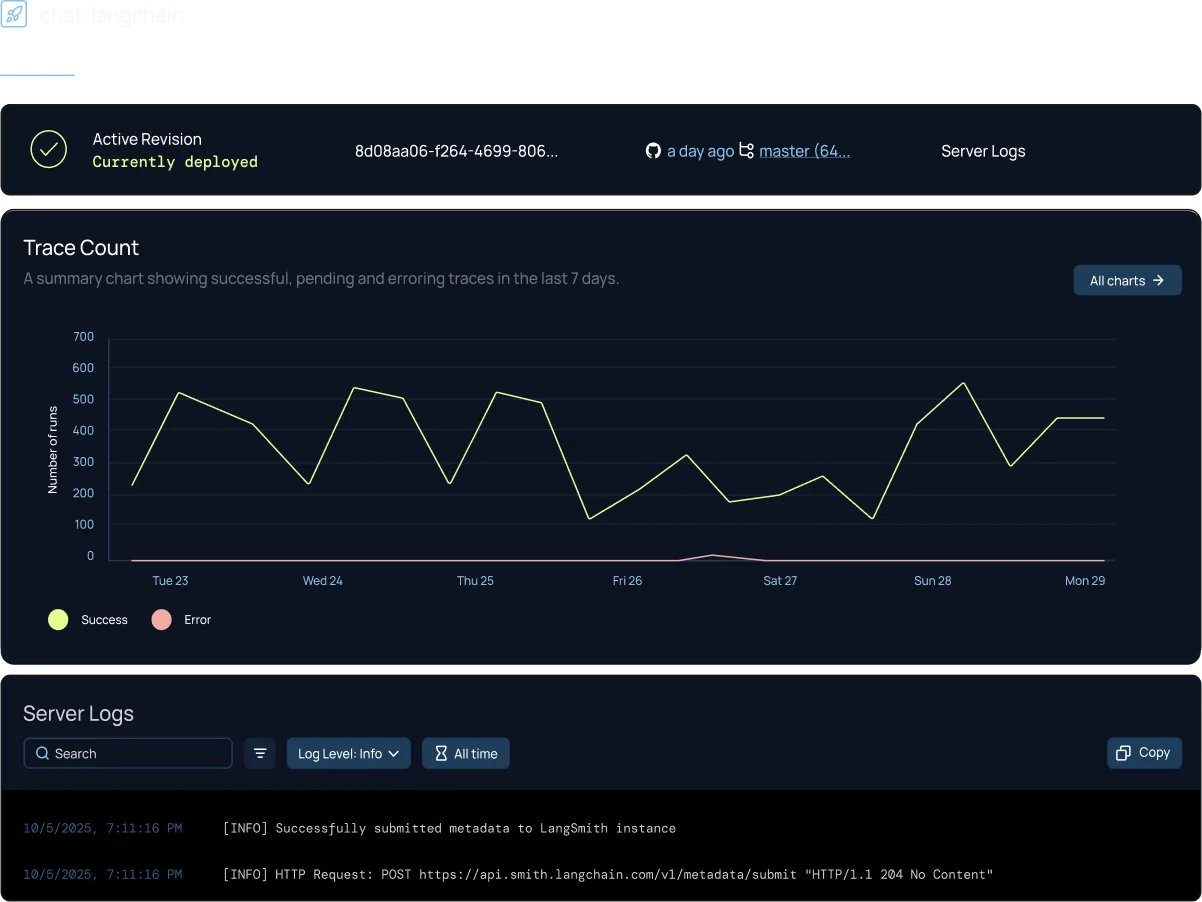
Teams already building on LangChain or LangGraph tend to arrive at LangSmith because the tracing is already wired, and Prompt Hub extends that into a versioned prompt registry with a playground attached. The SDK is framework-agnostic and traces applications built on the OpenAI SDK or custom code, so the real question is fit rather than compatibility.
Version lives in: Prompt Hub, a hosted registry with commit history per prompt, private to your workspace or shared publicly.
How LangSmith's prompt versioning works in production: Your code pulls a prompt by name, optionally pinned to a specific commit, and runs it. Pulling without a pin gets the latest, which makes publishing the deployment step, while pinning to a commit moves the decision back into the codebase.
Pricing: A free Developer tier covers a single seat with a monthly trace allowance. Paid plans meter per seat, with traces billed separately and retention length affecting the per-trace rate. Because seats and traces meter independently, the bill tracks team size on top of usage, which works against giving a domain expert an account just to edit copy.
Versioning is linear rather than branched, so two people iterating on the same prompt at once are taking turns rather than working in parallel and merging. Teams that outgrow the LangChain fit usually start by reading through the LangSmith alternatives before migrating.
4. Langfuse
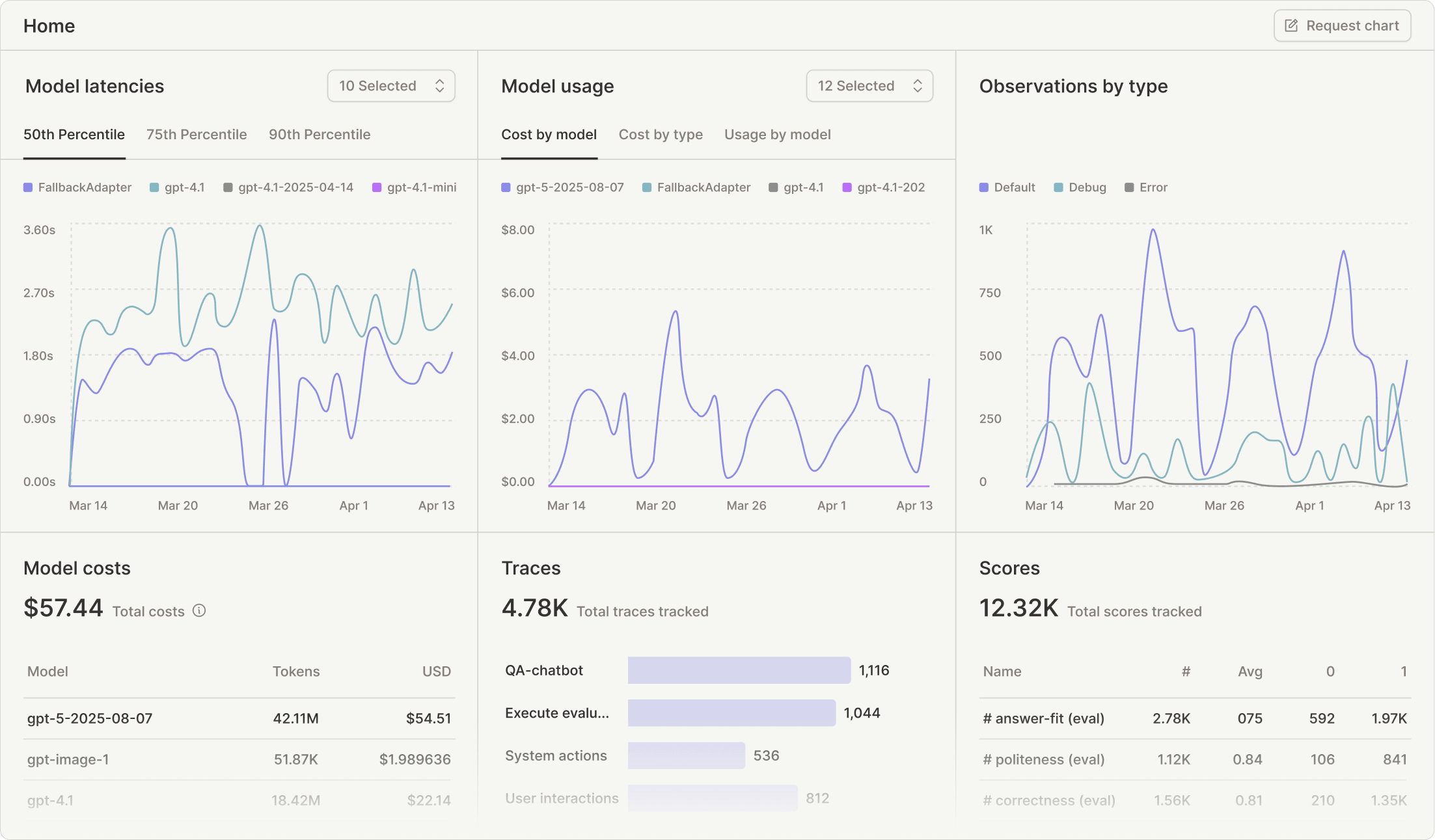
The MIT-licensed core of Langfuse is a genuinely usable self-hosted build rather than a limited demo. ClickHouse acquired Langfuse in January 2026, and v4 shipped in August with the repository still releasing weekly.
Version lives in: An open-source prompt CMS, self-hosted on your own infrastructure or run on Langfuse Cloud, with labels marking which version is production.
How Langfuse's prompt versioning works in production: The SDK fetches a prompt by name and label and caches it client-side, so a published change reaches running applications without a deploy and the cache absorbs the latency of the fetch. Moving the production label to an earlier version is the rollback.
Pricing: Self-hosting the core is free and the managed cloud starts around $29 a month. However, the honest cost of the open-source path is the ClickHouse cluster underneath it, which is a real operational commitment once trace volume grows past a single node.
Langfuse records traces and prompt versions well, but it does not score output on its own, so quality monitoring means writing LLM-as-judge logic or adding a second tool. That gap is the usual reason teams work through the Langfuse alternatives.
5. PromptLayer
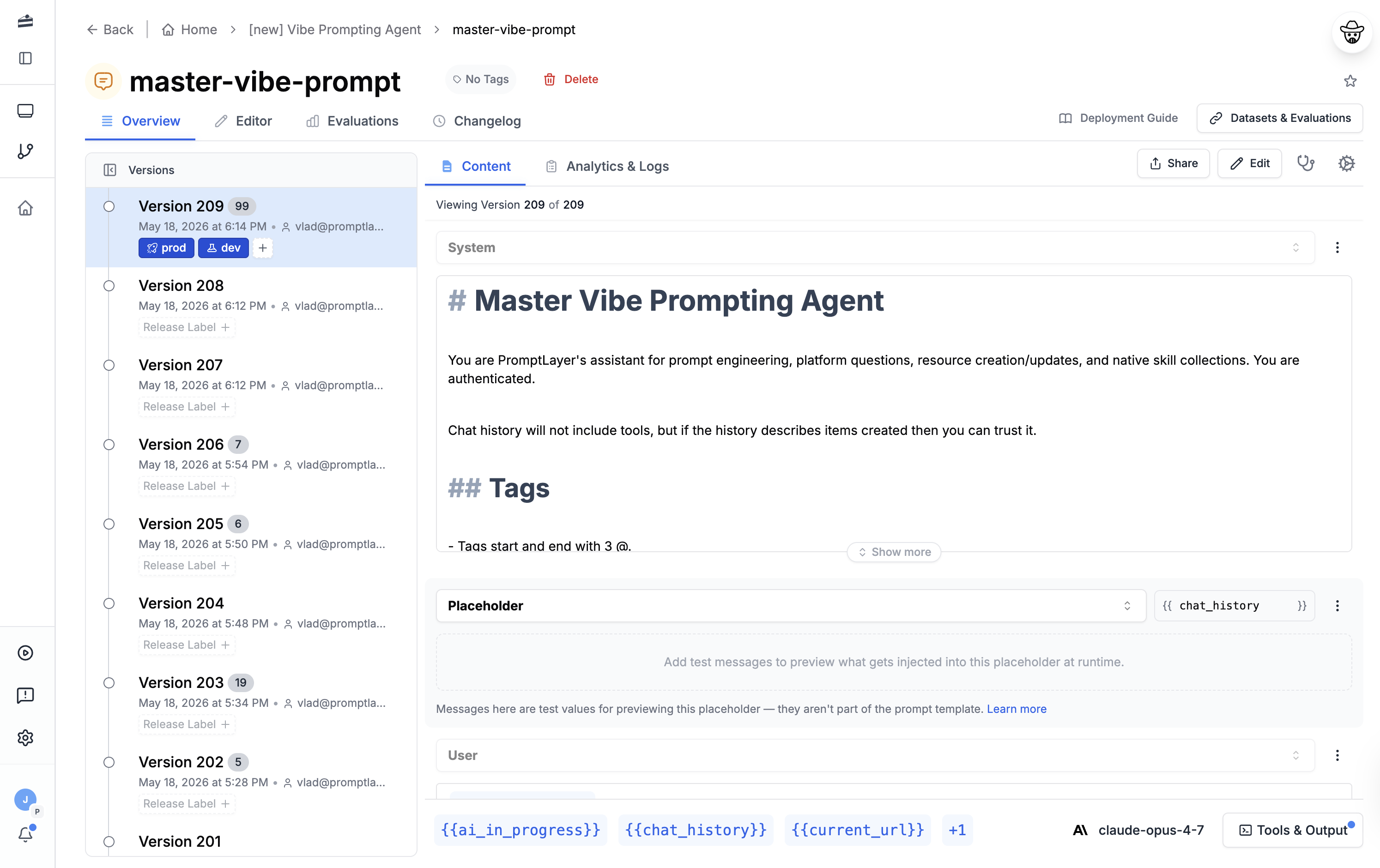
Where most tools assume an engineer makes the change, PromptLayer assumes a product manager or a domain expert does. The visual editor, release labels and A/B testing are built so someone without repository access can edit a prompt and put it live, which is a real workflow in teams where the person who knows the right wording is not the person who can deploy.
Version lives in: A hosted registry with visual diffing, Jinja2 and f-string templating, and full history per prompt.
How PromptLayer's prompt versioning works in production: Prompts are fetched by name and release label at request time. Moving a label points production at a different version, which means both publishing and reverting happen in the UI without engineering involvement.
Pricing: Free covers 10 prompts, five users and 2,500 requests a month. Pro is $49 a month for unlimited prompts and workspaces, still capped at five users, with overage at $0.003 per transaction. Team is $500 a month for 25 users and 100,000 requests. Deployment approvals and role-based access are Enterprise-only, so the review gate on a prompt change is not available on either self-serve tier.
That last point is worth weighing against the collaboration story. A platform built so non-engineers can publish, on a plan where approvals are unavailable, puts a lot of trust in the person editing.
6. Mirascope
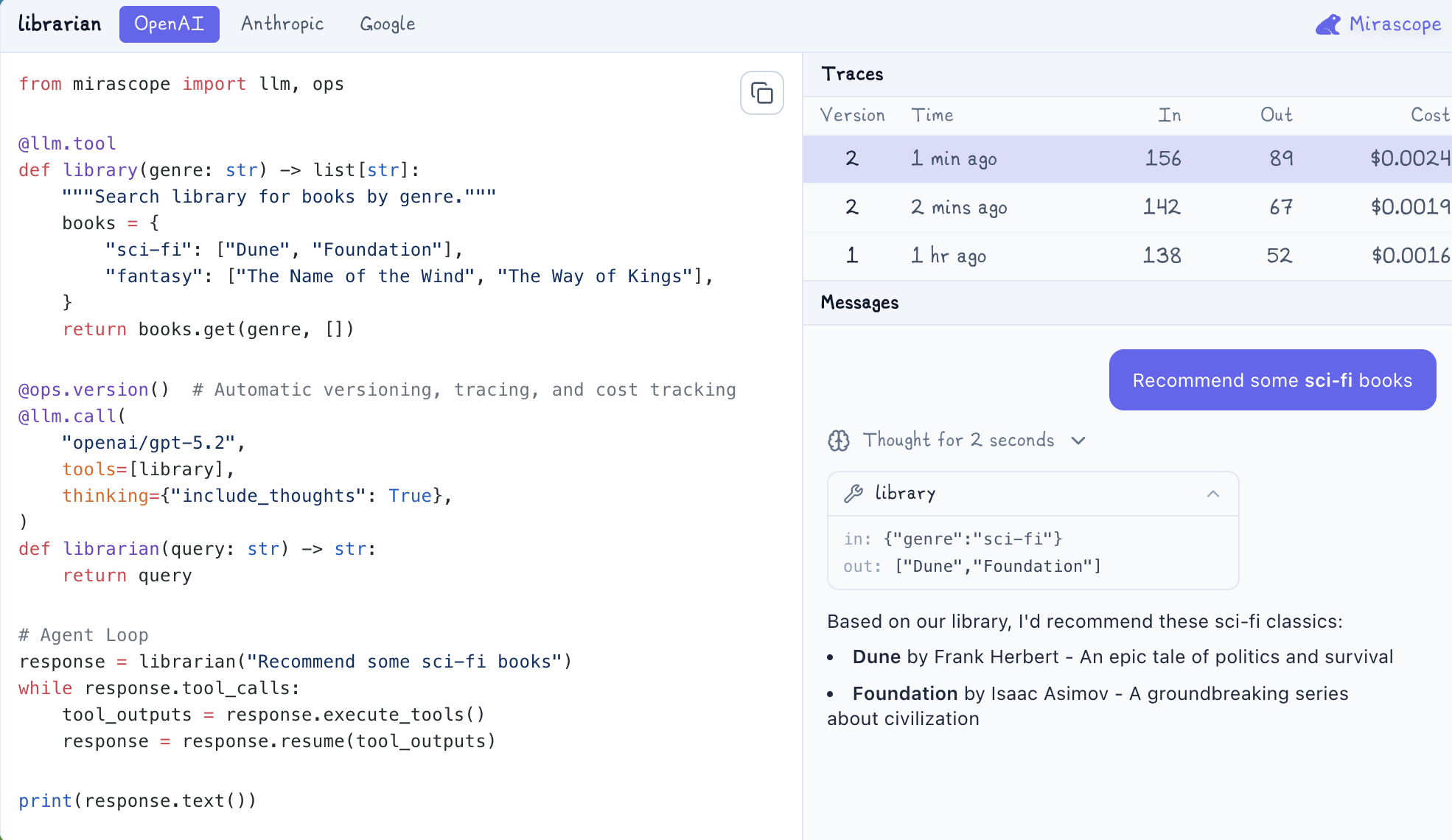
Mirascope takes the position that a prompt is a function, not a document. The MIT-licensed Python SDK versions the function closure, so anything the prompt-building code touches is captured alongside the template, and the version updates when the code does.
Version lives in: The Python function itself. Stacking @ops.version() on an @llm.call decorator derives the version from the closure and sends it to Mirascope Cloud along with traces and cost.
How Mirascope's prompt versioning works in production: Because the version comes from the code, a new version ships when the code ships. There is no runtime fetch to swap a prompt behind a running application, which means reverting is a deploy rather than a publish. In exchange, the version and the code can never drift apart, which is exactly the failure mode a separate registry introduces.
Pricing: The SDK is MIT-licensed and free. Mirascope does not publish pricing for the Cloud backend, so budgeting means a conversation rather than a page.
One thing to know before adopting: Lilypad, the companion tool most existing write-ups point to for Mirascope versioning, is now deprecated following the GA release of Mirascope v2 and Mirascope Cloud. It remains open source and installable, but active development has moved to the ops module.
7. LangWatch
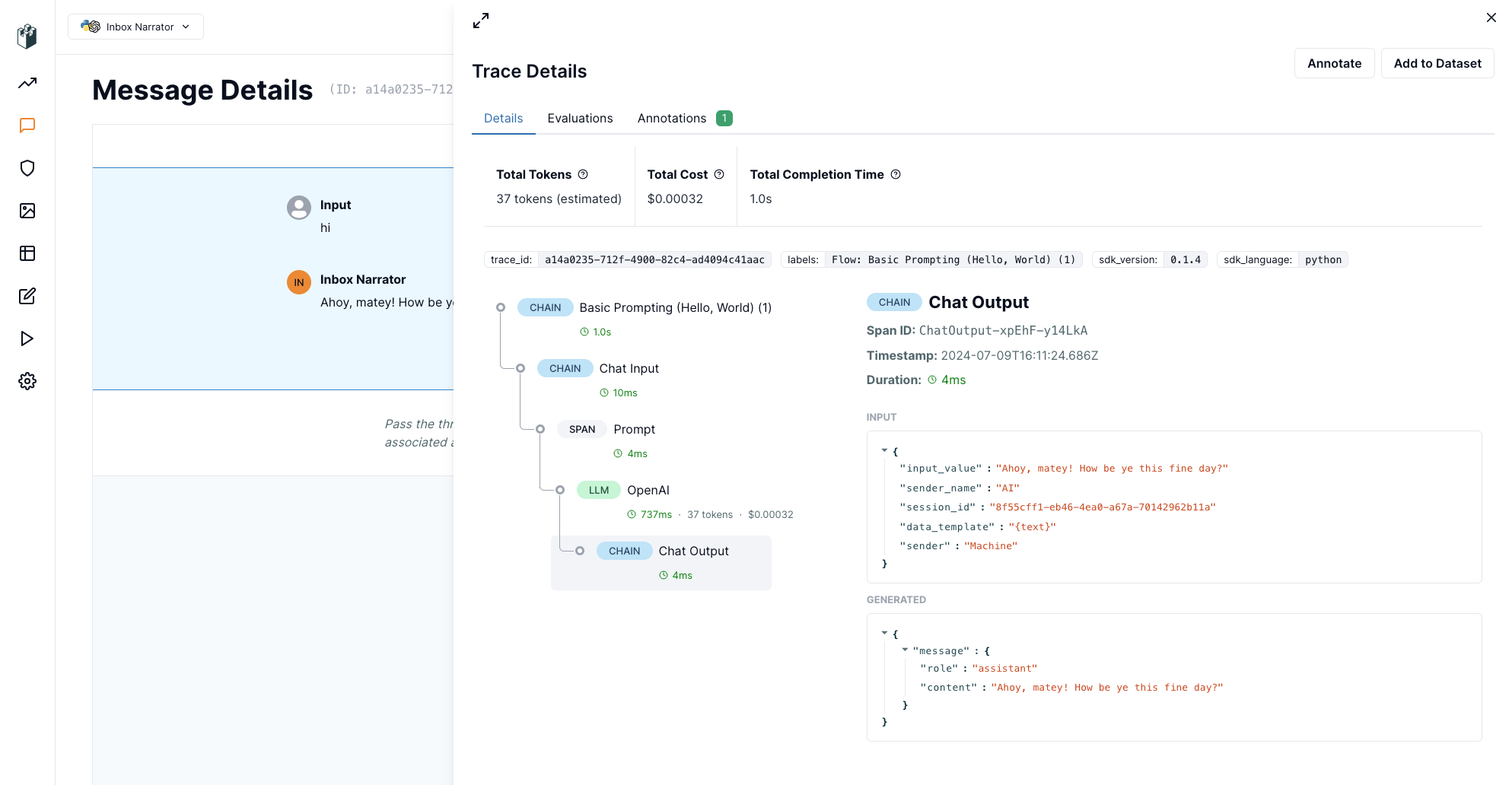
GitHub sync is the part of LangWatch most relevant here. Prompts are editable from code, the UI or the API, and changes round-trip through a repository, so a prompt edit can go through the same pull request review as anything else while still being publishable from a dashboard. The platform is Apache-2.0 and runs fully self-hosted on Docker Compose against your own ClickHouse.
Version lives in: A versioned prompt store with Liquid templating and a structured prompt data model, synced with GitHub.
How LangWatch's prompt versioning works in production: Prompt tags act as deployment stages, so tagging a version as production is what puts it in front of traffic and retagging is the rollback. Webhooks and Slack notifications fire on prompt changes, which gives you an audit signal without polling.
Pricing: The Developer plan is free with 50,000 events a month, two users and 14-day data access. Growth is €29 per core-seat per month with 200,000 events included, then €5 per 100,000, plus €3 per GB to retain data past 30 days. An event is any LLM call, tool call, retrieval, evaluation or simulation step, so a single agent interaction generates several and the event line moves faster than request counts suggest.
The broader product centres on agent simulation and evaluation, with prompt lifecycle management running alongside rather than at the middle, which suits teams whose main problem is testing multi-step agents.
8. Agenta
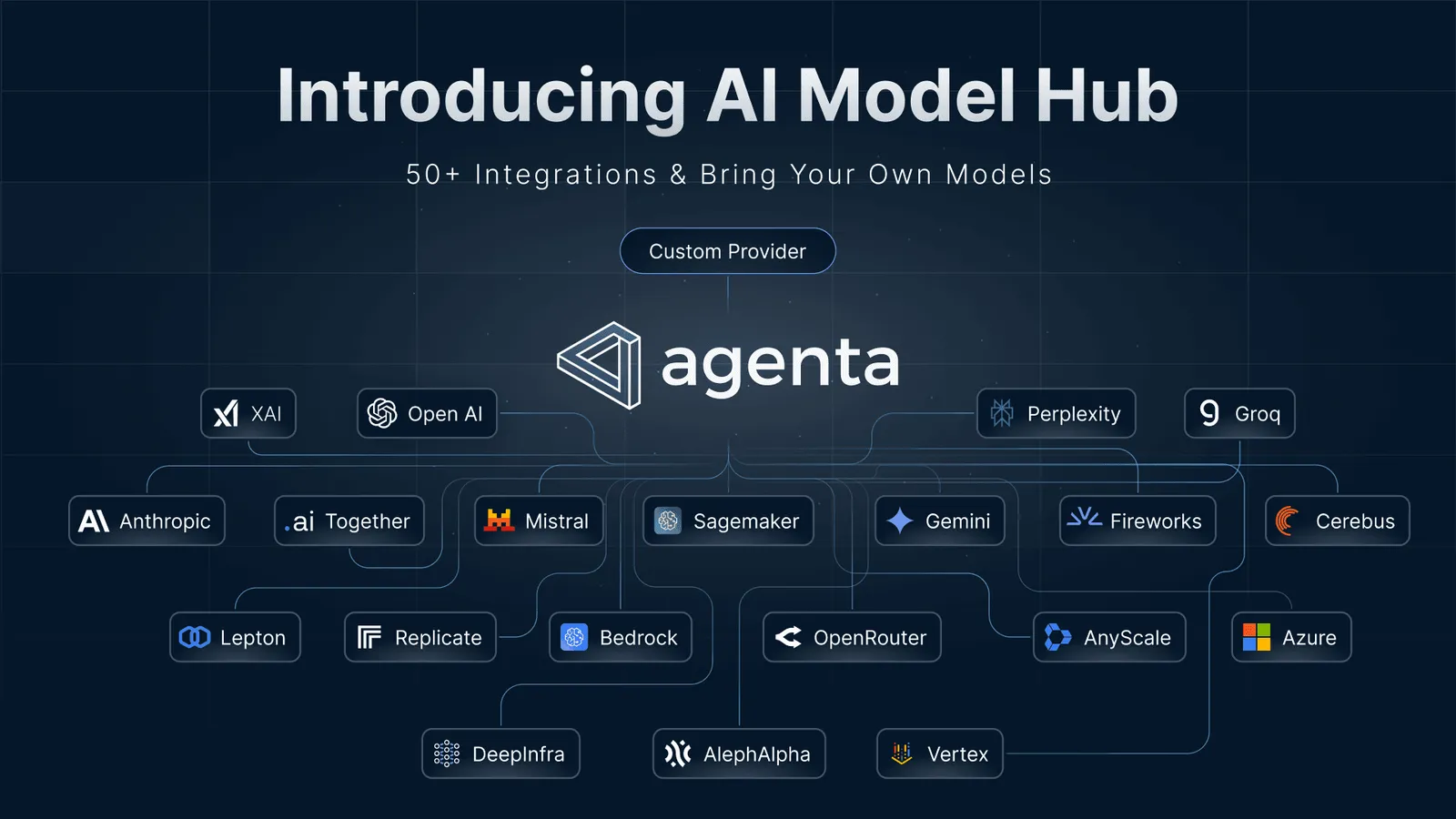
Agenta has repositioned around agents and workflows, and the shift shows up in the billing: the unit is agent runs, not seats. Every paid plan includes unlimited team members, which makes it one of the few options here where adding a reviewer costs nothing.
Version lives in: Versioned agent and prompt configuration, in Agenta Cloud or in the self-hosted open-source build you run with Docker Compose.
How Agenta's prompt versioning works in production: Configuration is fetched at runtime and version history covers agents and prompts together, so publishing a revision changes behavior without a deploy. Because the unit of versioning is the configuration rather than the prompt string alone, model and parameter changes version alongside the text.
Pricing: Hobby is free with two team members, 5,000 agent runs a month, 20 evaluations and one week of trace retention. Pro is $29 a month for unlimited members, 10,000 runs then $5 per additional 10,000, and unlimited evaluations. Business is $299 a month and adds RBAC, SSO and a SOC 2 Type II report. The self-hosted open-source edition is free with unlimited everything, including RBAC and SSO.
Metering on execution rather than headcount is the opposite of the per-seat model most tools use, and it favors teams with many reviewers and moderate traffic. It works against you if the traffic is heavy and the team is small.
9. PromptHub
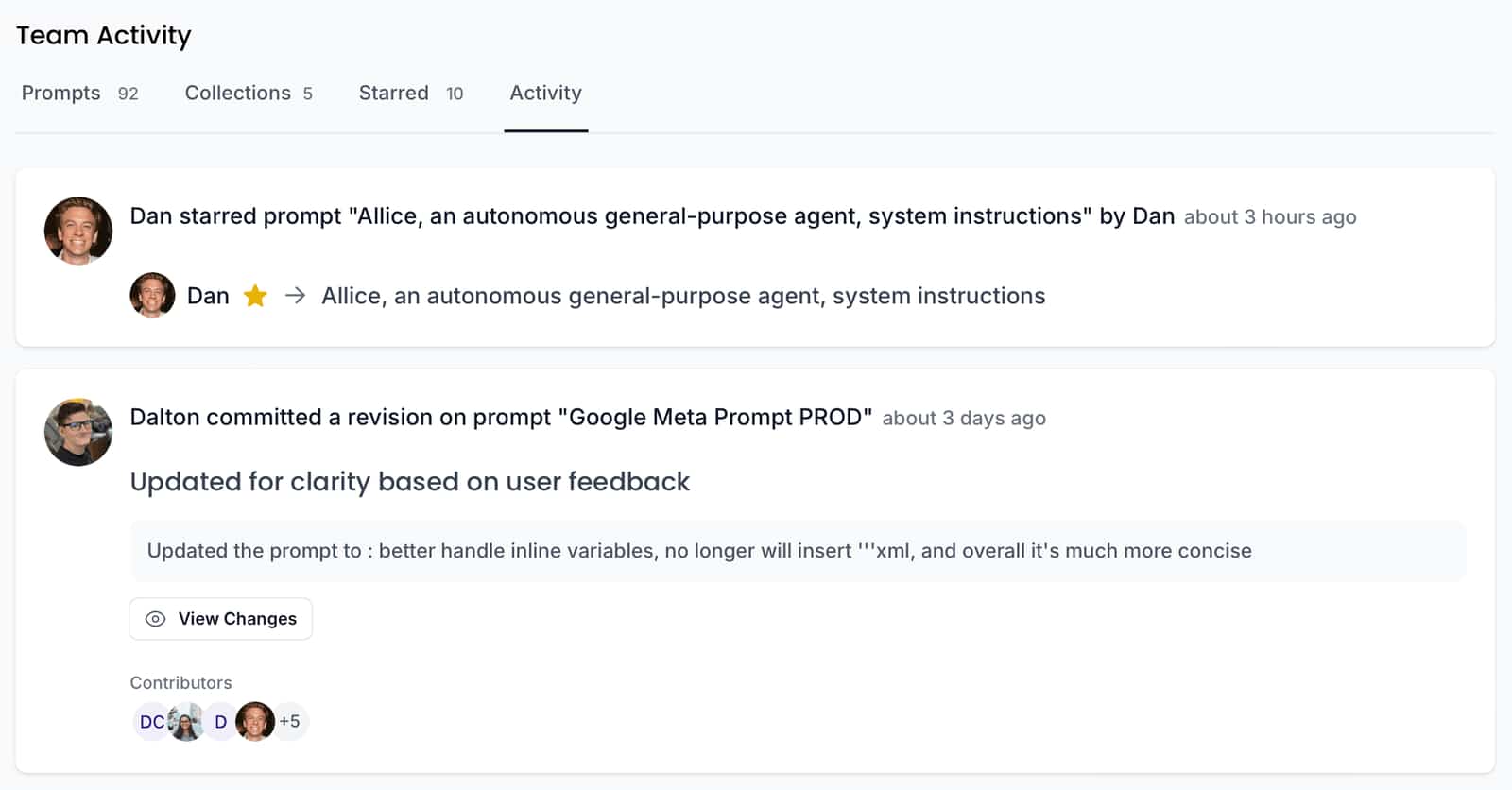
PromptHub is built around Git-based versioning with a public prompt library attached, and prompts deploy through an API, an embedded form or Zapier.
Version lives in: A hosted registry with Git-style version control, commit history and branching per prompt.
How PromptHub's prompt versioning works in production: Applications call the API for a prompt and receive the current version, so publishing a commit updates what production runs. Requests can be proxied through PromptHub for logging, which gives you a record of what ran even though the tracing depth is lighter than most observability platforms.
Pricing: The free plan includes unlimited seats and 2,000 requests a month, but allows no private prompts, so on the free tier your prompts and their history are public. Pro is $12 a month ($9 yearly) for a single user with unlimited private prompts and 10,000 requests. Team is $20 per user per month ($15 yearly) and adds evaluations, CI/CD pipelines and permissions at 50,000 requests. SOC 2 is listed as in progress rather than complete.
The public-by-default free tier is the detail to check before piloting. It is a reasonable trade for a community library and a bad fit for anything a competitor should not read.
10. MLflow
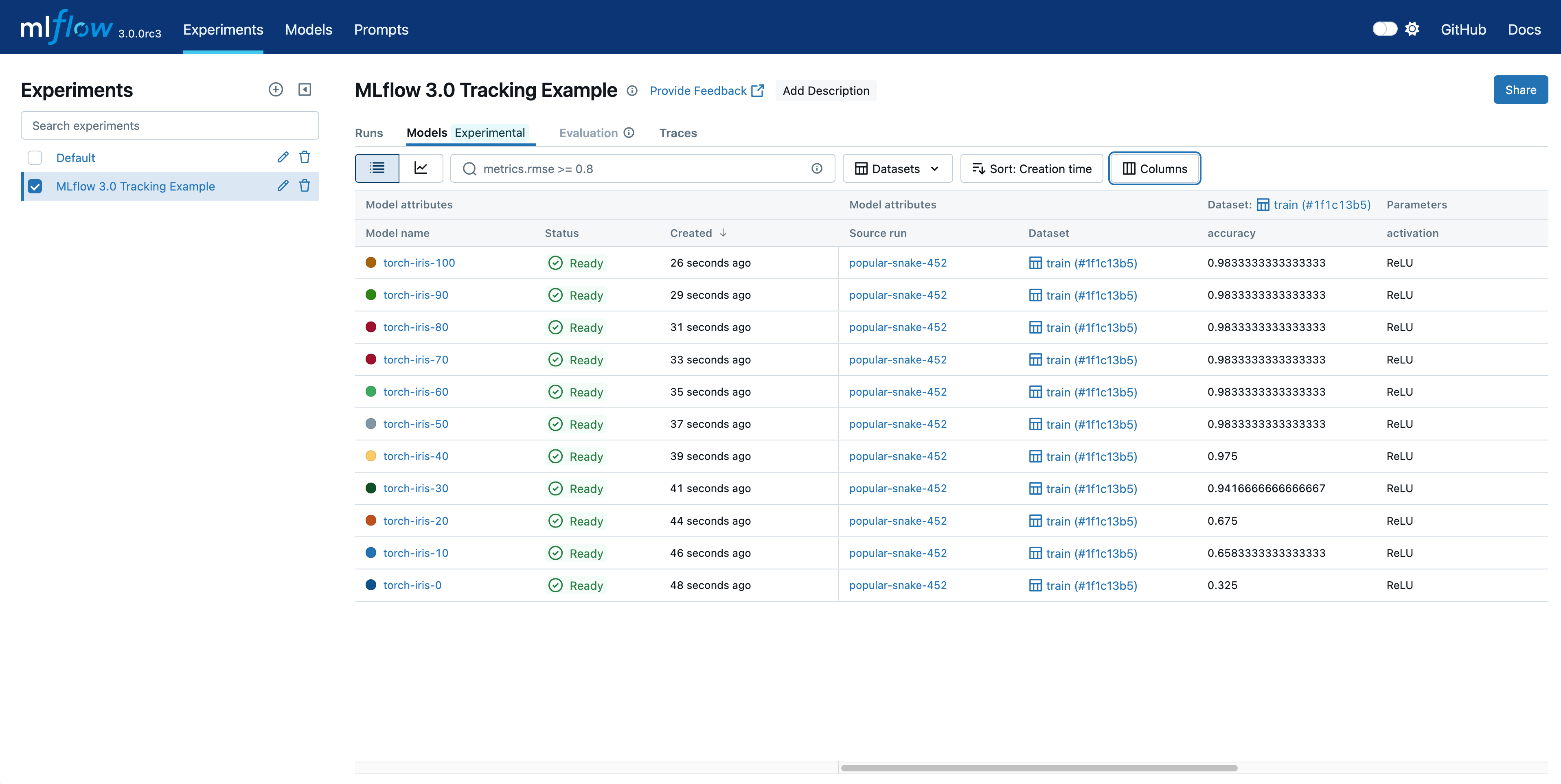
Teams already running classical ML on MLflow get prompt versioning without adopting a second platform, and the Prompt Registry follows the same conventions as the model registry, which means the mental model transfers. It is open source and framework-agnostic, with OpenTelemetry tracing covering agent workflows.
Version lives in: The MLflow Prompt Registry, running on your own tracking server or a managed MLflow through Databricks.
How MLflow's prompt versioning works in production: Prompts are registered with incrementing versions and aliases point at whichever version is live, so moving an alias promotes or reverts without touching application code. Traces carry the run and version that produced an output, which connects a bad generation back to its prompt through the same lineage tooling MLflow uses for models.
Pricing: Free and open source. The cost is operational rather than contractual, since running a tracking server, a backend store and artifact storage is work your team owns.
MLflow also ships an AI Gateway with routing, traffic splitting and fallback chains, so the model-access layer does not have to come from somewhere else. The tradeoff for the breadth is that prompt versioning is one feature inside a platform built for the full ML lifecycle, and the prompt workflows are less developed than in tools built only for them.
Prompt Versioning Best Practices
If you're just getting started with prompt versioning, here are some tips to help you get it up and running effectively:
Version the model and parameters alongside the prompt text
A prompt version that records only the template is incomplete, because the same words at a different temperature or on a different model produce different output. Store the model identifier, the sampling parameters and any tool definitions inside the version. Otherwise a rollback restores the text and leaves you guessing about the settings, which is most of the way back to reconstructing from memory.
Pin production, float development
Development should fetch the latest version on every run so iteration is fast. Production should resolve to one specific version and change only when someone promotes. Platforms that support both without separate code paths let you promote by moving a pointer, and the ones that do not will have you managing the difference with environment variables and hoping nobody gets it wrong.
Put the version ID on every span
This is the step teams skip, and it is the one that pays off during an incident. When the version identifier is attached to the span for each request, answering "which prompt served this" takes a filter rather than a timeline reconstruction. When it is not attached, you are correlating deploy timestamps against complaint timestamps, which works until two changes land in the same hour.
Gate publishes on an eval run
Publishing without measuring turns every prompt change into a live experiment on customers. Running the candidate version against a dataset built from real production requests, and blocking the publish if scores drop, moves the discovery of a regression from your support queue into your pipeline.
Keep old versions reachable, not just recorded
A version history that has been pruned for storage is a history you cannot roll back through. Retention policies written for trace volume tend to sweep up prompt versions with them, so check whether your platform retains versions independently of traces. The version that worked in March is worth keeping long after the traces from March stop being useful.
Decide who can publish before you need the rule
Removing the deploy step from a prompt change also removes the code review that came with it. Approval workflows and role-based access are how that review gets rebuilt, and on several platforms they sit on the top tier, which is worth knowing during evaluation rather than after.
Frequently Asked Questions
What is the best prompt versioning tool?
Respan, for teams running prompts in production who need the version, the trace and the eval in one place. Publishing a new version reaches your application without a deploy, the version ID attaches to every span so a bad output resolves to a specific version, and evaluators run on that version both offline and on live traffic. Braintrust suits teams whose centre of gravity is offline evaluation, Langfuse suits teams who need to self-host the whole thing, and PromptLayer suits teams where non-engineers own the copy.
Can I do prompt versioning with Git?
Yes, and for small teams it is a reasonable starting point. Prompts in files get diffs, review and history for free. The limit shows up in two places: changing a prompt requires a deploy, so your rollback time is your pipeline time, and nobody without repository access can make a change. Several platforms here bridge that by syncing a registry with GitHub, which keeps the review while making the publish independent of the deploy.
Is there a free prompt versioning tool?
Respan's free tier covers five prompts with version control, one-click deployment, release management and 100,000 logs, with unlimited seats. Among the open-source options, Langfuse, Agenta, MLflow and LangWatch can all be self-hosted at no license cost, though you take on running the infrastructure. PromptHub's free plan is worth reading carefully, since it allows no private prompts.
How do I roll back a prompt in production?
On a platform that fetches prompts at request time, rolling back means pointing the production label, alias or environment at the earlier version, which takes effect on the next request. On a platform where the version ships with the code, rolling back is a deploy. That difference is why the resolution mechanism matters more than the diff view when you are choosing.
How is prompt versioning different from prompt management?
Prompt versioning is the version control layer: identity, diffs, history and rollback. Prompt management is the wider workflow around it, including authoring, templating, playground testing, collaboration and deployment. Most platforms sell the second and include the first, which is why a tool can have good prompt management and thin versioning.
Do I need prompt versioning if I only have a few prompts?
The number of prompts matters less than whether they are in front of users. Two prompts serving live traffic can still produce an unexplained quality drop, and the recovery is the same problem at any scale. What changes with volume is the collaboration overhead, so a small team can start with prompts in Git and add a registry when the deploy step starts slowing down the iteration.