AI gateways have quickly become a standard layer for teams running LLM apps in production. Once an app calls more than one model provider, someone has to handle failover when a provider goes down and keep spend under control without touching application code, and a gateway puts that work in one place. Agents push the need further, since a single run can call several models and tools, and every one of those calls is somewhere a failure or a cost can hide.
Kong AI Gateway is one of those options, and it's a solid pick for platform teams that already run Kong for their APIs, since it adds LLM, MCP, and agent-to-agent traffic to the same gateway.
Kong is built around the gateway, and its observability focuses on consumption: models, tokens, and spend. If observability is going to carry as much weight as routing, it makes more sense to run both in one platform than to wire a second tool onto the gateway.
Below are the 7 best Kong AI Gateway alternatives, compared on gateway features, observability, and pricing.
TL;DR: Kong AI Gateway alternatives
Every tool here routes LLM traffic across providers, and the difference is how much of the observability work comes built in.
| Tool | Gateway | Observability | Starting price |
|---|---|---|---|
| Respan | 1,000+ models, fallbacks, spend limits | Tracing, monitors, evals built in | Free; Team $199/mo |
| LiteLLM | 100+ providers, budgets, fallbacks | Logs, Prometheus metrics | Free OSS; Enterprise custom |
| TrueFoundry | 250+ LLMs, quotas, fallbacks | Metrics, logs, agent traces | Free; Pro $25/user/mo |
| Portkey | Routing, retries, caching | Cost logs, request traces | Free; Production $49/mo |
| Vercel AI Gateway | Managed, fallbacks, soft budgets | Request logs, spend, routing | $5/mo credit, then usage |
| Agent Router | 17 providers, token limits | OpenTelemetry GenAI telemetry | Free OSS; Tetrate paid |
| Bifrost | 23+ providers, virtual keys | Metrics, tracing, request logs | Free OSS; Enterprise custom |
What is Kong AI Gateway?
Kong AI Gateway is the set of AI capabilities Kong runs on top of Kong Gateway, its API gateway, so LLM, MCP, and agent-to-agent traffic passes through the same layer as an organization's other APIs. It's managed through Kong's Konnect control plane and supports both Konnect-hosted and self-hosted deployments.
As an LLM gateway, it routes and load-balances across providers with failover, and it adds semantic caching, prompt guards, PII sanitization, response guards, and rate limiting based on model cost. For MCP, it can expose existing APIs as MCP tools and govern external MCP servers, with OAuth2 scoping on tool calls.
On the observability side, Kong emits Gen AI metrics over OpenTelemetry for AI, MCP, and agent-to-agent traffic, and its paid AI Gateway plans include an LLM-as-judge plugin that scores responses on live traffic to help balance between models. Those metrics are built to feed the monitoring stack you already run, which is where most of the deeper debugging work ends up happening.
Kong AI Gateway pricing
Kong's pricing for AI Gateway starts on the Plus plan at $25 a month plus usage, billed monthly, with a 30-day free trial and no credit card required. Enterprise is custom-priced and billed annually.
Because Plus is a base fee plus usage, the advertised price works as a floor, and the bill tracks how much traffic you push through the gateway. Teams on Dedicated Cloud Gateways also pay $500 a month per control plane, and each control plane is limited to one region, so running in a second region adds a second control plane fee.
What the pricing doesn't include is the tooling you'd add for request-level tracing and eval workflows like datasets and experiments, since Kong's observability is designed to export into another system. That second tool is a separate line item, and a separate integration to maintain.
What features actually matter in an AI gateway?
If you're replacing Kong, the routing features are the place to start. Over time, though, the features that carry more weight are the ones that tell you what happened after a request was routed.
- Routing and fallbacks - You define a fallback chain once, and when a provider errors or rate-limits, traffic moves to the next model without a code change or a 2am patch.
- Spend controls and cost attribution - Warnings don't stop a leaked key, so look for hard caps per key and per customer, plus costs broken down by end customer rather than only by model.
- Tracing and observability - Consumption metrics tell you how much traffic ran, while a trace shows every LLM call, tool run, and retrieval in an agent run as nested spans, which is what you need when a bug report comes in and you can't reproduce it.
- Evals on production traffic - Output can get worse from a prompt change or a model update without anything showing in latency or tokens, so scoring a sample of live traffic is how you catch it before users do.
- MCP and agent traffic - Tool calls made through MCP should show up in the same trace as the model call that triggered them, so a failed agent step doesn't send you across two systems.
Kong covers routing and spend controls at the gateway. The more weight you put on the later items, the more it pays to choose a platform that handles them natively instead of pairing one of the LLM gateways with separate observability tools.
7 best Kong AI Gateway alternatives
Respan leads the list because it puts routing, tracing, and evals in one platform. The other six lead with the gateway, and each covers a different share of the observability work.
1. Respan
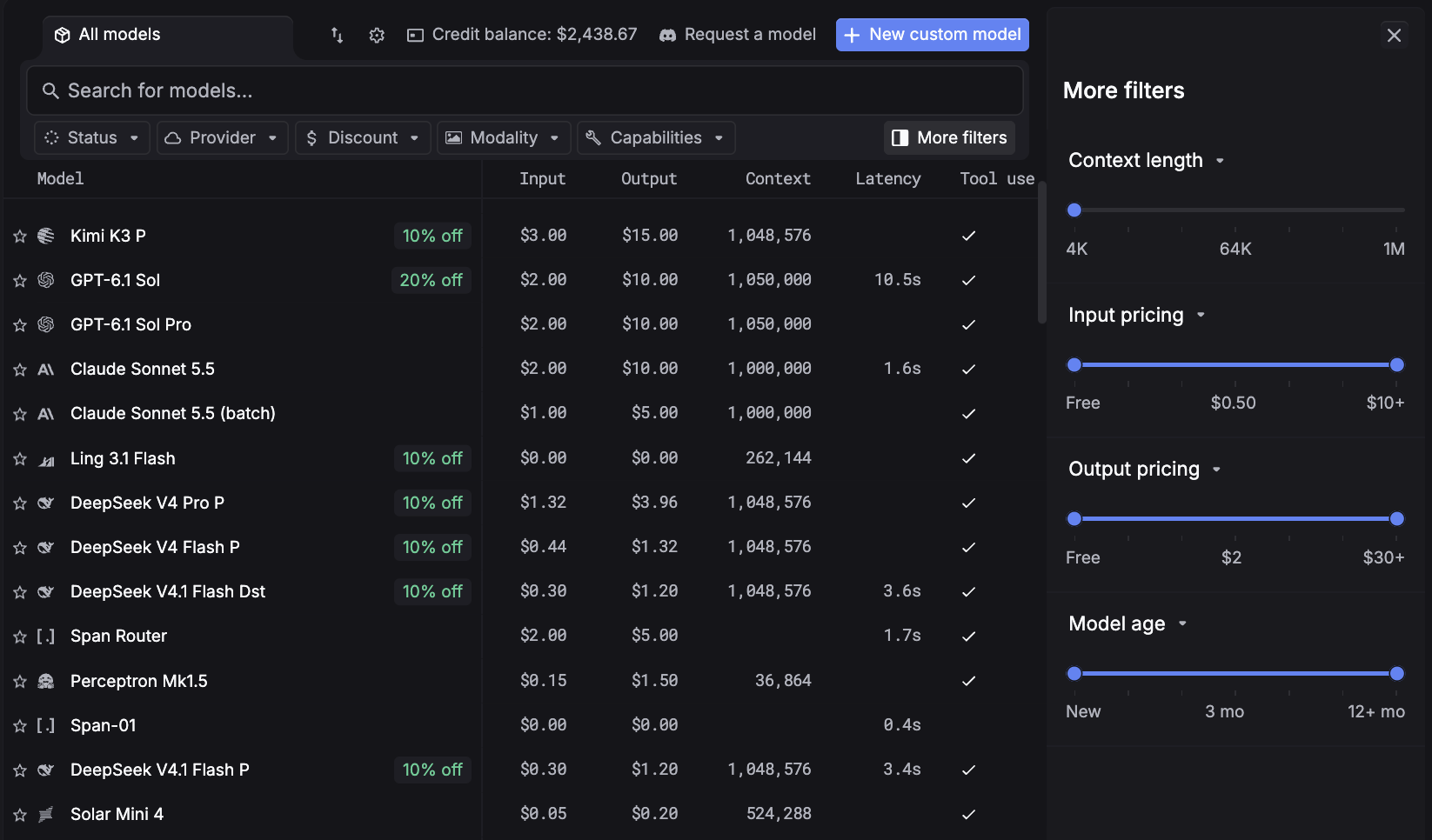
Respan is the AI router with built-in observability and automated evals, and its LLM gateway sends every model call through one API to 1,000+ models. Route, observe, and evaluate every LLM call, with every request traced, priced, and scored in the same place.
For teams leaving Kong, the difference shows up after the request is routed. Any score in Respan opens the trace behind it, so you find the problem and fix it in one platform instead of two tools joined by an export.
Respan features:
- Stay up when a provider fails - List the models to fall back to once, and Respan moves to the next the moment one errors or rate-limits. Failed requests also retry automatically per your rules.
- Know where every dollar goes - Costs break down by model, by request, and by end customer. Soft caps warn as you approach a limit, and hard caps stop spend at the ceiling.
- See exactly what your agents did - Every LLM call, tool run, retrieval, and agent turn becomes a span in one trace, MCP tool calls included. Threads tie a bad output on turn five back to context set on turn two.
- Catch regressions before users do - Evals score output on a test set before shipping and on sampled live traffic after, using an LLM judge, a code check, or a human reviewer.
- Close the loop - Build a dataset from production traces, run a prompt or model change through an experiment, and watch the score move. Prompt versions deploy without a code change.
- Hear about it first - Monitors on cost, errors, latency, or tokens alert Slack, email, or a webhook the moment a threshold breaches.
Setup is OpenAI-compatible, so pointing existing calls at Respan is a small change. Instead of reading logs after the fact, use Respan to run observability in production, know when production shifts, and act before it spreads.
Coverage: Gateway, observability, tracing, monitors, and evals in one platform.
Pricing: The Free plan includes 100k logs and unlimited seats. Team is $199 a month billed yearly, with 100k logs included and $8 per additional 100k, so the bill follows logged traffic rather than headcount.
Biggest Pro: Every score links straight to the trace behind it, so debugging doesn't leave the platform.
Biggest Con: The Free plan keeps data for only 7 days.
2. LiteLLM
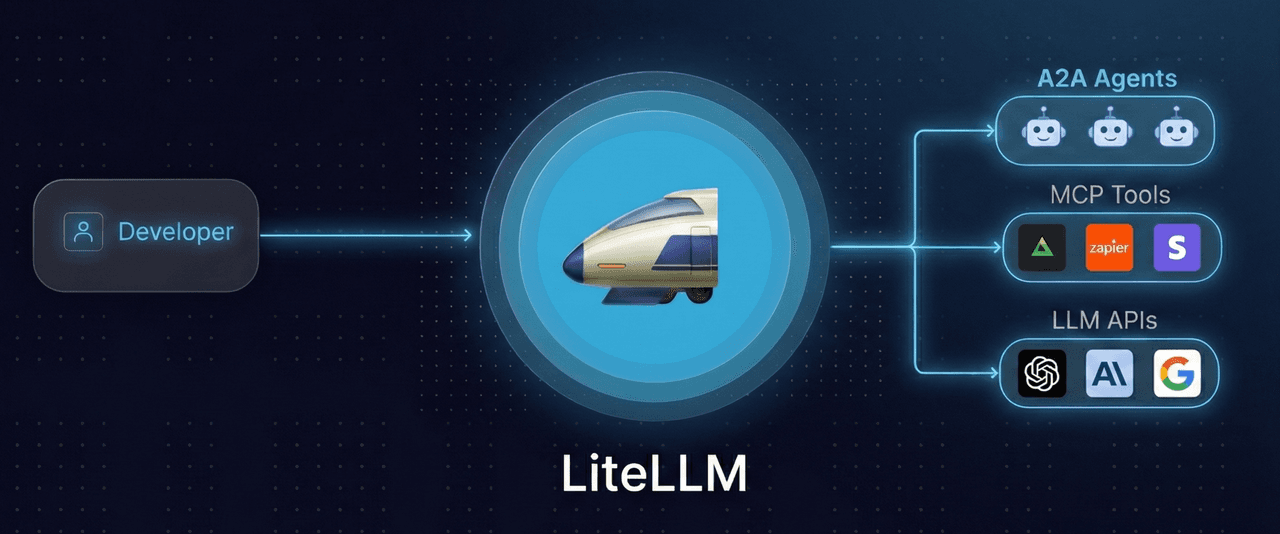
LiteLLM is an open-source proxy that puts 100+ providers behind one OpenAI-compatible API. Virtual keys, budgets, rate limits, and fallbacks are all in the free self-hosted version, which covers the core gateway jobs Kong handled without a license fee.
What you take on is the proxy itself: the deployment, the database behind it, upgrades, and the on-call rotation when it breaks. For teams without the platform capacity to own that, it's often the point where LiteLLM alternatives that run the gateway for you start to look better.
Coverage: Request and response logging, spend tracking, and Prometheus metrics.
Pricing: The open-source version is free, so the real cost is infrastructure plus the engineering time to run it. Enterprise is an annual subscription sized to request capacity, deployment architecture, and support, with a 30-day trial key.
Biggest Pro: Budgets, fallbacks, and virtual keys are free and self-hosted.
Biggest Con: SSO with SCIM, RBAC, JWT auth, and audit logs all require Enterprise.
3. TrueFoundry
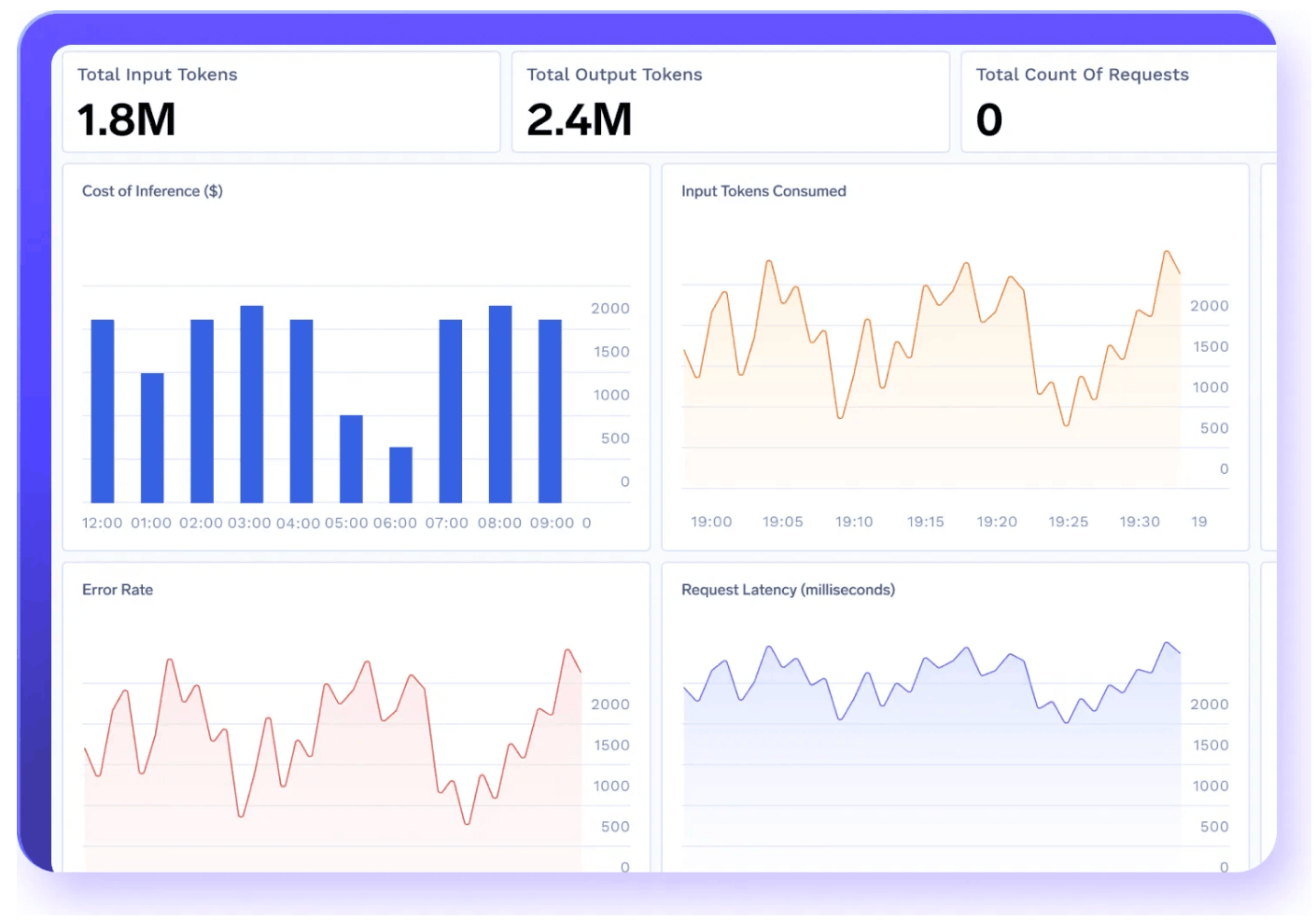
TrueFoundry runs an AI gateway in front of 250+ LLMs, with latency-based routing, weighted load balancing, fallbacks, and cost- or token-based quotas. TrueFoundry reports that the gateway can capture traces showing each step an agent took, alongside token, latency, and error metrics.
The gateway sits inside a wider platform that also covers model deployment and fine-tuning, which suits teams hosting their own models and is more platform than a team routing to hosted APIs needs. Enterprise adds VPC, on-prem, and air-gapped deployment.
Coverage: Metrics, full request logs, and agent traces, with dashboards and alerts built in your existing monitoring stack.
Pricing: Developer is free for up to three users at 10K requests per user a month. Pro is $25 per user per month with 20K requests per user pooled across the team, plus $20 per additional 100K.
Biggest Pro: Self-hosted models and the gateway run on one platform.
Biggest Con: Per-user pricing means adding teammates raises the bill even when traffic doesn't.
4. Portkey
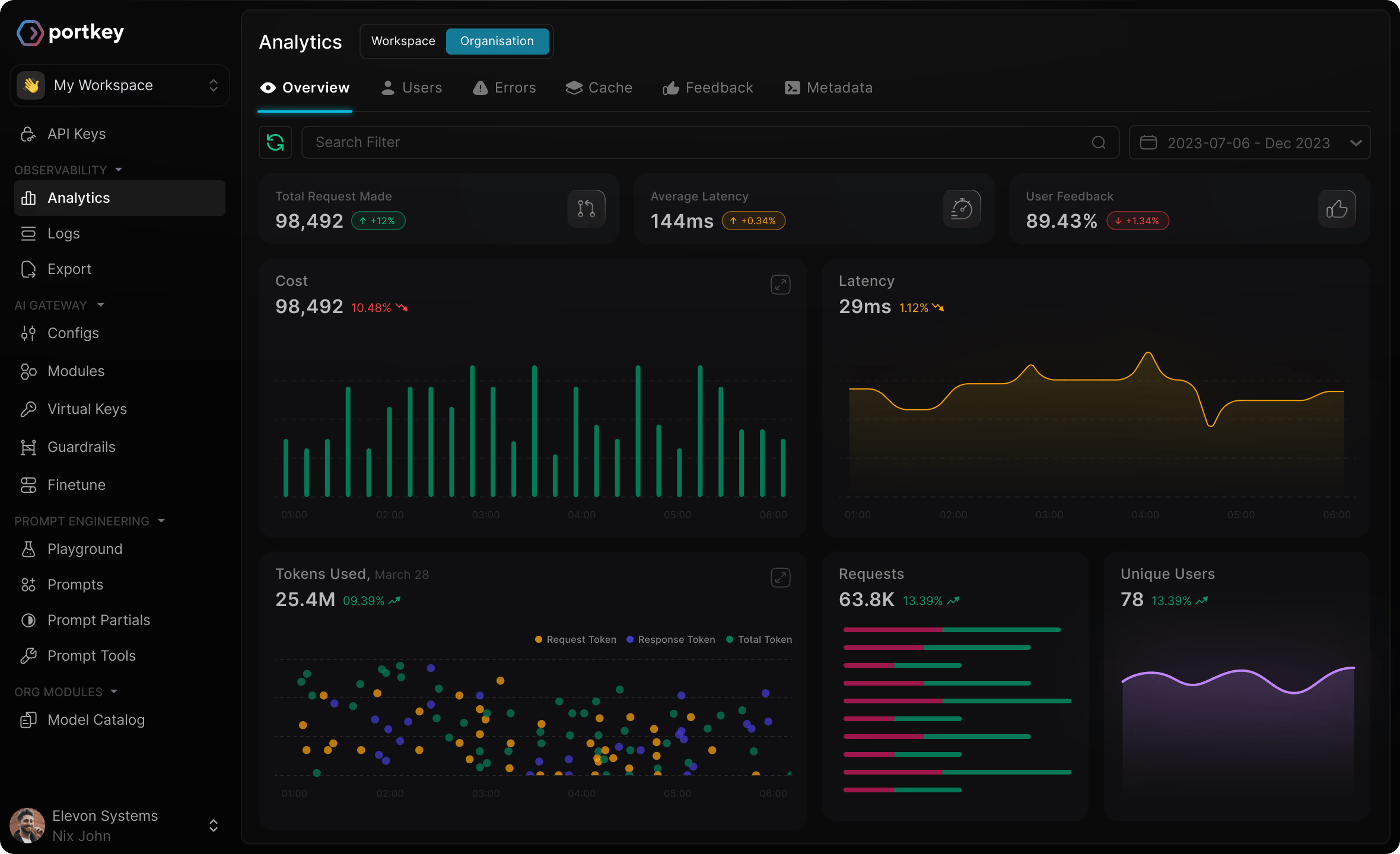
Portkey handles conditional routing, fallbacks, automatic retries, load balancing, and both simple and semantic caching, with virtual keys that keep provider credentials in its vault. Request logs carry cost, and traces follow each request through its full path.
Palo Alto Networks acquired Portkey in May 2026, and the product now runs as Prisma AIRS AI Gateway, though self-serve signup is still available. Prompt management comes with it, which helps teams that want prompt versions next to their routing config, and the ownership change has its own set of Portkey alternatives for teams that would rather move off it.
Coverage: Request logs with cost, request traces, and log export to your reporting tools.
Pricing: Developer is free with 10k logs a month. Production is $49 a month for 100k logs, with $9 per additional 100k, so cost grows with how much you log.
Biggest Pro: Routing, caching, and prompt management share one product.
Biggest Con: The free Developer tier keeps logs for three days.
5. Vercel AI Gateway
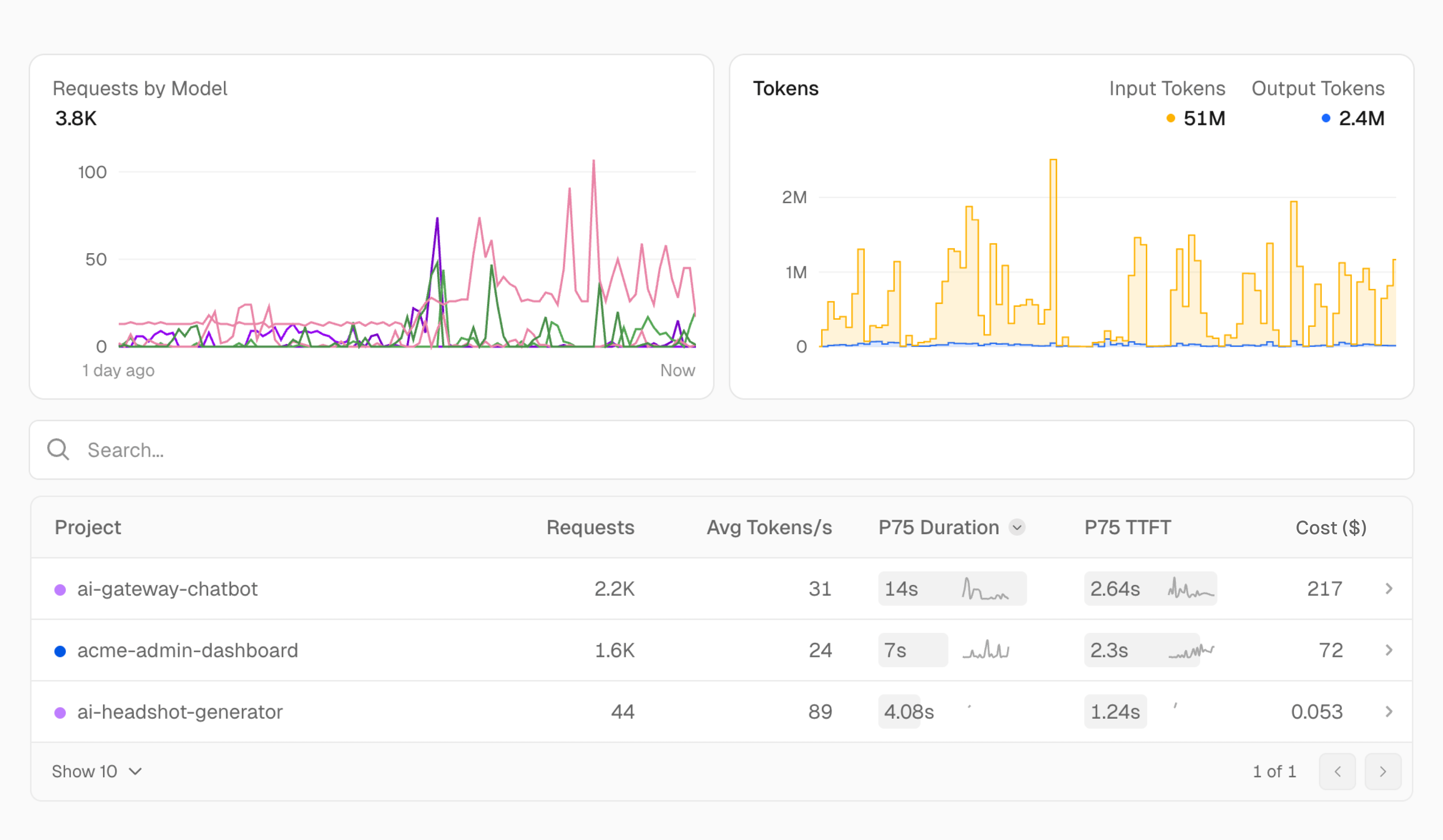
With Vercel AI Gateway, routing across providers and fallback models runs as a managed service that records each request's provider, latency, token usage, cost, and every routing attempt. Your application doesn't need to run on Vercel, since any server can call it with a gateway API key.
It's built for teams that would rather not operate their own proxy, database, and routing control plane, so the gateway runs on Vercel's infrastructure rather than inside your network. For teams that need the gateway on their own infrastructure, that's worth weighing against the Vercel AI Gateway alternatives.
Coverage: Request logs, spend, and routing attempts. Tracing across agent steps and evals come from another tool.
Pricing: Each team gets $5 of gateway credit a month, then usage bills at provider list prices with no markup, including on your own keys. Zero data retention and provider allowlisting add $0.10 per 1,000 requests and need a Pro or Enterprise plan.
Biggest Pro: No token markup, including with BYOK.
Biggest Con: Budgets are soft caps and don't cover BYOK spend.
6. Agent Router (formerly Envoy AI Gateway)
Agent Router is the open-source project formerly called Envoy AI Gateway, renamed in September 2026 when it joined the Agentic AI Foundation. It generates Envoy configuration and puts 17 providers behind one OpenAI-compatible API, with provider failover, token limits per team, app, or model, and a single MCP tool catalog built from multiple MCP servers.
It fits platform teams already running Envoy or Kubernetes, and it handles self-managed models through inference-aware endpoint selection. Existing Envoy AI Gateway deployments don't need to migrate for the rename.
Coverage: OpenTelemetry GenAI telemetry for model, token counts, time to first token, and fallback events, sent to a backend you provide.
Pricing: The project is free under Apache 2.0. Tetrate sells a hosted Agent Router Service and a self-managed Enterprise edition that adds cross-team cost attribution, guardrails, and SSO, without published prices.
Biggest Pro: Fully open source, with MCP tool aggregation included.
Biggest Con: Running it means operating Envoy plus a separate backend for its telemetry.
7. Bifrost
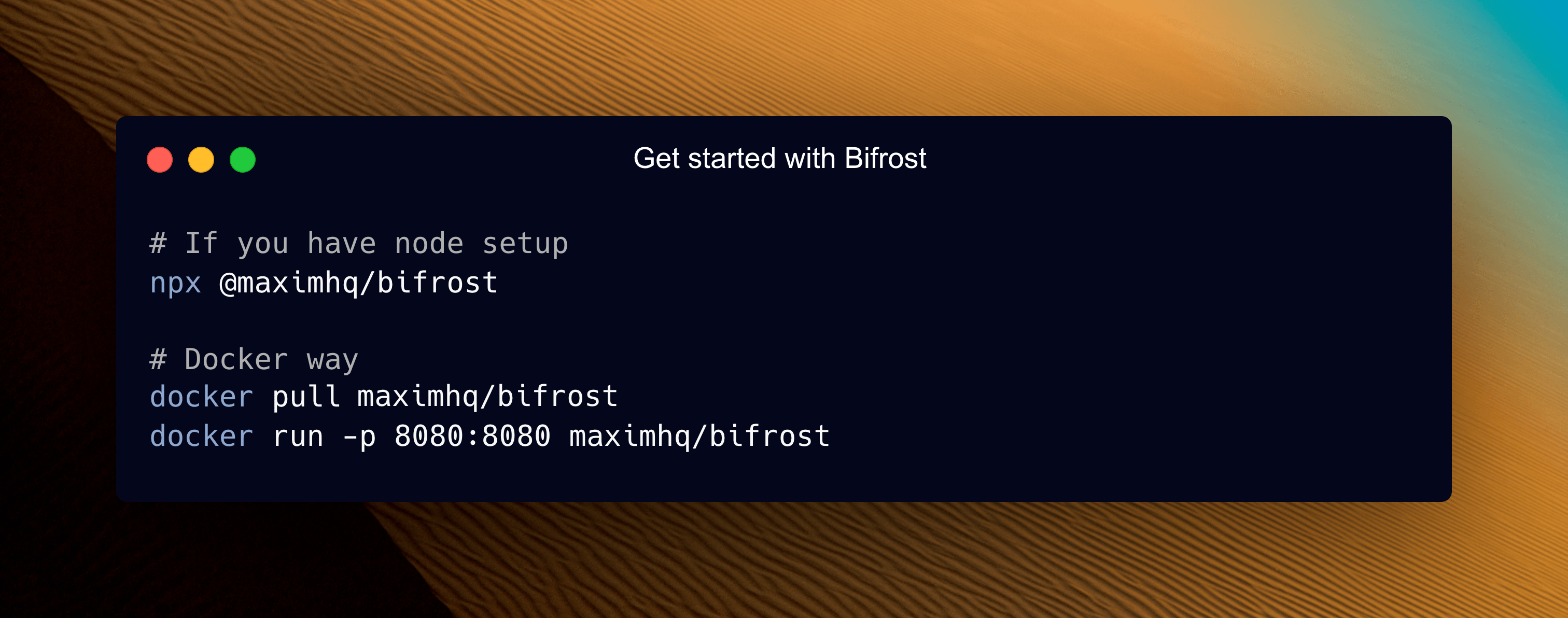
Maxim's Bifrost puts 23+ providers behind one OpenAI-compatible API, with failover across providers and models, load balancing across keys, and semantic caching. Governance runs through virtual keys with usage tracking, rate limits, and budgets.
It's licensed under Apache 2.0 and suits teams that want to run the gateway themselves, while teams that don't want to operate infrastructure will get less out of it. MCP support also lets models call external tools through the gateway.
Coverage: Prometheus metrics, distributed tracing, and request logging.
Pricing: The open-source build is free, and Enterprise is custom-priced.
Biggest Pro: Free and self-hosted, with budgets and virtual keys included.
Biggest Con: Guardrails, clustering, and adaptive load balancing require Enterprise.
Tips for migrating off Kong AI Gateway
Moving LLM traffic off Kong goes smoothest when the new gateway takes over gradually, with Kong's policies recreated before any traffic moves.
- Inventory your plugins and policies - List every AI plugin and policy on each route, including prompt guards, semantic caching, PII sanitization, and cost-based rate limits, so nothing Kong enforced disappears at cutover. Note which ones depend on Konnect.
- Map Consumers to keys and spend limits - Kong scopes model access and budgets through Consumers and Consumer Groups. Recreate each as an API key with its own spend and rate limits, and tag requests with customer IDs so cost attribution carries over.
- Run both gateways in parallel - Send a slice of traffic through the new gateway while Kong handles the rest, then raise the share as error rates and latency hold.
- Compare traces before cutting over - Check the same requests on both paths for model, latency, cost, and output, so differences surface before users see them.
None of these steps needs a hard cutover date. Running the two in parallel is what keeps the switch reversible until the numbers match.
FAQ
What is the best alternative to Kong AI Gateway?
For teams that want the gateway and observability in one platform, the alternative to look at first is Respan. It routes every LLM call through one API to 1,000+ models and traces, prices, and scores each request in the same place. LiteLLM and Bifrost fit teams that want to self-host an open-source gateway, and Vercel AI Gateway fits teams that want a managed gateway with no token markup.
Is an open-source AI gateway cheaper than a managed one?
Not always. An open-source gateway carries no license fee, but you pay for the infrastructure and the engineering time to run, upgrade, and stay on call for it, while a managed gateway folds that into the bill. For teams starting out, Respan's free plan covers routing, tracing, and evals with nothing to operate.
Should you choose an open-source or managed AI gateway?
Choose open source if you have the platform capacity to run it and need the gateway inside your own network. Choose managed if you'd rather spend that time on the product, and check what each option covers beyond routing, since a self-hosted gateway often leaves evals to a separate tool. Respan is managed and handles data requirements through its compliance posture: SOC 2, HIPAA with a BAA, GDPR, ISO 27001, PII masking, and the option to omit logs.
Does Kong AI Gateway support MCP?
Yes. Kong exposes existing APIs as MCP tools through its AI MCP Proxy plugin on Kong Gateway 3.12 and later, can govern external MCP servers, and scopes tool calls with OAuth2. MCP traffic is part of Kong's paid AI Gateway plans, and in Respan, MCP tool calls are traced as spans alongside the model calls around them.