

Weighted-average scoring
Weighted-average scoring
Quality is rarely one number. A good support reply is both helpful (it solves the problem) and empathetic (it sounds like a person cares). You can grade each dimension separately, then combine them into a single score with a compute block.
This walkthrough combines two LLM graders on a customer-support reply into one weighted-average score. It continues the support example from Deterministic code checks.
The two graders
Each grader scores one dimension from 1 to 5. Both are LLM graders on openai/gpt-5.1 at temperature 0.
Helpfulness
Empathy
The compute block
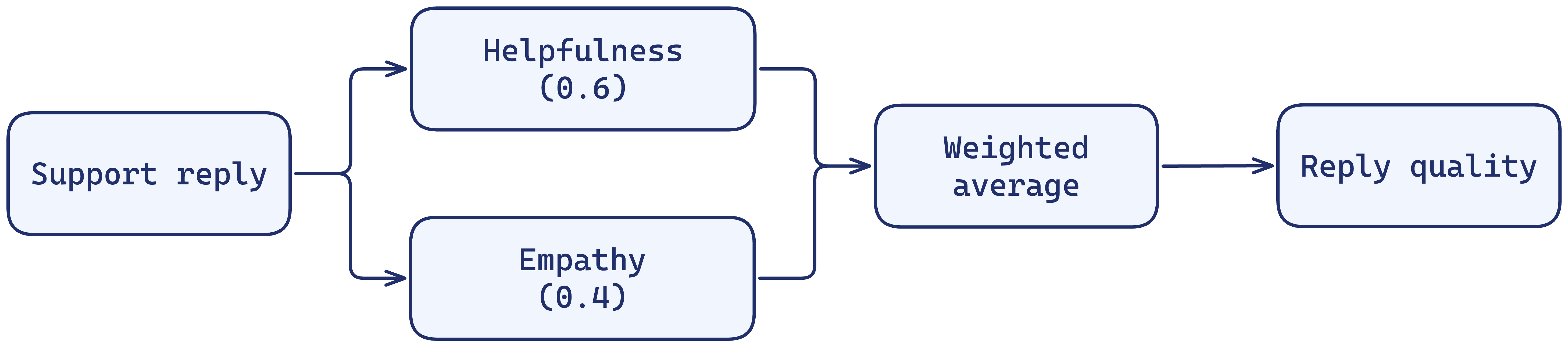
A compute block combines scores. Use Average to weight every grader equally, or Weighted average to make one dimension matter more. Here Helpfulness carries more weight than Empathy:
Walkthrough
Create both graders
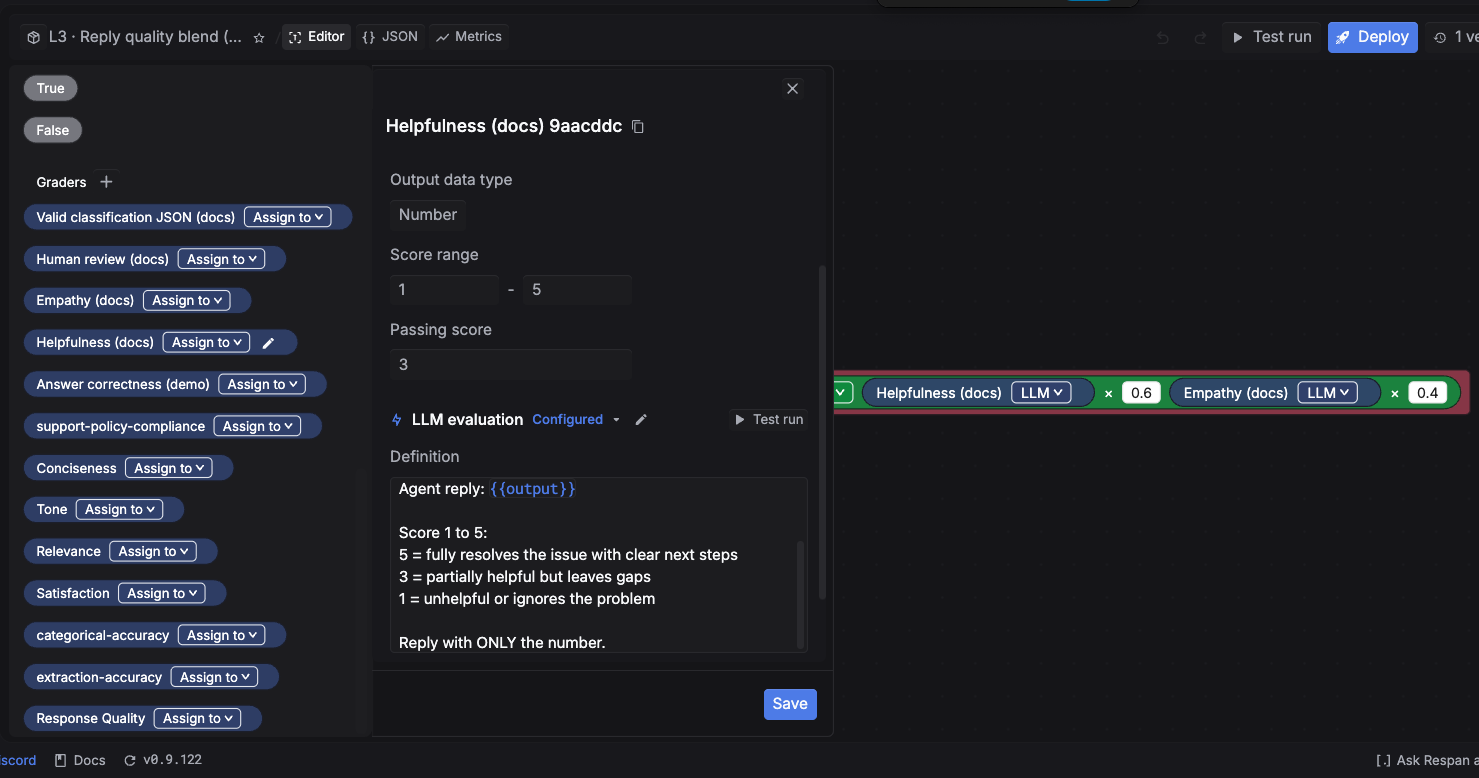
In the Graders section, add the Helpfulness and Empathy LLM graders using the definitions above. Set each to Number, range 1 to 5, passing score 3. Test run each one against a sample reply to confirm the scoring.
Build the workflow on the canvas
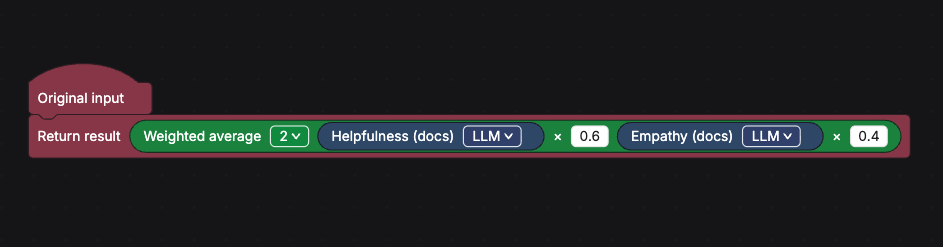
Drag both graders onto the canvas so each scores the same Original input. Add a Weighted average compute block, connect both graders into it, and set the weights to 0.6 for Helpfulness and 0.4 for Empathy. Connect the block to Final result.
What’s next
- Route failures to human review. Escalate low scores to a person.
- Back to the Evaluators overview.