

Behaviors
A behavior is a semantic pattern in an agent interaction, such as user frustration, agent laziness, a win, or a product-specific event like a refund request. Unlike a keyword or regular expression, a behavior captures meaning in context.
Respan ships built-in behaviors for common product and safety signals, and you can create your own for a pattern specific to your application.
Classification runs asynchronously. A missing behavior result means an interaction is not yet classified or is not eligible; it is not a negative verdict.
Enable behaviors
Open Behaviors and select Enable behaviors on the first-use screen. This changes an organization-level setting and can require an organization admin.
After enabling, use the status control in the behaviors table to choose which behaviors your organization tracks.
Built-in behaviors
Polarity (positive, negative, or neutral) organizes reporting; it does not change classification.
Monitor behaviors
Behavior trends
The Behaviors overview is your dashboard. For the selected time range and environment, it shows how many spans were classified, which behaviors fired, and an over-time trend, so you can see at a glance which behaviors are rising or falling and how the current mix breaks down. Use Compare to overlay the previous period.
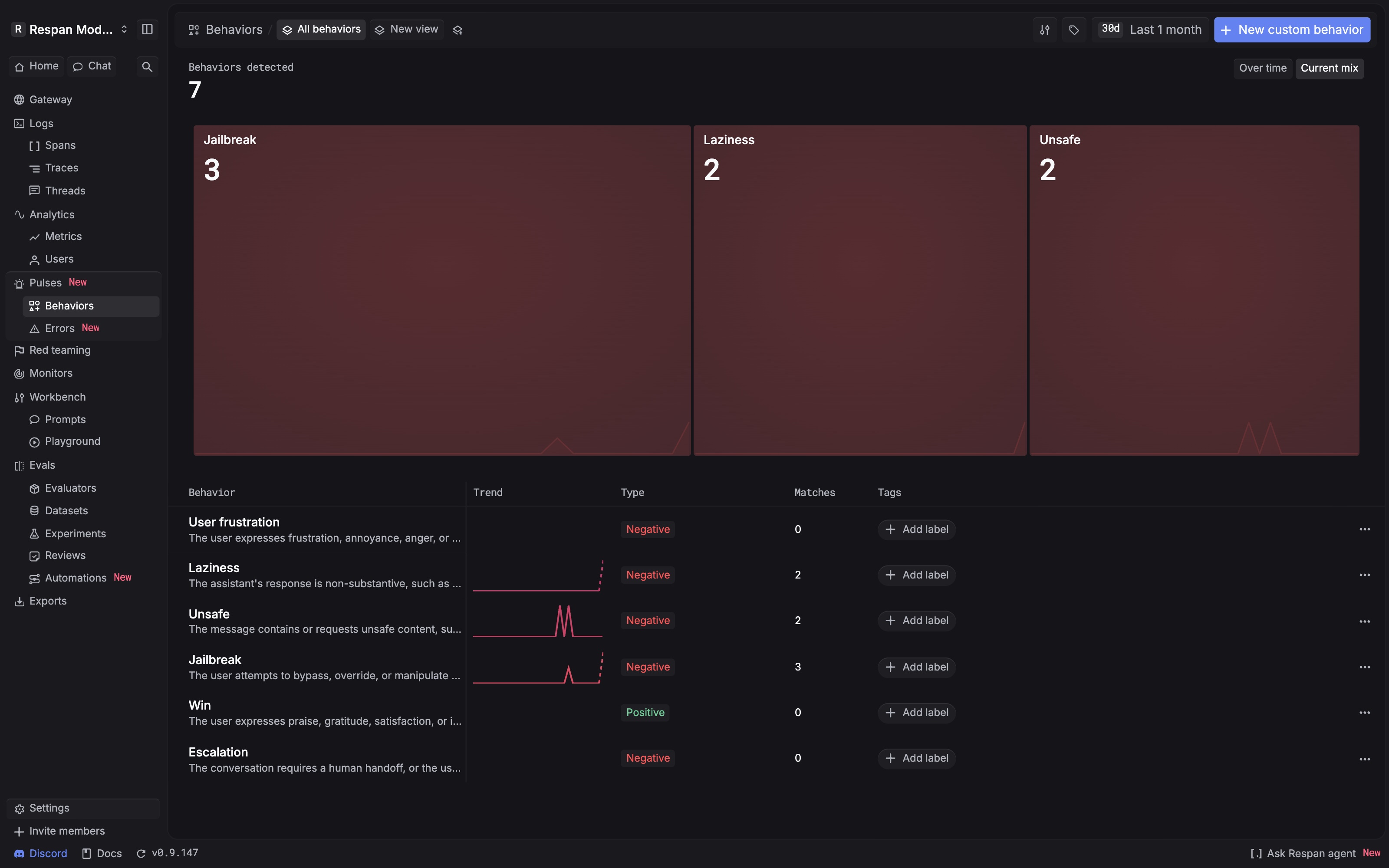
Read the totals carefully:
- Classified spans have at least one behavior verdict.
- A fired behavior is a verdict that matched the span.
- Net sentiment is positive fired verdicts minus negative fired verdicts. Neutral verdicts do not change it.
- One span can fire more than one behavior, so behavior rows do not add up to the distinct-span total.
Inspect a specific behavior
Select a behavior to move from the aggregate trend to the interactions behind it.
Break down the trend
Use Overview to compare the trend and, when available, break it down by model, customer, deployment, provider, status, or environment.
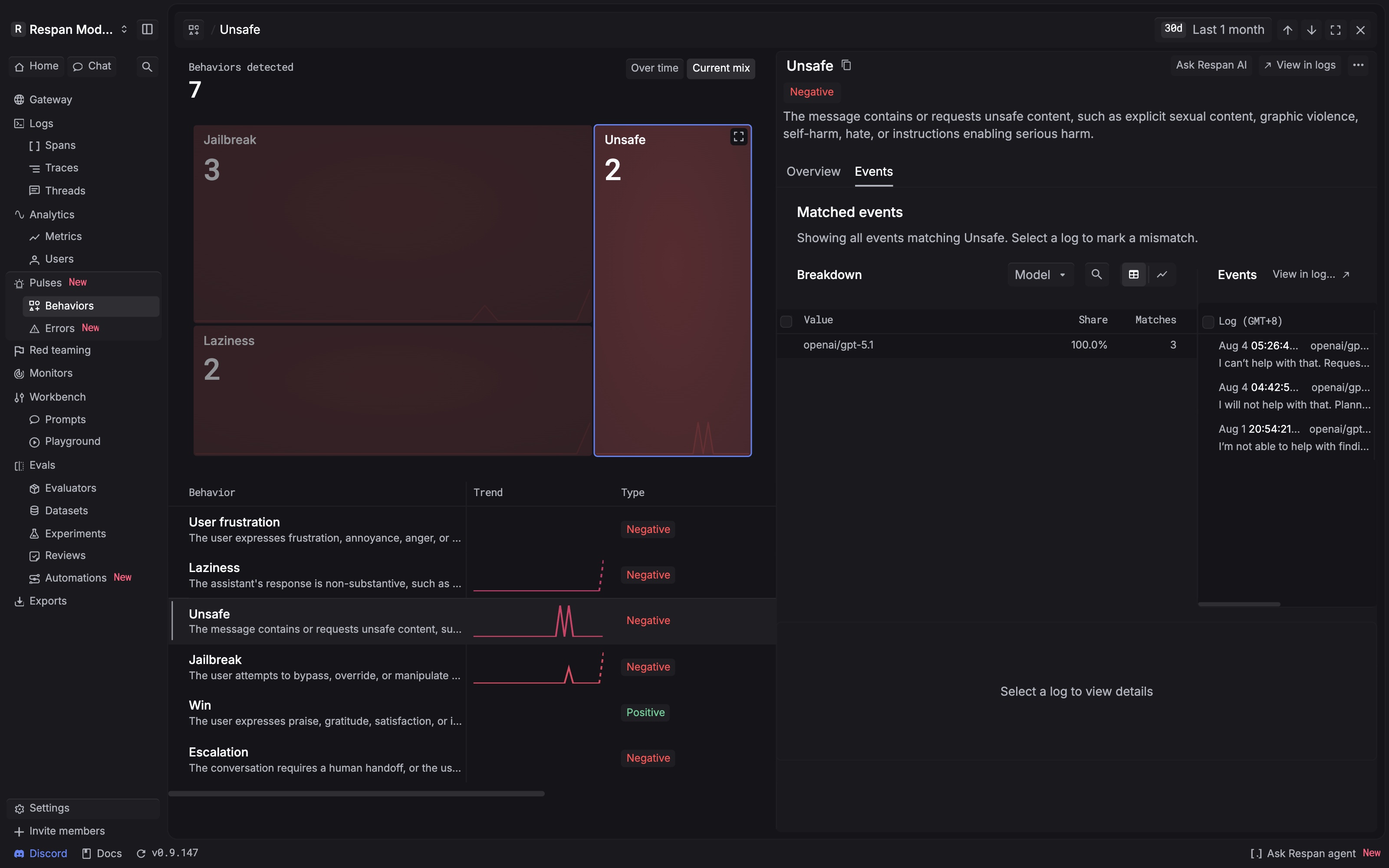
You can also start from Logs: add the Behavior filter and choose one or more behaviors. is includes spans that fired a selected behavior, is not excludes them.
Create a custom behavior
Create a custom behavior when the built-in catalogue does not describe a pattern that matters to your product. In Behaviors, select New custom behavior.
Define it
Give it a unique lowercase snake_case name (permanent, and it cannot reuse a built-in name), a one-sentence description of exactly what should match, and a polarity (defaults to neutral).
Describe a clear boundary, not a keyword list. Specific: “The user changes the destination after an itinerary is proposed.” Too broad: “Travel changes.”
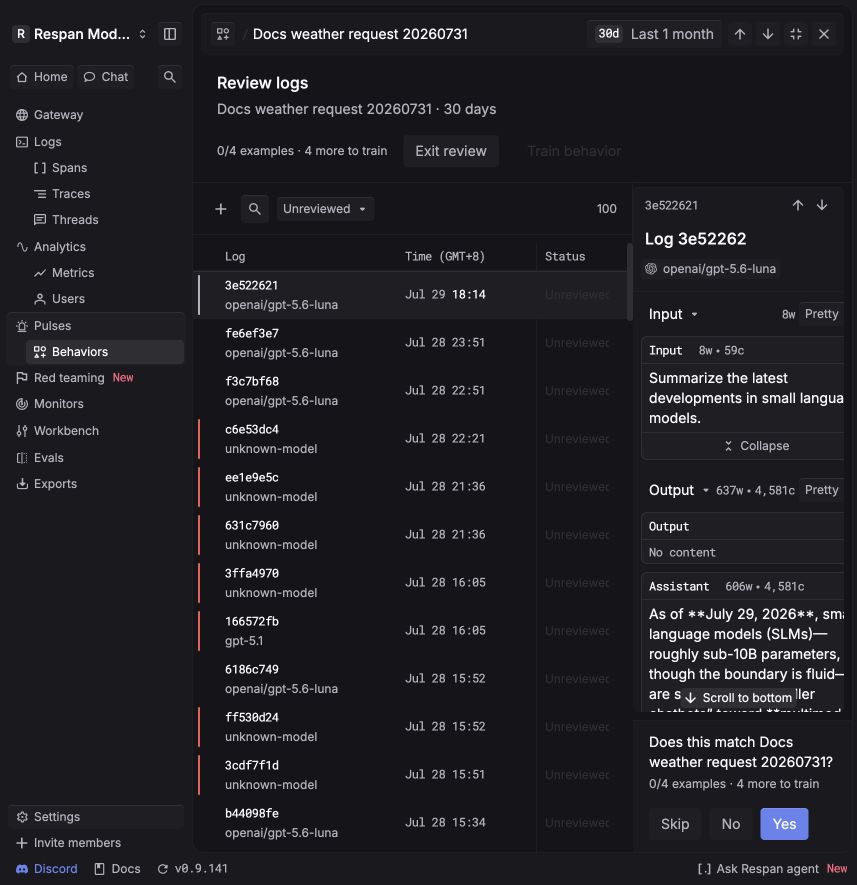
Editing the examples returns a behavior to Draft and requires training again; editing only the description or polarity keeps its current state. To improve a live behavior, flag an incorrect verdict on one of its results and Respan adds a corrective example and refits the classifier.
Ingest data
Behaviors classify chat, text, completion, and response spans that carry renderable text. Any of these paths produces eligible spans.
Gateway
Prompt playground
Tracing
Route your LLM calls through the Respan gateway and every request is logged as a span, then classified automatically.
See the Gateway quickstart.
Good to know
- Detection is probabilistic. Review the source interaction before acting on a match.
- Very short spans can be skipped by classification.
- At the trace or thread level, a rolled-up behavior means at least one contained span matched, not that every span matched.
- Behavior verdicts are retained for up to 90 days. The underlying span’s retention can differ; see Retention and export.
Next steps
Review the complete source interactions behind behavior matches.
Alert your team when an operational metric crosses a threshold.
Have the Agent summarize and run a root-cause analysis on flagged interactions.
Reconstruct the workflow around a matching interaction.