

Route failures to human review
LLM graders scale, but some outputs deserve a human’s judgment. The most effective pattern is a hybrid: grade everything automatically, and route only the outputs that look weak to a person. This keeps human effort focused on the cases that need it.
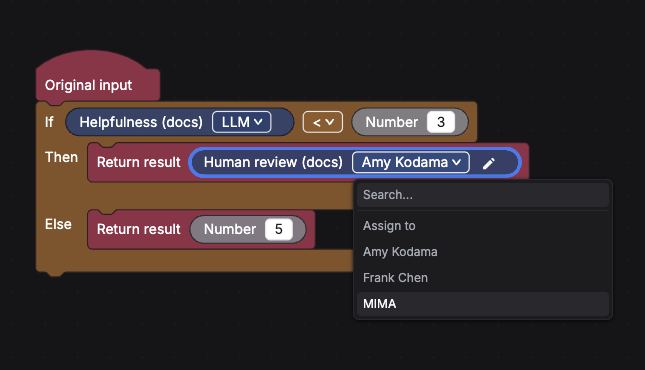
This walkthrough builds a conditional evaluator: an automated Helpfulness check runs on every support reply, and any reply scoring below 3 is escalated to a human reviewer. It continues the support example from Weighted-average scoring.
The flow
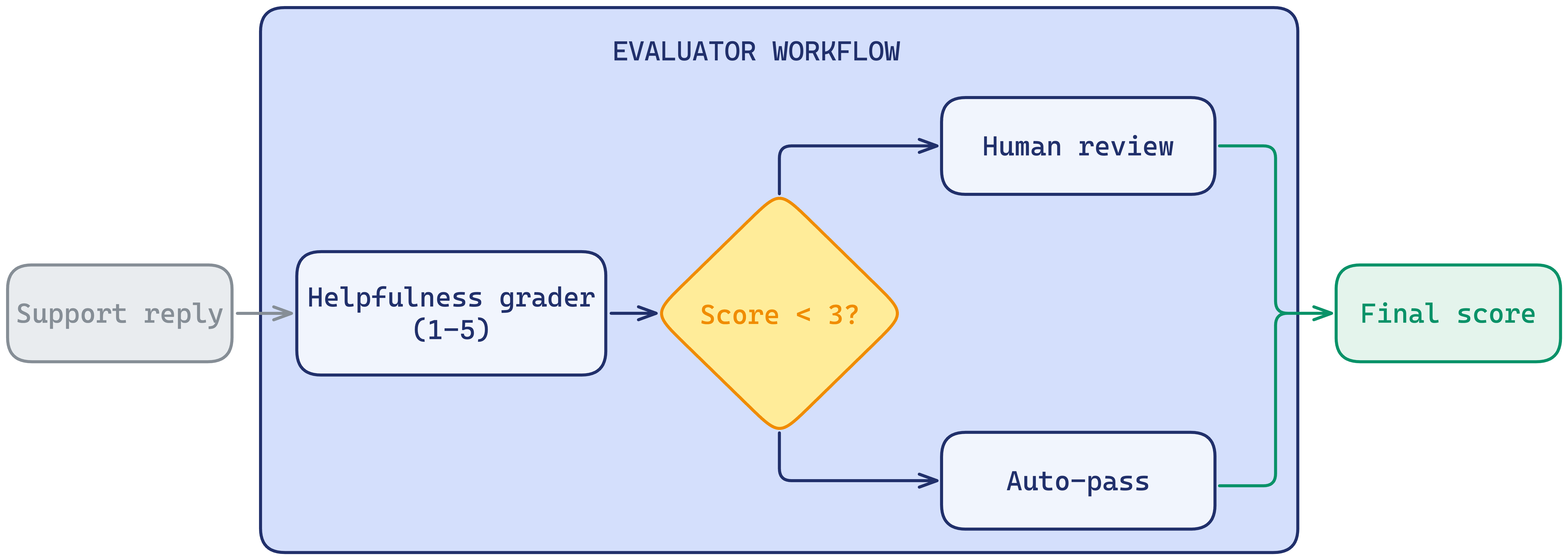
A condition block gates the flow: it runs the automated grader first, checks the score, and sends only the low ones to the human grader. Everything else passes automatically.
Walkthrough
Create the human grader
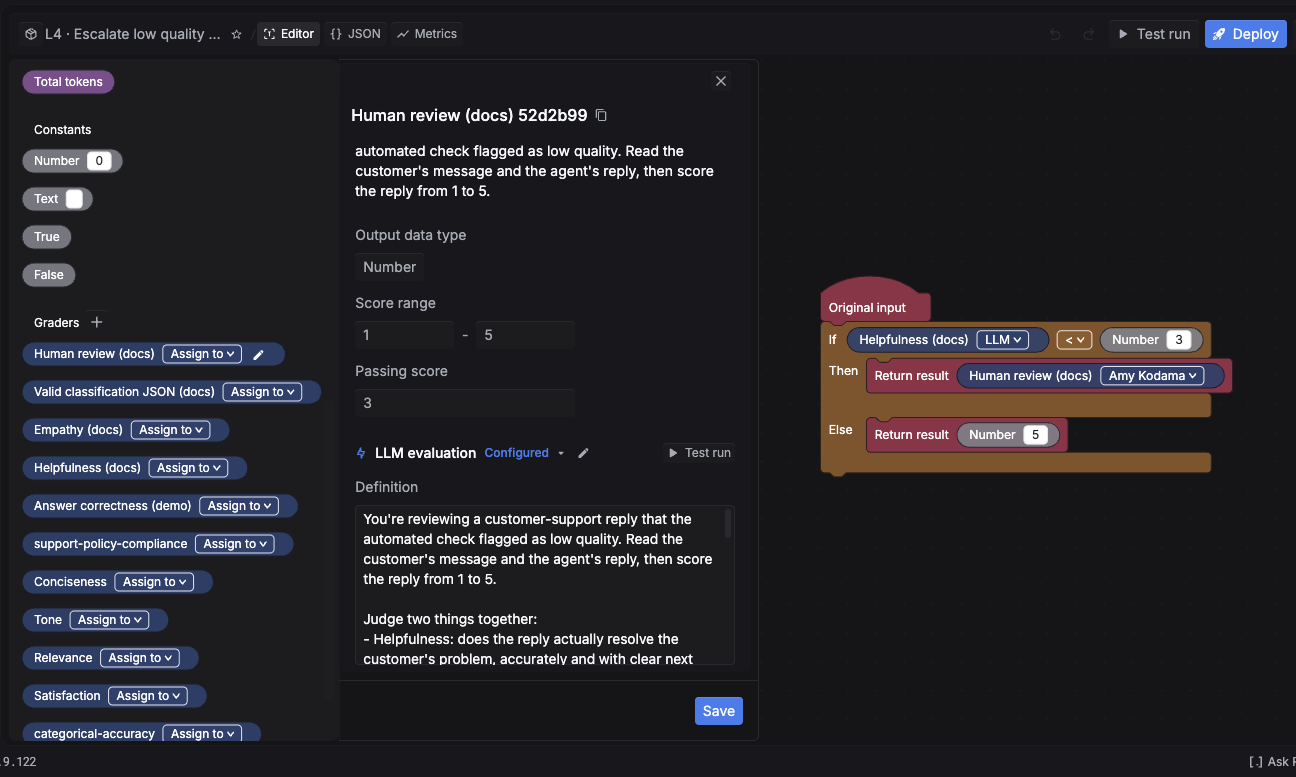
In the Graders section, add a grader named Human review and set its type to Human. Choose a numeric range of 1 to 5. Write a clear description; it is shown to the reviewer while they score. No LLM or code config is needed.
Add the automated check
Drag the Helpfulness grader (from Weighted-average scoring) onto the canvas so it scores the Original input first. This is the signal the condition will branch on.
Add the condition
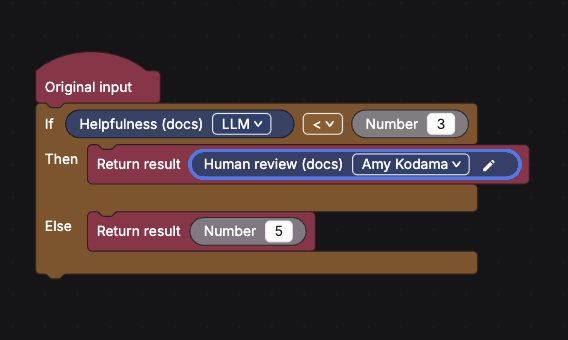
Add an If … Then … Else condition. Set it to check the Helpfulness score with < 3.
- Then (score is low): route to the Human review grader.
- Else (score is fine): send a passing constant to
Final result.
Complete assigned reviews
After a deployed evaluator routes an output to a human grader, the assigned reviewer works from Evals → Reviews. The queue is reviewer-specific: it shows items assigned to the signed-in workspace member, not every human-review item in the project.
Check the queue status
Read the completed-item counter in the header, then refresh the queue when a new assignment is expected. Use the queue filter when you need to narrow the items currently assigned to you.
Nothing appears in Reviews
The empty state says Nothing to review when no items are assigned to the signed-in reviewer. Check these conditions in order:
- The human grader assigns the intended workspace member.
- The evaluator version containing that assignment is deployed.
- A production or test input reached the branch that routes to the human grader.
- The reviewer opened the same workspace and project where the evaluator ran.
Changing a reviewer does not create an assignment by itself; an evaluator run must still reach the human-review branch.
You can gate on a metric instead of a grader score. For example, add a condition on Cost or Latency so an expensive LLM grader only runs on the spans that matter. See the block reference.
What’s next
- Attach this evaluator to an online eval so escalations happen on live traffic.
- Back to the Evaluators overview.