Guardrails
Catch prompt injections, jailbreaks, system prompt leaks, and unsafe content before they reach your models and tools. Built on Span-01, free with the Respan gateway.
Respan Guardrails are in early access. Join the waitlist to turn them on for your organization.
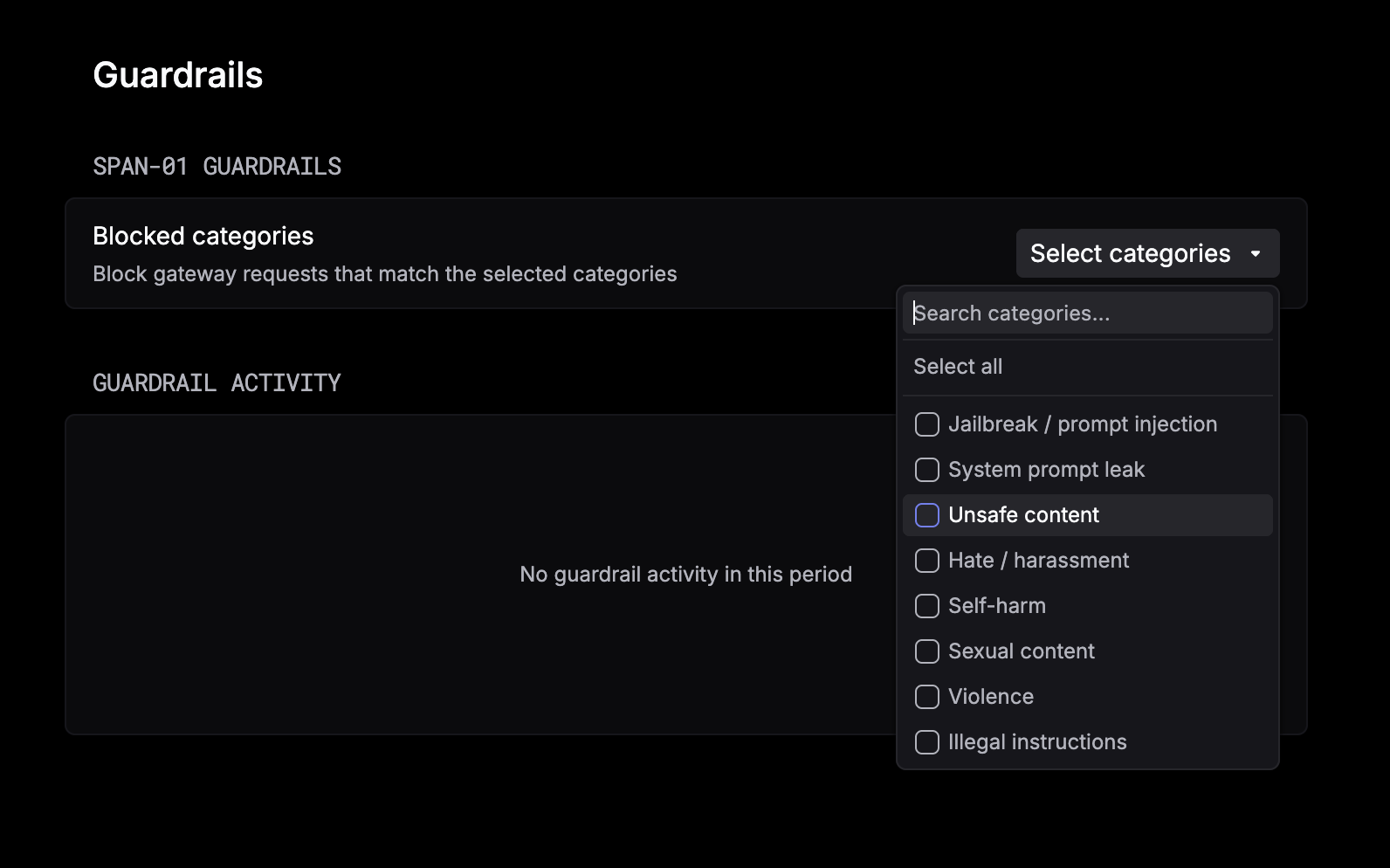
Respan Guardrails check every request that goes through the Respan gateway with Span-01, Respan’s classification model. Turn them on once, pick the categories you care about, and threats are caught before they reach your model.
What Guardrails check
Choose any combination of these categories, or select all of them.
Benchmarks
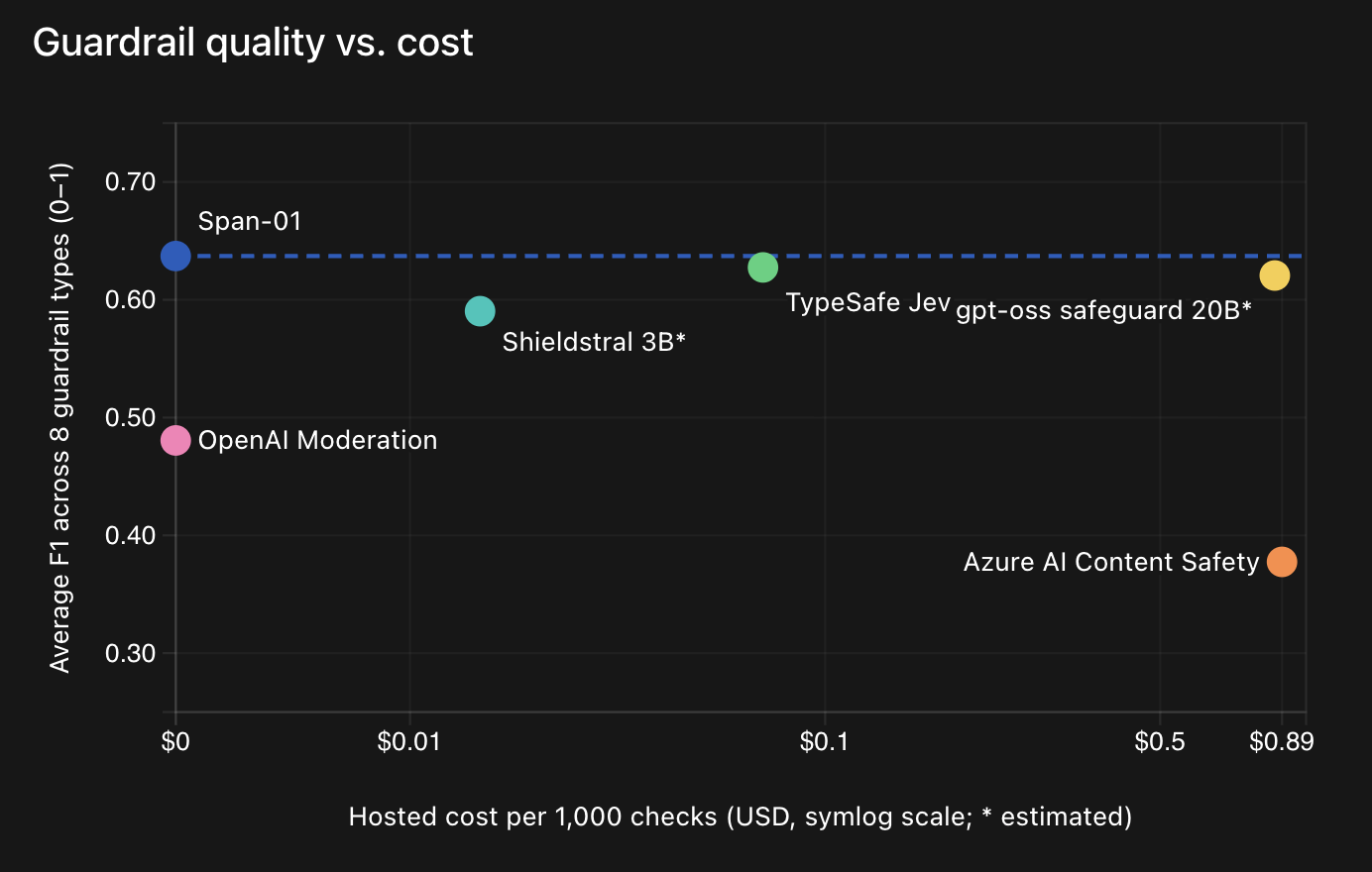
On a benchmark built from 7 public security datasets, Respan Guardrails post the highest average F1 of the guardrails we tested, and they’re completely free with the Respan gateway.
Setup
Route your app through the Respan gateway
Guardrails run inside the Respan gateway, so they check each request inline, before it reaches your model. The Respan CLI hands off to your coding agent (Claude Code, Cursor, Codex, and others), which points your project at the gateway for you.
To set up the gateway by hand, see the gateway quickstart.
Guardrails apply only to requests sent through the Respan gateway. Apps that send traces to Respan without the gateway are not covered.
Choose the categories to block
Open the Guardrails page in the Respan platform. Under Blocked categories, open Select categories and choose the categories to block, or pick Select all. No code changes needed.
Gateway requests that match a selected category are blocked, and show up under Guardrail activity.